
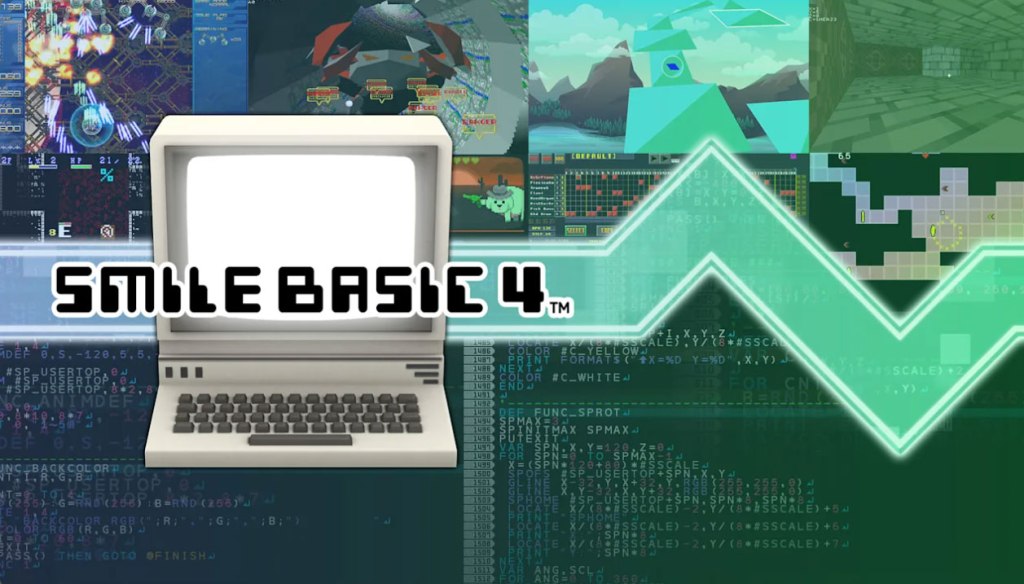
SmileBasic 4
Genre: Content Creation Application
Players: 1-4 Co-Op / Competitive (Local), Online Content Sharing
.
Review:
SmileBasic 4 is a Content Creation Application released on Nintendo Switch in 2020. To be more precise, SmileBasic 4 is a fully-fledged programming language designed with videogames in mind, mostly with 2D games in mind, but some simple 3D is supported as well. And by programming language, I mean just that – if you intend to create your own videogame using this software, you will be getting elbow-deep in code, with various commands and a general experience comparable to programming languages you would find on the PC.
So before I go on, I’m just going to say that this will not be a normal review, because I do not feel like I have the proper experience to review a programming language in any sort of knowledgeable way. I have written code in the past (and even have experience with the original version of Basic… wow, I am old…), but that was quite a long time ago, in a different version of the programming language, and I simply do not know where to even begin comparing SmileBasic 4 to the likes of software such as Unreal Engine, Unity, and so on. All I can do is give a very broad overview of what to expect here, and you’ll have to use your own judgment to decide whether to make the jump here.
I suppose the first question here is undoubtedly going to be why you would use a programming language on the Nintendo Switch in the first place, when programming languages are not only plentiful on the PC, but arguably better-suited to that platform, with its ready access to other applicable tools, an internet of guides and helpful instructions at your fingertips, an operating system that makes file navigation easy, and mouse and keyboard as a default input device.
SmileBasic4 tries to make things as easy as possible by making this software compatible with a USB keyboard when docked. It supposedly supports a USB mouse as well, but the ones I tested the game with were not registered by the game. This isn’t horrible – the game lets you use the right analog stick on your controller for this purpose, and it works well enough. If you’re using this software in handheld mode, there is also full touchscreen support in menus, in the programming pages, and when creating sprites in the included sprite editor.
To get back to the question of why to go for SmileBasic instead of a game design software on PC, SmileBasic has the advantage of letting players immediately try out their game on Nintendo Switch, and share it with the community. Also, the $25 price tag is pretty decent… or rather, the $30 price tag, if you want to get an unlimited-use “server ticket” that the game requires to upload games and download multiple games at a time from the online servers. This hidden cost to use the full features of the game feels really questionable, but at least it’s only a one-time payment, and it’s not extremely pricey.
For those dedicated enough to dive into this programming language and learn its ins and outs, it seems to be fairly decent, allowing for both 2D and 3D games, Although the 3D here is extremely limited. There’s even multiple included libraries of media samples to draw from, including graphics, music, and sound clips. And for those wanting to see what SmileBasic is capable of, there are numerous sample programs included here that you can play, or even pour over their code to get ideas for your own game. Or of course you could download the works of others on the included online directory.
One of the features that sets SmileBasic 4 apart from its most direct competitor on Nintendo Switch, Fuze4, is that SmileBasic features a very good interactive tutorial to guide players through each step in how to use its software. It tries its best to be comprehensible to younger players too, with a handful of characters discussing various programming functions before having the player perform those tasks themselves. However, I will note that players will absolutely want to take notes as they go, or have a wiki handy, because as with any programming language there is a lot of ground to cover and you may need extra assistance to fully understand everything that’s going on here.
One other thing I should note here – SmileBasic 4 has an excellent search function for looking through games other designers have published, and of all of the Game-Building tools I have tried, this one consistently had some of the best-quality games I played. Even if you’re looking to play some great games from small-time developers and have zero interest in programming, SmileBasic 4 may be worth a look for you.
And… that’s about all I can really say about SmileBasic 4 without actually taking the time to learn the ins and outs of the programming language. This application does seem to want to make it relatively easy to learn for those who are new to programming languages, but “relatively easy” still means that it requires a huge dedication of time, attention, and effort. However, if that doesn’t faze you, and if you are specifically interested in doing programming right on your Nintendo Switch, SmileBasic seems like it has a lot to offer you.
tl;dr – SmileBasic 4 is a Content Creation Application that lets players design their own videogames and play games designed by others. Like any programming language, this is not a very user-friendly experience, although some decent tutorials help to ease new programmers into their first steps in game design. Overall, I will say that this is worth looking into for players who specifically want to design games on their Nintendo Switch. Also, out of all of the game design applications, I found SmileBasic to have what was by far the best variety of high-quality games on offer from other creators, so if you’re looking to play others’ games, this is the way to go.
Grade: N/A
You can support eShopperReviews on Patreon! Please click HERE to become a Sponsor!
This month’s sponsors are MB, Andy Miller, Johannes, u/RamboFox, Exlene, Eli Goodman, Ilya Zverev, Stov, Connor Armstrong, and K.H. Thank you for helping to keep the reviews coming!
 eShopperReviews
Leave a comment