
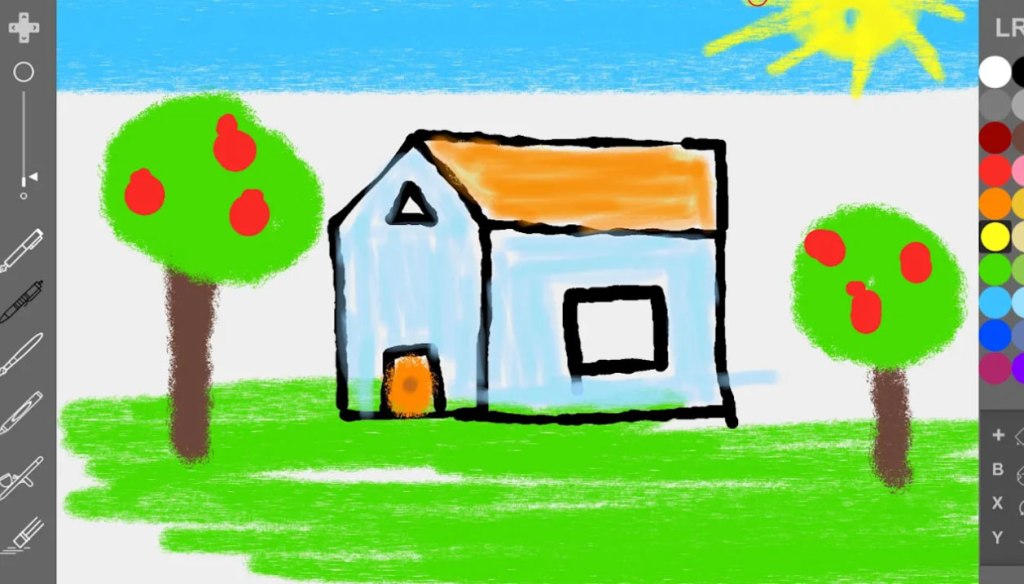
Paint
Genre: Art Application
Players: 1
Game Company Bad Behavior Profile Page: Sabec
.
Review:
Paint is an Art Application software released as an asset on the Unity Asset Store in 2020 as Paint Craft 2020, and brought to the Nintendo Switch as a low-effort asset flip later the same year. This application allows players to use the Nintendo Switch touchscreen or a controller to draw on a blank canvas or alternately opt to color in one of nine included line art pieces.
In many ways, what’s on offer here is pretty bare-bones. There’s no main menu, no options. Your opening screen simply lets you select between “Paint” and “Draw”, the former of which brings you to the aforementioned “coloring book” art selections, with the latter giving players a blank canvas to work with.
Players can select one of six brush styles with adjustable sizes, 20 colors, there’s “undo” and “redo” buttons, and an “erase all” button and that’s it. No ability to save or share your works (beyond taking a screen grab), and in fact if you accidentally exit out to the menu (which is done with a simple press of the plus or minus buttons), you lose whatever you’re working on instantly.
Honestly, I’m not sure why anyone would purchase this software. If you want a coloring book on Nintendo Switch, Coloring Book is free, has more features and more drawings to color in. If you want a professional art program for the Nintendo Switch, get Colors Live. But the generically-named Paint? Leave this one in the can.
tl;dr – Paint is an Art Application that allows users to draw freely or color in a coloring book. Unfortunately, it’s very feature-poor, not even allowing you to save your work, and there are better alternatives already on the Nintendo Switch. Don’t bother with this one.
Grade: D
You can support eShopperReviews on Patreon! Please click HERE to become a Sponsor!
 eShopperReviews
Leave a comment