
Guitar
Genre: Music Creation Application
Players: 1
.
Review:
Guitar, released on Nintendo Switch in 2020, is an Application that lets players play a simulated guitar on their Nintendo Switch using either the touchscreen or buttons assigned to each of the individual keys.
I’m going to do something a bit different than the norm for this review. I’m just going to outright tell you – I do not know how to play a real guitar. I can manage a plastic Guitar Hero guitar okay, but I know that’s not the same thing, and even so I still tend to prefer to play those fake instruments on a lower difficulty. But when it comes to the real deal… I know the idea behind how to play it, but don’t have any actual skill with doing it. As such, I may not be the best person to review a guitar simulation, so take out of this what you will.
The thing is, even with my limited knowledge, I feel like I should have some idea how to play some basic notes in much the same way as a real guitar, yet this Application does not seem to want to… well, work. I suspect this is in part a limitation of the technology – there are only so many spots you can touch on a capacitive touchscreen before that screen’s ability to detect things accurately becomes compromised, and playing a guitar via normal means requires having your fingers in multiple places at once. However, even trying to touch two places at once on this simulated guitar doesn’t seem to register properly.
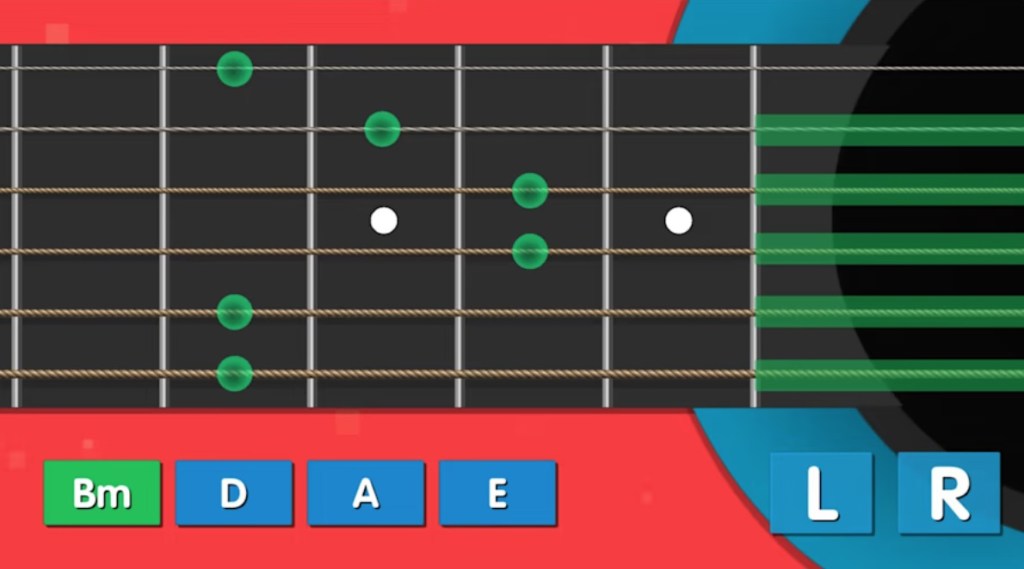
It may be that players are meant to use some combination of the touchscreen and gamepad buttons to compensate for this limitation, but if so, the software does nothing to indicate how to do so. Quite the contrary, there seem to be options here for playing different chords, but the software doesn’t clearly express what it expects the player to do to play it properly, and everything I tried just didn’t work.
Oddly, unlike many of Sabec’s music apps, this one does seem to have some decent options, but makes their use as confusing as possible. Players can swap between multiple types of guitars, but there is no visual indicator to let you know which one you’re using. There’s a “Learn” menu to learn different chords, but with this game’s mystifying controls this doesn’t help one bit. And there’s a “compose” menu to set up a preferred selection of chords to swap between, but… again, inexplicable controls still makes this rather pointless.
Beyond this, there are no options to record or playback, no tutorial of any kind, no way to change the visual presentation… nothing beyond menus pertaining to chords that still fail to instruct the player how to even use the software properly.
So perhaps it is my musical ignorance that leads me to this point, or perhaps I just couldn’t piece together what this software seems to expect the player to know. But in either case, the result is that Guitar on Nintendo Switch was pretty much unplayable for me, with mystifying controls that don’t make any sense to me. If you’re a guitar player who’s tried this software, feel free to tell me how wrong I am in the comments, but I tend to think that an Application like this should do more to instruct players how to use it, and the complete failure to do so makes for what is to me (and likely to many players) a virtually unplayable Application.
tl;dr – Guitar is a Music Creation Application with inexplicable controls and a few guides and options that do nothing to clarify how to actually use the thing. I admit I may just be missing the point here, but as this game does nothing to enlighten me, I can only conclude that this is the game’s failure, not mine.
Grade: F
You can support eShopperReviews on Patreon! Please click HERE to become a Sponsor!
This month’s sponsors are Andy Miller, Exlene, Johannes, u/RamboFox, Ilya Zverev, Connor Armstrong, Eli Goodman, K.H. Kristoffer Wulff, and Stov. Thank you for helping to keep the reviews coming!
 eShopperReviews
Leave a comment