
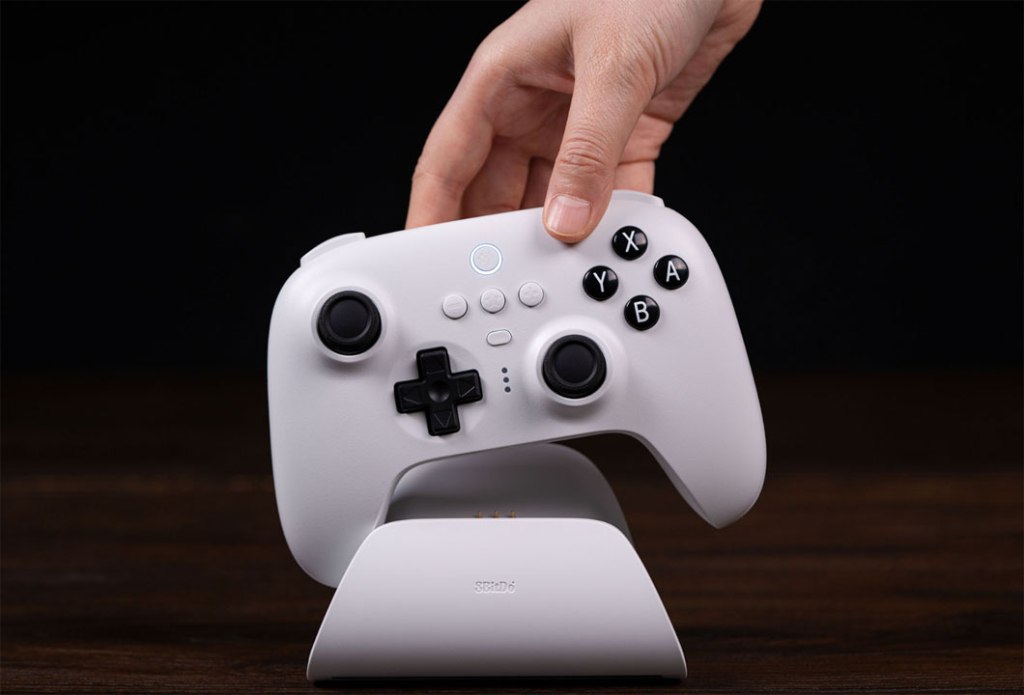
8BitDo Ultimate Bluetooth Controller
Hardware Type: Game Controller
.
Review:
Prior to this review, if you asked me what was the best controller on Nintendo Switch (at least for games that don’t outright require Joy-Cons, such as Ring Fit Adventure and Super Mario Party), I’d be a bit stumped. Nintendo’s Pro Controller, the 8BitDo SN30 Pro+ Bluetooth Gamepad, and the Exlene Wireless Pro Controller all offered some excellent alternatives, but each had their own downsides too. With the release of the 8BitDo Ultimate Bluetooth Controller in 2022, 8BitDo seemed to be taking another crack at making… well, the ultimate Nintendo Switch controller.
Available in black or in white, the 8BitDo Ultimate Bluetooth Controller is compatible with all Nintendo Switch game systems, as well as with PC using Windows 10 and higher, and platforms running SteamOS Holo 3.4 and above (including the Steam Deck). It comes with its own dock, and nestled within the dock is a 2.4g USB wireless receiver for use on PC. Also included in the box is a 1m long USB-C (male) to USB-A (Male) cable, which can be used to attach the dock to the Nintendo Switch dock, or to directly attach the 8BitDo Ultimate Bluetooth Controller to the Nintendo Switch dock or PC.
I suppose I’ll start by talking about the dock, then. I can’t help but see this thing as superfluous. It isn’t bad, it does its job, but I feel like it seems to save all of a fraction of a second dropping the controller in to charge compared to plugging it directly into the cable. What’s more, the controller’s dock is naturally designed for use with only this controller, while the standard USB-C cable works with pretty much any wireless controller on the Nintendo Switch, so if I want to swap out one charging controller for another, just using a standard USB-C cable is definitely the better way to go. However, if this is going to be your only Pro-style controller on the Nintendo Switch, you might as well use the dock.
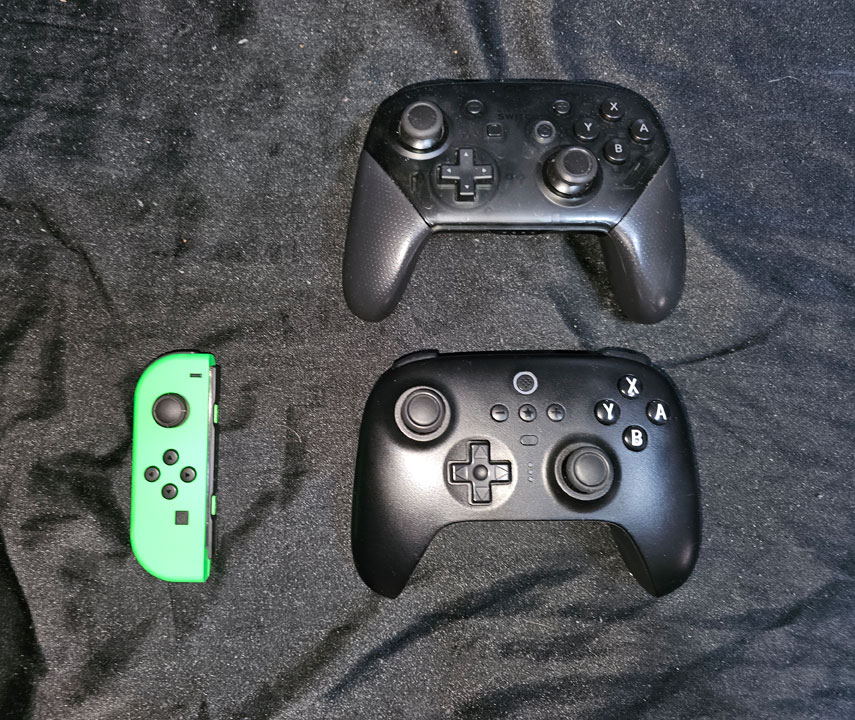
As for the controller itself, the controller weighs 228 grams, slightly less than the Nintendo Switch Pro controller’s 235 grams. It features a pretty solid ergonomic form factor with a roughly comparable size to the Nintendo Switch Pro Controller – see above image for comparison to a Nintendo Pro controller (top) and Joy-Con (left). It also has some really nice texture for the backside of the grips. In terms of how the controller feels in my hands, this is extremely comfortable, one of the best-feeling controllers I’ve ever held, easily beating other controllers I’ve tried from both 8BitDo and Exlene, and even edging out Nintendo’s own Pro Controller.
The button layout here feels pretty natural, with four convex face buttons on the right side, a D-pad on the left that feels pretty good, and asymmetrical analog sticks on either side that are in pretty much identical positions when compared to Nintendo’s Pro Controller. However, unlike Nintendo’s Pro Controller, the 8BitDo Ultimate Bluetooth Controller uses hall effect joysticks, meaning that this controller won’t suffer the “drift” issue that Nintendo has become infamous for – yes, generally more for its Joy-Con controllers, but I’ve had to deal with a drifting Pro Controller personally, so it definitely affects those too… but this isn’t an issue for the 8BitDo Ultimate Bluetooth Controller.
The other face buttons are all located near the center of the controller. On top, you have the home button, featuring 8BitDo’s own heart logo instead of Nintendo’s house-shaped logo. This is used in much the same way as the Home button on Nintendo’s controllers, and while this controller does have the ability to wake the Nintendo Switch, it does so in an odd way – after turning on the controller, you have to shake it. I suppose this works well enough, though it seems like an odd choice, and it’s definitely not as intuitive as Nintendo’s controllers.
Just to left and right of center, you have the plus and minus buttons, and I honestly love the placement of these two buttons, as I never feel like I have to go searching for them, or wonder if I’m going to mistakenly push the home or screenshot buttons like I often do on Nintendo’s Pro Controller.
Dead center on the controller is the star button, which by default acts as the screenshot button on Nintendo Switch. Again, I really appreciate this placement – this is generally the button I want to be farthest away from buttons I normally use so I don’t accidentally hit it, so dead-center is just fine by me. Beneath this is the profile button, which I’ll get to later.
At the top of the controller, you have the standard pairing button and USB-C port (if you’re not using the dock), as well as the four shoulder buttons. L and R both seem pretty typical, and ZL and ZR feature analog triggers, something Nintendo’s Pro controller lacks… though this is of course because the Nintendo Switch doesn’t recognize analog trigger inputs except via games designed to recognize wired GameCube controllers, such as GRID Autosport and the Super Mario Sunshine portion of Super Mario 3D All-Stars. As the 8BitDo Ultimate Bluetooth Controller is not a wired GameCube controller, its ZL and ZR buttons are recognized as only digital on Nintendo Switch, and the analog functionality is here only for use with Windows and SteamOS.
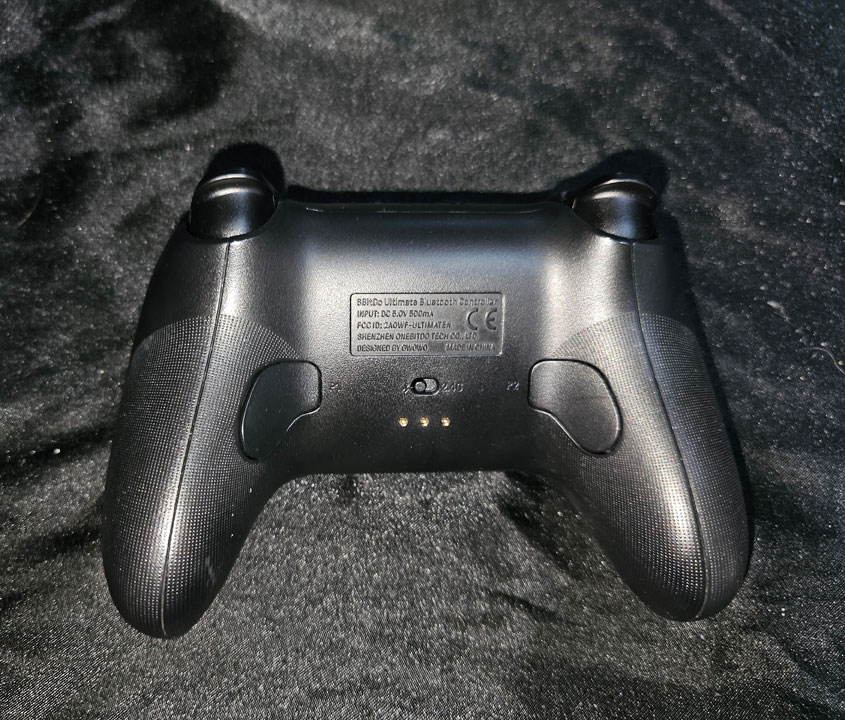
On the back near where your middle fingers would normally rest, you have left and right back buttons, non-functioning by default. In the center on back is a switch, allowing you to swap the controller from Bluetooth (used by default for Nintendo Switch) to 2.4G Wireless connection (for other platforms).
In addition to all of the aforementioned buttons, the 8BitDo Ultimate Bluetooth Controller also features rumble (but not HD rumble), and gyroscopic motion control. However, this controller lacks the ability to scan Amiibo figurines.
All of this makes for a pretty competitive alternative to the Pro Controller, with numerous advantages (though there are a few disadvantages too, many of which I’ve already noted). However, that’s not even getting into the 8BitDo Ultimate software. This is software you can download onto your PC, Android device, or iOS device, and it connects with your 8BitDo Ultimate Bluetooth Controller to enable all sorts of additional features.
In addition to the default controller functionality, players can also set up as many as three different profiles, swapped between using the aforementioned profile button. Within each profile, you can set up your own button reassignments, make any button a “turbo” button (hold the assigned turbo button and any other face button to make that button press repeatedly), make any button a “hold” button (same as turbo, but now buttons that are “turbo”-ized do not need to be held down), a “swap” button (hold the assigned swap button and any other two buttons to quickly “swap” those two buttons), and “null” (inactive, like the way the two back buttons are by default). Ah yes, on that note, here’s where those back buttons start to become handy – if you don’t want to sacrifice any of the face buttons for these new controls, you can assign these functions to the back buttons instead.
There’s more – in addition to button reassignments and turbo buttons, you can also set up macros for easily-executable Street Fighter moves, or to automate some of the tedium out of repetitive tasks in farming games. Basically, if there’s a sequence of button presses and/or control inputs you use frequently, you can set up a macro to do the sequence with one button press.
In addition, you can change analog stick sensitivity, analog trigger sensitivity, and vibration strength. And all of this comes in a controller with an advertised battery life of 22 house on one 2-3 hour charge (I haven’t timed this, but I believe it – the battery on this controller seemed to last quite a long while on a relatively short charge).
Overall, the 8BitDo Ultimate Bluetooth Controller has a pretty good array of features, but is it definitively the best controller on Nintendo Switch? Unfortunately, while this might be my favorite Nintendo Switch controller, I hesitate to say it is definitively the best. It has a lot going in its favor – it has an outstanding form factor, tons of options with custom profiles, button-swapping, turbo, and macros, along with the two extra back buttons and the hall effect analog sticks. It also has the ability to wake the Nintendo Switch from sleep, which previously I have only encountered in Nintendo’s own controllers and a few of the controllers from Exlene.
On the other hand, this controller has some strong downsides too. It lacks the ability to scan Amiibos, unlike Nintendo and Exlene’s controllers. It lacks the HD rumble that Nintendo’s Pro controller has. Its method for waking the Nintendo Switch works, but is a bit odd. And it is tied with the Nintendo Switch Pro Controller for the highest-priced Pro-style controller I have encountered, at a whopping $70.
There is so much good to be found in the 8BitDo Ultimate Bluetooth Controller, but there’s also enough bad here that I can’t quite say that this is the “ultimate” controller on the Nintendo Switch. I suppose this means that instead of having a three-way tie for best controller on Nintendo Switch, I now have a four-way tie. It’s a bit frustrating that this means I still have no one controller I can point to when recommending a Pro-style controller on Nintendo Switch. However, I suppose the bright side is that Nintendo Switch players have multiple strong viable options, each with some excellent benefits. So consider this a compliment that the 8BitDo Ultimate Bluetooth Controller is among the best of the best when it comes to controller options on the Nintendo Switch.
tl;dr – 8BitDo Ultimate Bluetooth Controller is one of the best pro-style controller options on the Nintendo Switch, featuring a wonderful form factor, hall effect analog sticks, multiple profiles with programmable button assignments and macros, as well as two programmable back buttons. It’s also a rare example of a third-party controller that can wake the Nintendo Switch from sleep mode. Unfortunately, it’s not quite the “ultimate” option – it cannot scan Amiibo figurines, it lacks HD Rumble, and its $70 price tag makes it one of the priciest options for this style of controller. Make no mistake, this controller is still one of the best, but it isn’t definitively the best.
Grade: A-
You can support eShopperReviews on Patreon! Please click HERE to become a Sponsor!
This month’s sponsors are Ben, Andy Miller, Exlene, Homer Simpin, Johannes, Francis Obst, Gabriel Coronado-Medina, Ilya Zverev, Jared Wark, Kristoffer Wulff, and Seth Christenfeld. Thank you for helping to keep the reviews coming!
 eShopperReviews
Leave a comment