
Toomu Wireless Switch Controller
Hardware Type: Controller
.
Review:
(Note: This product was received at no cost for review via the Amazon Vine program.)
As the Nintendo Switch likely nears the end of its life, we’re starting to see more and more third-party controllers take on some features that were once exclusive to Nintendo’s own controllers, namely the ability to wake the Nintendo Switch from sleep mode, and the ability to scan Amiibo figurines. We’re also seeing more controllers designed with unique aesthetics, undoubtedly to better appeal to niche parts of the market. Recently, I reviewed the IINE Candy Pop Mini Wireless Controller, which has a pastel “candy”-themed look likely to appeal to a more female audience. And now, there’s the Toomu Wireless Switch Controller, which seems designed to appeal visually to basketball fans.
Just to be clear, the Toomu Wireless Switch Controller can wake the Nintendo Switch from sleep mode, and it cannot scan Amiibos, so right from the start this isn’t a feature-complete replacement for Nintendo’s own Nintendo Switch Pro Controller, but it’s fairly close, and it does tout some features Nintendo’s controller doesn’t have.
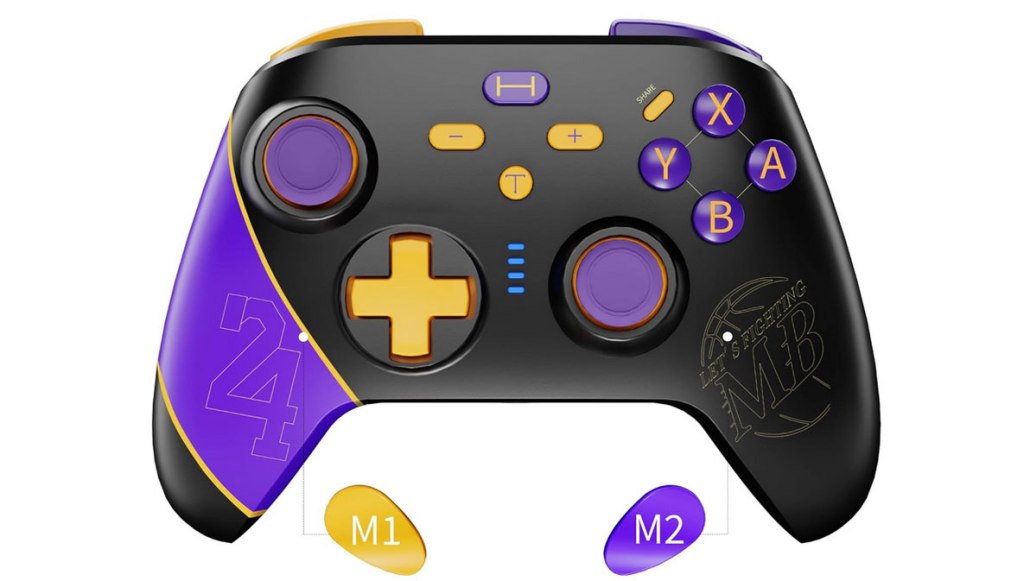
Yet the most noticeable feature of this controller is likely its design and color scheme, with the mostly-black controller having purple and orange highlights, with the left side featuring a stripe and the number 24 (perhaps because of this controller’s 2024 release year), and the right side featuring a basketball logo with the words “Let’s Fighting MB”, whatever that means. The logo and color scheme seem pretty strongly reminiscent of the Los Angeles Lakers logo and colors, though without anything so close as to invite a lawsuit for infringement.
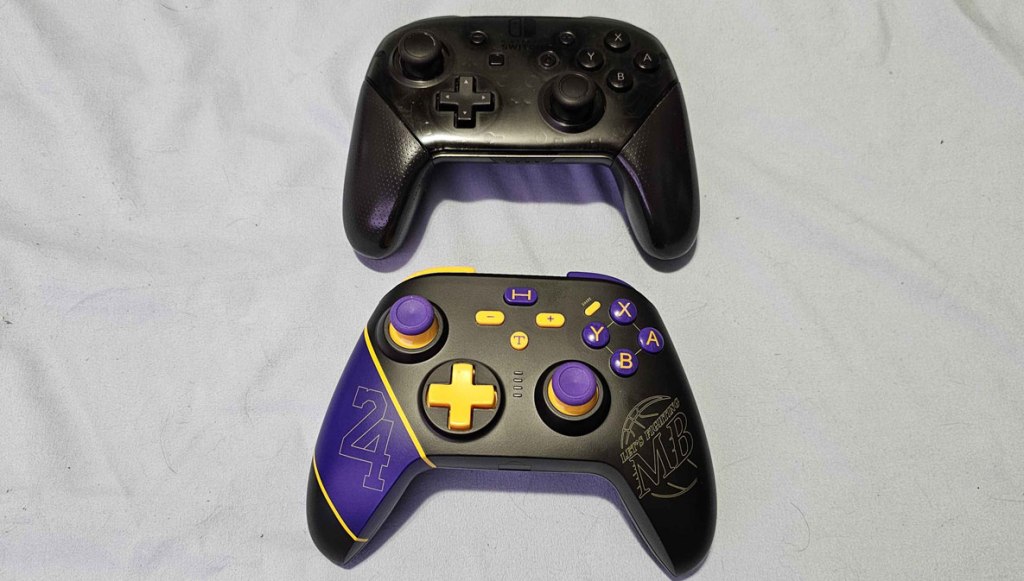
Beyond the aesthetic, we have analog sticks and primary face buttons in the standard asymmetrical Nintendo Switch layout with a size roughly comparable to Nintendo’s Switch Pro controller. Unfortunately, I really do not like the feel of these buttons, which are on the clicky side of the “squishy/clicky” spectrum, but still just squishy enough to feel imprecise. The D-Pad is even worse, feeling stiff, and at times failing to properly detect when I press up.
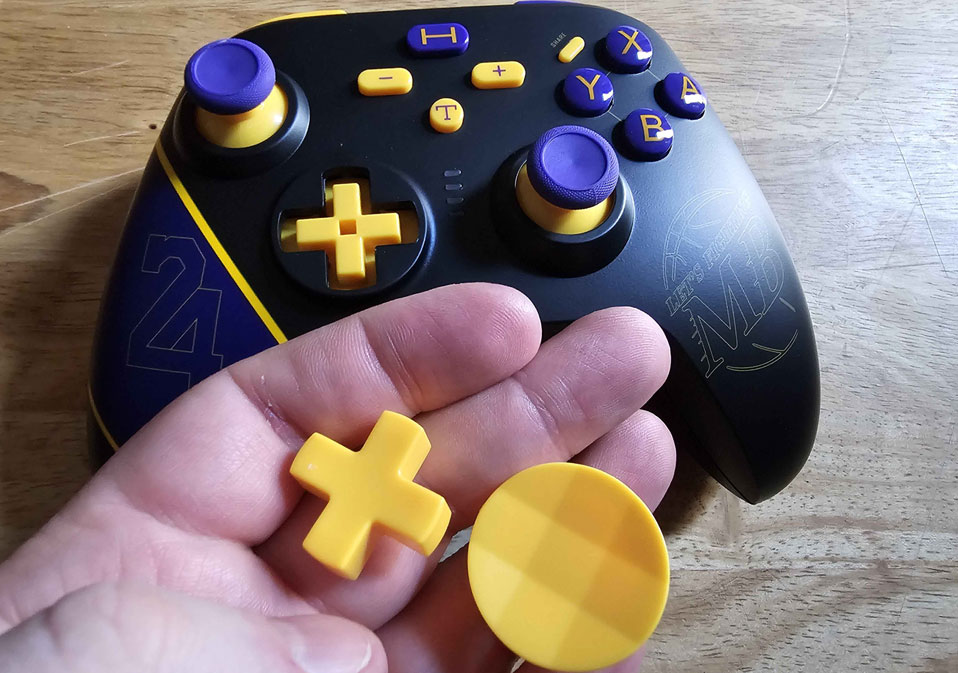
Here’s where I mention one of this controller’s key features, allowing you to replace the standard D-Pad with a “thumb grip” contoured disc-shaped replacement like we see in Microsoft’s Xbox Elite controllers. While a nice addition in theory, this disc doesn’t solve the problems the D-Pad has, and it’s difficult to pop out the D-Pad – you’ll need to wedge a screwdriver or something in there to get it out.
When it comes to the shoulder buttons, these work well enough for the most part, though the ZL and ZR buttons rise up at an uncomfortable angle that makes it awkward to hold the controller while placing your fingers on these buttons.
Going back to the face of the gamepad, the other buttons on the face of the controller have all been scrambled around. Minus and plus buttons are no directly to the left and right of center, and the home button is now above dead center, which is also okay, with the new turbo button underneath dead center. All of this is more or less okay, though the home button feels a bit too high to be comfortable to reach for now. No, the real problem is that the screenshot button has been placed right above the Y button now, and it is so close that while testing this controller I accidentally hit it over a dozen times. Of all the places to move this button, this was one of the absolute worst.
On the back of the controller, you have two additional macro buttons (or, as the instruction manual refers to them, “Marco” buttons. These are full macro buttons too, allowing you to input and save a sequence of commands (such as those used to perform a “Hadouken” fireball in Street Fighter).
This controller supports both gyroscopic motion control (which works well) and adjustable rumble (though not HD rumble), with the turbo function being adjustable as well.
Finally, this controller can be used not only with Nintendo Switch, but with PC or Android devices as well, both wired and wirelessly via bluetooth. I tested it out with both, and was surprised to find that the wireless controls worked surprisingly well without significant lag or latency, something that’s rare for Nintendo Switch controllers that can also manage to wirelessly connect to other platforms. However, it did inexplicably reverse the face buttons for some reason.
However, while the Toomu Wireless Switch Controller’s extra features are at times a delightful surprise, it’s hard to overlook this controller’s flaws – namely its poor face buttons, its horrible D-Pad, the uncomfortable ZL and ZR buttons, and the infuriating placement of the screenshot button. What does it matter if it wakes the Switch from sleep and connects flawlessly to PC and Android devices if the main controls are so awful? Trust me when I say, you’re much better off getting a better controller for your Nintendo Switch. Even if you’re a basketball fan, you’ll want to pass on this controller.
tl;dr – Toomu Wireless Switch Controller has a logo and color scheme seemingly designed to appeal to basketball fans, but while this controller has some nice extra features like great wireless connectivity with PC and mobile devices, it is undone by some terrible face buttons, uncomfortable ZL and ZR buttons, an absolutely horrible D-Pad (yes, even if you swap it out with the other included attachment), and one of the worst placements for a screenshot button I’ve ever encountered. With all of this being the case, I strongly suggest you skip this one.
Grade: C-
You can support eShopperReviews on Patreon! Please click HERE to become a Sponsor!
This month’s sponsors are MB, Andy Miller, Johannes, u/RamboFox, Exlene, Eli Goodman, Ilya Zverev, and Stov. Thank you for helping to keep the reviews coming!
 eShopperReviews
Leave a comment