
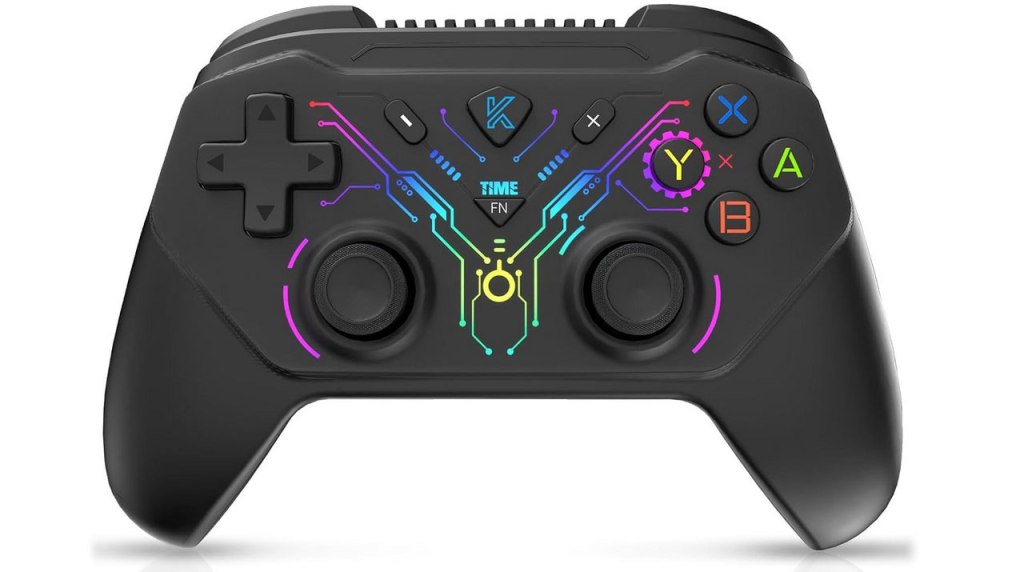
Bokesuya Switch Controller
Hardware Type: Controller
.
Review:
(Note: This product was received at no cost for review via the Amazon Vine program.)
Every product, no matter how great, has its flaws. Even the best videogame controllers I have reviewed have had at least something minor about them that was lacking, or could have been better. However, it’s not often I encounter a controller with one flaw so terrible, so glaring, that it ruins the whole controller.
Enter the Bokesuya Switch Controller. This is a low-range controller that’s modest in its feature set, but does at least have attractive lighting that may make up for some lack of substance with style. And for the most part, this controller works well enough, though it has a few odd quirks and annoyances that are fairly unique among controllers I’ve reviewed, as well as one fatal flaw.
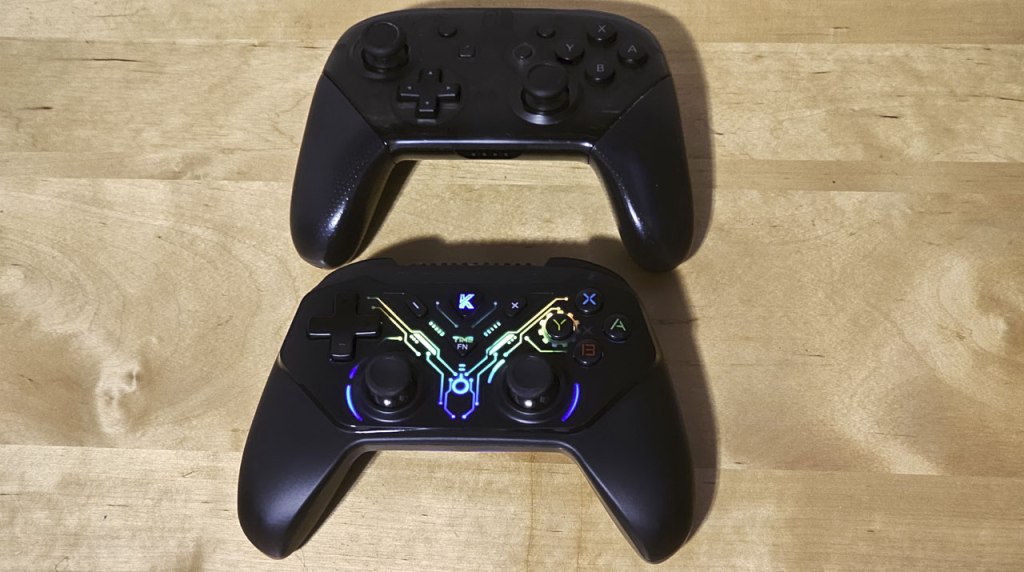
Bokesuya’s controller is roughly the same size and shape as Nintendo’s Pro Controller, though it opts for a symmetrical analog stick layout as opposed to Nintendo’s asymmetrical layout. This may throw off players used to Nintendo or Xbox controller layouts, but those who prefer PlayStation-style symmetrical stick layouts may find this more inviting. As always, neither is necessarily better or worse, this is more of a preference thing. Speaking of preferences, these analog sticks are concave at the top, which I prefer, and both feel nice and respond well when used.
The standard face buttons are a mix of clicky and squishy that leans in the direction of clicky, but they seem to work well enough, as do the L and R buttons. ZL and ZR feel like analog triggers, but unfortunately they’re not – testing them out on PC (this controller supports PC and Android as well as Nintendo Switch) reveals them to be fully-analog, making this the worst of both worlds as they lack the precision of fully-digital triggers and also lack the degrees of control that analog triggers allow for.
The secondary face buttons have been juggled around a bit. You more or less have the plus and minus buttons in the same place, but the home button has now become a triangular “K” button in the center-top, and the screenshot button has become the “FN” button in the dead-center. This more or less works, though it takes a bit to get used to.
However, here’s where we have to deal with the first of this controller’s odd design choices – players can control the strength of the controller’s vibration and the style of the controller’s lighting by using the FN button combined with the D-Pad. However, if you’re connected to a Nintendo Switch while doing this, the screenshot function will still work, which means that while you’re fiddling with the settings, you’ll inadvertently be taking multiple screenshots or video.
The sync button is now on the center-back of the controller for some reason, which is fine I guess but seems like an inexplicable choice. There is no turbo or macro functionality here, but this controller can wake the Nintendo Switch from sleep, has the aforementioned adjustable rumble, and has good gyroscopic motion control. This means, the only standard feature of a Pro-style controller missing here is Amiibo scanning.
There is one more odd quirk here I need to mention before getting to the major flaw. When this controller is plugged into a Nintendo Switch dock to charge and/or sync, it will randomly wake the Nintendo Switch from sleep mode. This happens frequently, and since my TV is set to wake when it detects that the Nintendo Switch is on, this controller basically turned on my entire entertainment system on its own without my input. Odd and frustrating, and after this I felt I had to unplug the thing and charge it separately from the Nintendo Switch.
However, if you were paying attention, you might have seen one thing I skipped over, the major flaw that absolutely kills this controller: the D-Pad. At first, this controller’s D-Pad seems fine, although not great. It’s extra-clicky, which I don’t mind terribly, but it does mean that playing games that use it is a loud experience. However, soon enough I found that the D-Pad wasn’t detecting my inputs correctly – trying to press down, for example, would only ever make the D-Pad input go left or right. If you want to see this in action, you can check out this “feature” in action in a video I posted to the eShopperReviews Tiktok page.
Even an inexpensive controller shouldn’t have such a basic feature that’s this broken and unusable, and this combined with all of the other flaws of the Bokesuya Switch Controller, combined with the lack of features just brings me to the conclusion that this is an absolutely terrible controller that no one should buy. You can do much better in this price range, or in any price range, for that matter.
tl;dr – The Bokesuya Switch Controller is a Pro-style controller with some flashy lights, but also some questionable and outright bad design choices, as well as a D-Pad so terrible that I do not recommend anyone get this controller. Avoid it at all costs.
Grade: F
.
This hardware has been nominated for one or more of eShopperReviews 2024 Game Awards:
Runner-Up: Worst Hardware
.
You can support eShopperReviews on Patreon! Please click HERE to become a Sponsor!
This month’s sponsors are MB, Andy Miller, Johannes, u/RamboFox, Exlene, Eli Goodman, Ilya Zverev, and Stov. Thank you for helping to keep the reviews coming!
 eShopperReviews
Leave a comment