
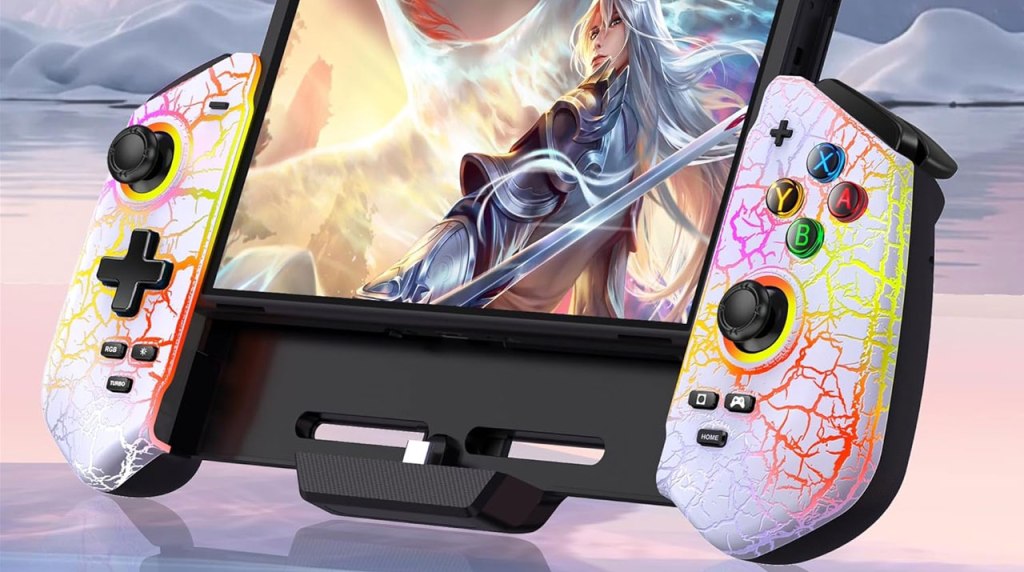
Gammeefy JC300 Switch Controller
Hardware Type: Grip / Controller
.
Review:
(Note: This product was received at no cost for review via the Amazon Vine program. Also, I should note that I have seen this same product with different color casing released under the brand names Saitake, Lifufutee, NealGamefy, MystNova, Jorep, and AXYBCool, with the same model number even. For the sake of consistency, I’m referring to the controller by the name I was first introduced to this manufacturer – Gammeefy.)
When I reviewed the Gammeefy JC200 Switch Controller, it surprised me by being a comfortable alternative to playing the Nintendo Switch in handheld mode using only Joy-Cons, with some interesting features that held a lot of potential. Unfortunately, a sub-standard D-Pad and face buttons kept the JC200 from truly realizing its potential. So you can imagine how I had hoped that the JC300, being a higher-end model, would hopefully fix these issues.
So imagine my surprise to discover that the JC300 isn’t a higher-end model at all. In fact, it shares very little in common with the JC200, apart from being a Grip-style controller for Nintendo Switch. It cannot connect to the Nintendo Switch wirelessly, it doesn’t have Macro buttons, and it has a completely different form factor. It is, for all intents and purposes, a completely different Grip Controller.
So… is it a good one?

As with the JC200, the JC300 adds a decent amount of bulk to the Nintendo Switch, extending out about 50% more on either side than the Joy-Cons add on their own. This is in addition to adding some depth as well, though like the JC200, this doesn’t add a lot of weight.
Unfortunately, where the JC200 instantly felt extremely comfortable, the JC300 feels clunky and awkward, with edges that push into the palms near the top. And while the handles on either side do have textured grips, it doesn’t change that this isn’t a very comfortable controller to hold.
At the very least, this time the D-Pad and face buttons seem to work more or less okay, although the face buttons are a bit more “squishy” than I’d like. The L, R, ZL, and ZR buttons all feel nice too, but the way they’re angled at the corners of the controller makes it less comfortable to wrap your fingers around.

The controller has some decent adjustable vibration, as well as a passthrough port so you can connect a USB-C power adapter while using the Grip. And on the back, there’s an actually pretty nice kickstand to replace the one you’re covering up on the back of the Nintendo Switch. Curiously, the word “Saitake” is printed on this stand, leading me to believe the original version of this controller before the reskin is the Saitake STK-7047. Anyway, there are also four slots to store extra Nintendo Switch game cartridges not in use, one of few features that carries over from the JC200.
However, at this point, we should talk about the other extra buttons on the face of the JC300, and wow there are a fair number of problems here.
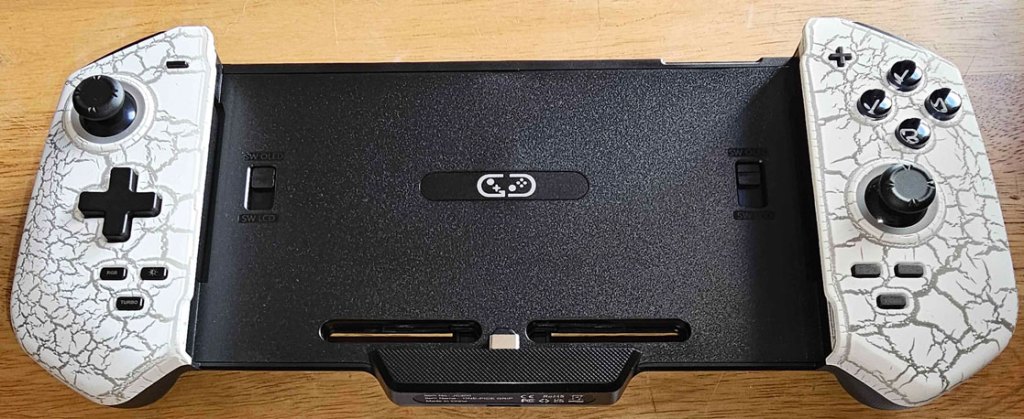
On the left side, under the D-Pad, you have (clockwise from the upper-left) an RGB button to change the lighting color of the JC300, a button to control the lighting brightness, and a turbo button, all of which mostly operate as you would expect, and if you don’t want any lighting you can long-press the RGB button to do so.
On the right side, under the right analog stick you have (clockwise from the upper-right) a vibration control button, the new location of the home button, and the new location of the screenshot button.
The first issue here is that this new placement among numerous other similar-size buttons makes it really easy to lose these buttons among all the other buttons here. The second issue is that these buttons are absolutely tiny, making the small text telling you what they are difficult to read. However, this last point hardly matters, as within a few weeks of owning this controller, the text on these buttons disappeared entirely. It’s not due to heavy use, either – the JC300 was just sitting there doing nothing while I attended to other matters, and when I got around to reviewing it, the text was just… gone.
In the end, the JC300 not only is not a step above the JC200, it’s not just a step down, it’s a huge step down. It feels clunky, the shoulder buttons feel awkward, the placement of the home and screenshot buttons is confusing, multiple parts of this controller feel cheap, and it’s missing a lot of the functionality that the JC200 had. And while, yes, the D-Pad works well enough this time, overall there’s little here that would make me choose this over the JC200 or, quite frankly, just playing the Nintendo Switch normally with its Joy-Cons attached. In short, this just feels like a waste of money.
tl;dr – The Gammeefy JC300 Grip-style Controller isn’t just a step down from the JC200, it’s a massive step down. It feels clunky and awkward, parts of it seem shoddily made, it’s lacking a lot of the functionality of the JC200, and there’s little reason to use this instead of just sticking with the Joy-Cons. This is a pretty big disappointment.
Grade: D
You can support eShopperReviews on Patreon! Please click HERE to become a Sponsor!
This month’s sponsors are MB, Andy Miller, Johannes, u/RamboFox, Exlene, Eli Goodman, Ilya Zverev, and Stov. Thank you for helping to keep the reviews coming!
 eShopperReviews
Leave a comment