
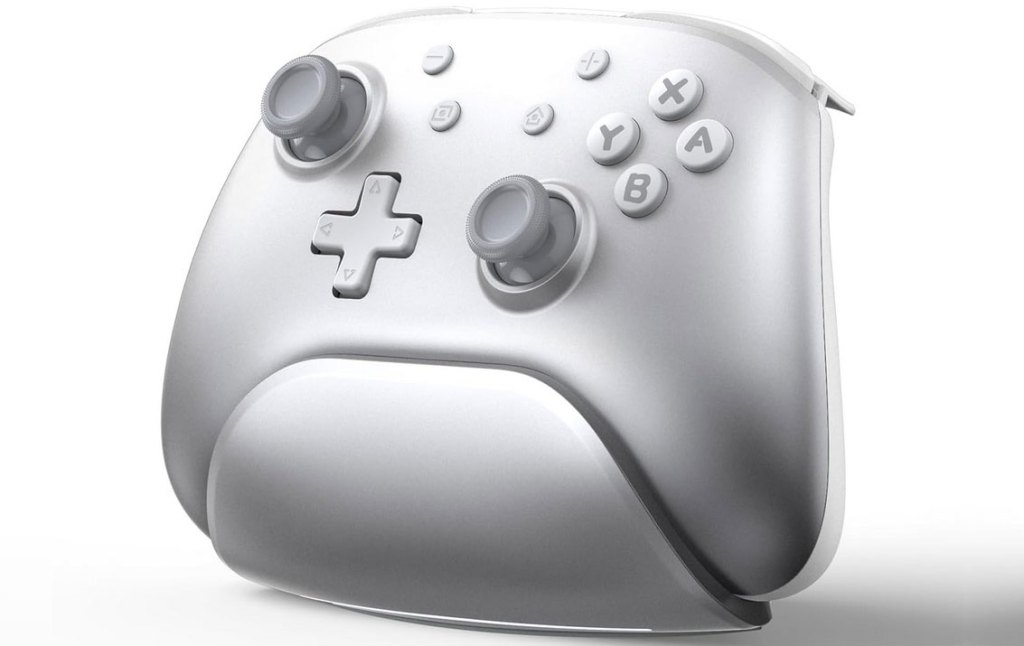
IINE Aether Radiant Silver Wireless Controller with Charging Dock
Hardware Type: Controller
.
Review:
(Note: This product was received at no cost for review via the Amazon Vine program.)
This will be my second time reviewing a product from IINE, with the first being the surprisingly good IINE Candy Pop Mini Wireless Controller. That controller had a cutesy exterior hiding a really solid controller underneath (and one that has become, in the time since, my girlfriend’s favorite Nintendo Switch controller), so I was eager to see more from them, and now that I’ve got my hands on the IINE Aether Radiant Silver Wireless Controller with Charging Dock (elsewhere referred to simply as the IINE Wireless Pro Controller with Charging Dock, as well as the Aether Gilded Silver, and referred to from here on in this review simply as the IINE Aether), it looks like I’m looking at a more “serious” controller. So now I wonder if they can still surprise me when they’re no longer trying to look cute.
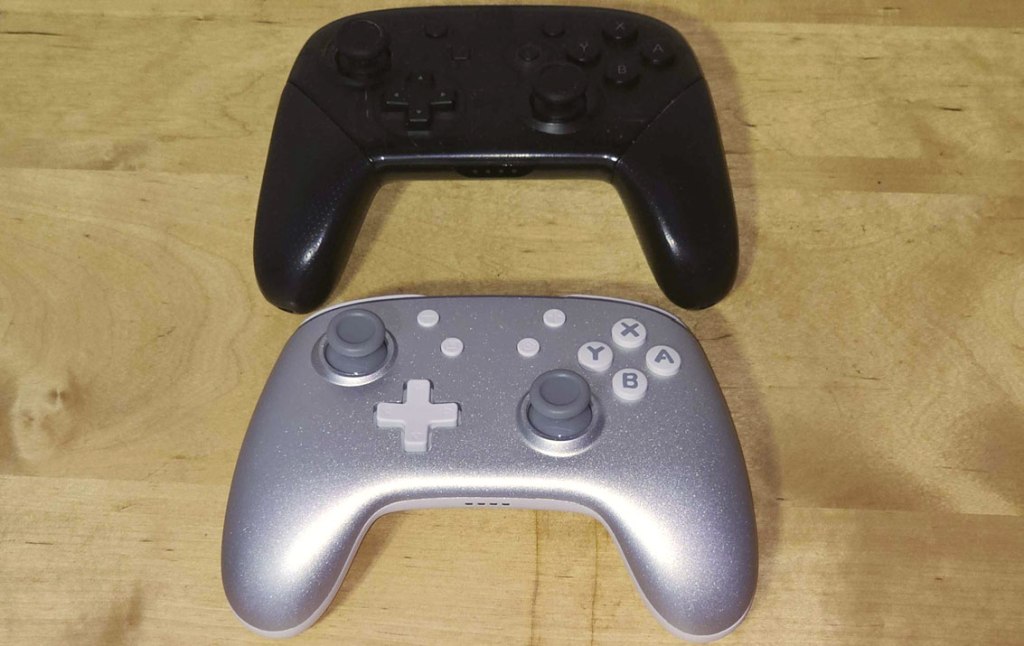
As with many of the Pro-style controllers released for Nintendo Switch, the IINE Aether is pretty comparable in size and shape to Nintendo’s own Nintendo Switch Pro Controller, with a comparable button layout, and asymmetrical analog stick placement. It feels fairly comfortable in the hands, though it doesn’t have textured grips. The two analog sticks have concave tops, as opposed to Nintendo’s controllers’ convex tops, and do not appear to be hall effect analog sticks (meaning “drift” is still a potential issue down the line).
The D-Pad and standard face buttons all seem to operate well enough – the D-Pad is clicky, which is fine for a D-Pad, while the face buttons are a good mix of clicky and squishy, which is also fine. And the secondary face buttons are in pretty much the exact same positions that they are on Nintendo’s Pro Controller.
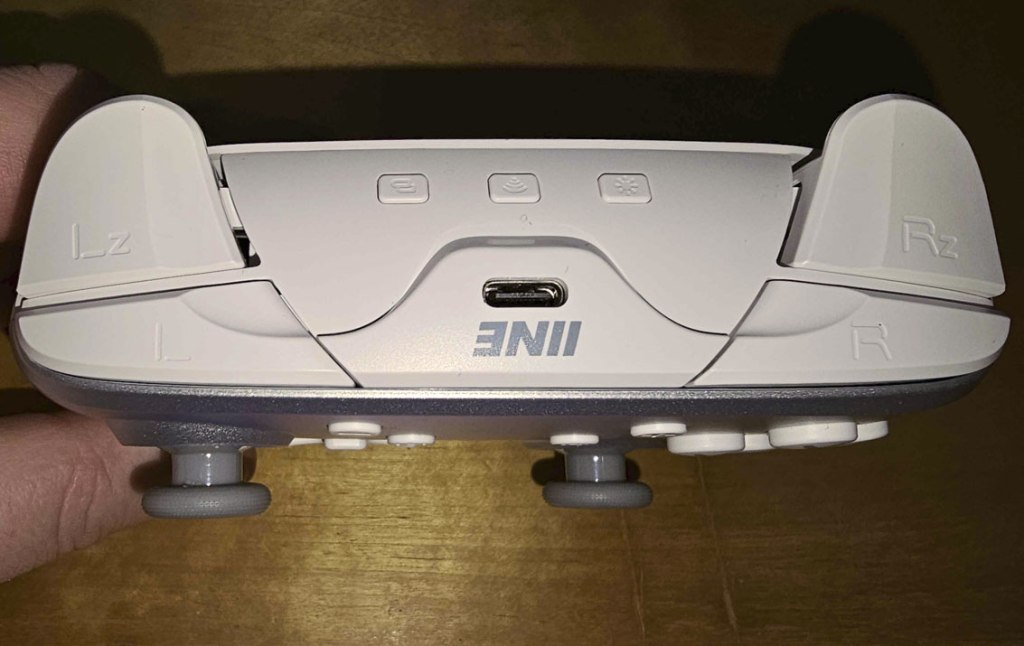
The L and R shoulder buttons and ZL and ZR trigger buttons similarly work fine, though it’s worth noting that these are completely digital triggers, which will work well on Nintendo Switch but will limit gameplay when this controller is used on other platforms, as it lacks analog input.
In addition to these buttons, the top of the controller also includes three additional buttons. In the center is a standard wireless connection button, but on the left is a turbo button (which works with the face buttons on the controller in the typical manner turbo buttons tend to have), and on the right is a button to check the remaining battery power of the controller – making the controller indicator lights display a rough idea of how much battery is left, a clever idea. However, I do think this is an odd location for the turbo button, and I would have preferred if it were somewhere more visible, and not so small.
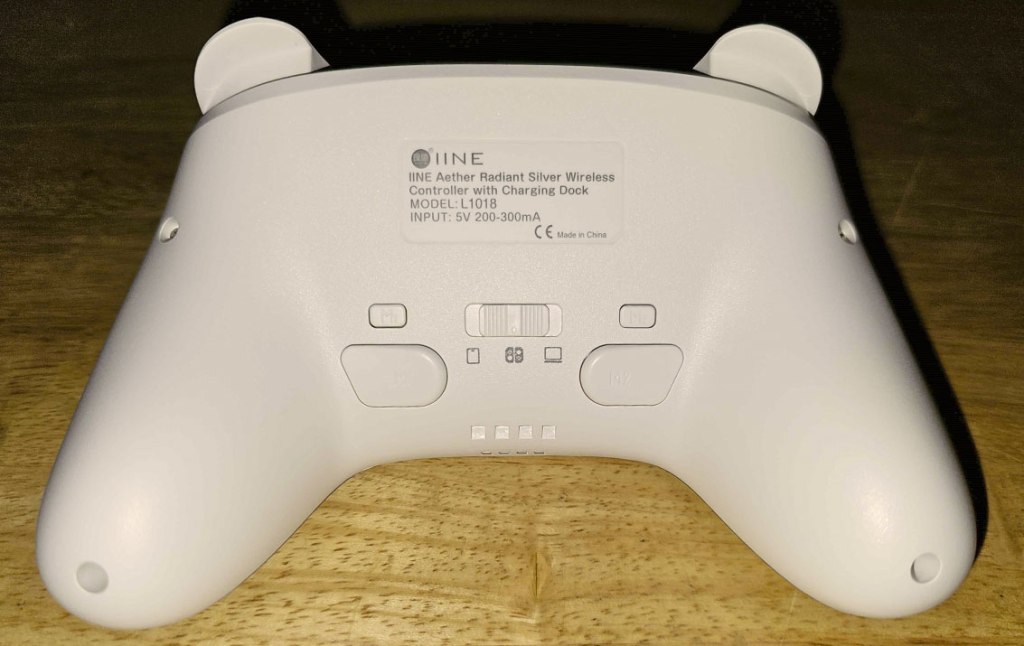
On the back of the controller, we have two macro buttons, and above them two smaller macro programming buttons, to set up the macro buttons to memorize command sequences, like Street Fighter’s “hadouken”. I’m not sure why this needed two macro programming buttons, and honestly I found the method of programming macros needlessly confusing here, as the rumble to start recording and the rumble to end feel identical, and the only real indication of whether or not you’re recording are the flashing indicator lights on the bottom, which you won’t see unless you’ve tilted the controller to look at them, as they’re not visible from the front of the controller.
Speaking of rumble, this controller offers an adjustable rumble instead of Nintendo’s HD Rumble, it has good gyroscopic motion control, and unlike most third-party controllers, it has the ability to scan Amiibo figurines.
Before moving on, you may notice the switch on the back of the controller. This is to facilitate syncing with different platforms. The Nintendo Switch is in the center, and on either side you have Android and PC. I’m sorry to say that wireless connectivity via Bluetooth didn’t work for me on PC, but connecting wired via the USB-C port worked fine, as did wireless connectivity to my Android smartphone.
I should also mention this controller’s support for IINE’s Android app, though I had to search around for it since this actual controller isn’t technically listed in the app. I finally was able to connect it as an IINE Phantom Y controller, and this leads me to believe that many of the controller designs on IINE’s website are variations on this controller, so if the silvery look of this controller doesn’t appeal to you, you may want to check out IINE’s website for alternatives.
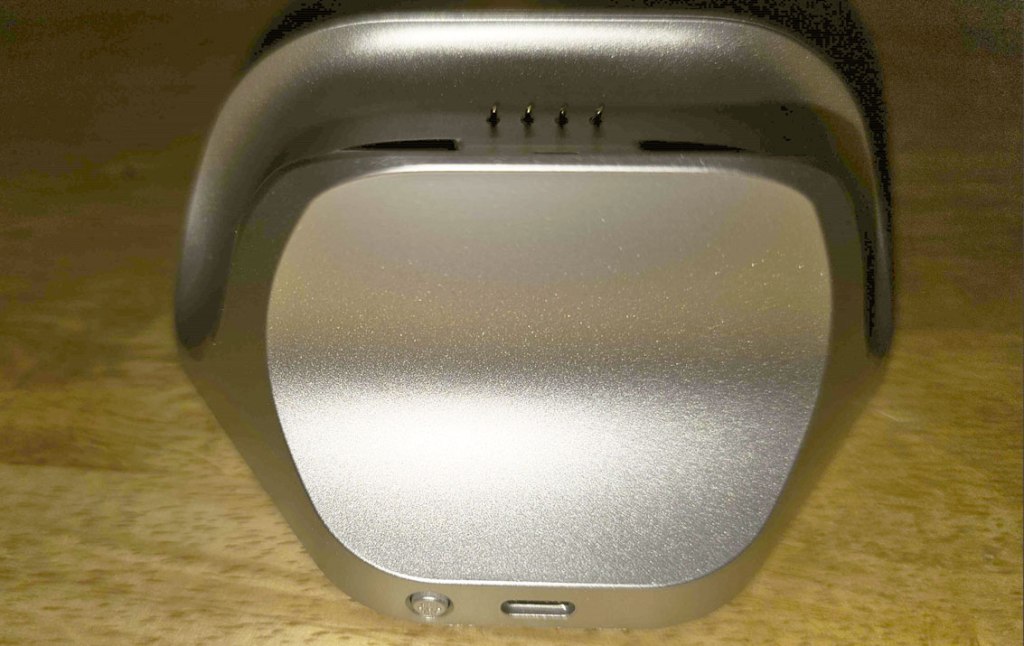
Finally, let’s have a look at the dock. It has a similar silvery design to the controller, with a USB-C port in the back, a light indicator button, and the controller smoothly slots in on the top. A glowing red light indicates when the controller is charging. Pretty straightforward. Players who prefer traditional charging via USB-C may still do so by plugging the cord into the top of the controller, of course, but many will see this as a nice convenience.
Overall, I think the IINE Aether is a very competitive mid-range Nintendo Switch controller. Its $50 price tag is justified not only by the included dock, but by features such as Amiibo scanning, app support, and an overall quality build. Having said that, it is also lacking in some areas – its multiplatform support is not ideal, especially with no analog triggers, its lack of hall effect analog sticks is disappointing, and the way buttons and indicators have been shifted to the back and top of the controller makes it more awkward and difficult to use functions like turbo, macro, and the otherwise-nifty battery check feature. Because of this, I would still opt for the NYXI Master P1 2.4G Wireless PC Controller over this one if looking for something in this price range, but it’s not cut-and-dry, and I can absolutely see why some players might prefer this one.
tl;dr – The IINE Aether is a mid-range Pro-style controller with an included controller dock for Nintendo Switch that works well and has a good selection of features. It’s a bit lacking in some areas, and the choice to have multiple functions tied to buttons and indicators on the back and top of the controller makes things more awkward than they need to be. But overall, this is a solid controller that’s a good choice in this price range.
Grade: A-
You can support eShopperReviews on Patreon! Please click HERE to become a Sponsor!
This month’s sponsors are MB, Andy Miller, Johannes, u/RamboFox, Exlene, Eli Goodman, Ilya Zverev, and Stov. Thank you for helping to keep the reviews coming!
 eShopperReviews
Leave a comment