
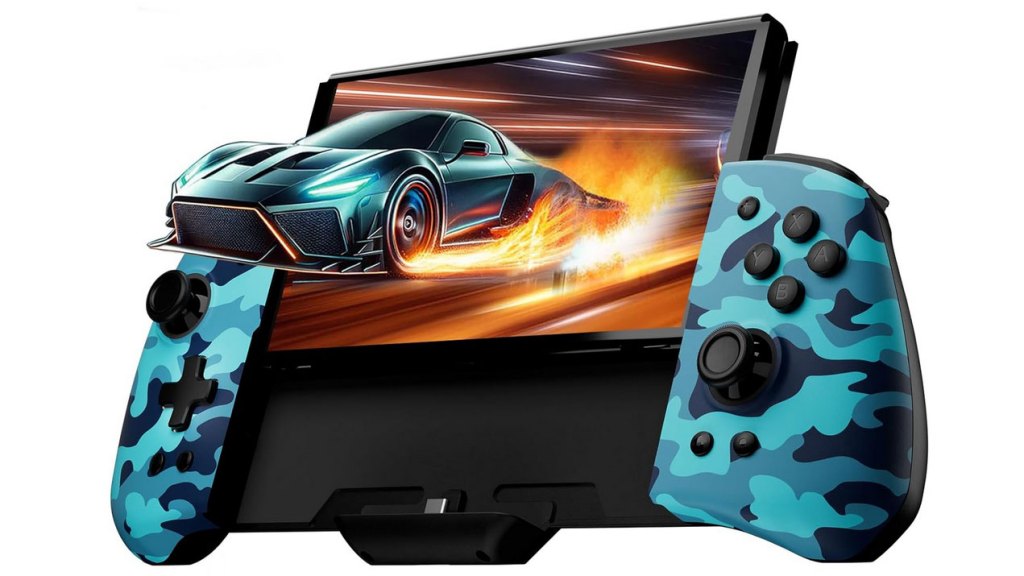
Funlab Luminpad
Hardware Type: Controller / Grip
.
Review:
(Note: This product was received at no cost for review via the Amazon Vine program.)
Those who follow my hardware reviews may be aware that while I have found multiple Nintendo Switch Pro-style controllers I am delighted with, I have yet to find a “grip”-style controller that I can recommend without hesitation. While I really like the idea of these devices, replacing the Joy-Con controllers with something more ergonomic, comfortable, and functional for playing your Nintendo Switch in handheld mode, I have yet to find one that doesn’t come with some caveats.
Thus far, the best of these devices I’ve used has been the Gammeefy JC200 Switch Controller, which I find extremely comfortable and which has a surprising array of features. Alas, it also has a sub-par D-Pad and face buttons, which makes it difficult to wholeheartedly recommend. With this as my high-watermark, I look at each new device of this sort as having the potential to take the crown for the best grip-style controller. And with the latest grip-style controller coming from Funlab, the makers of the excellent Funlab Lumindock and the so-so Funlab Lumingrip Charging Grip, I felt it was a toss-up whether the Luminpad would end up being my new favorite in the category or a disappointment. Let’s find out!
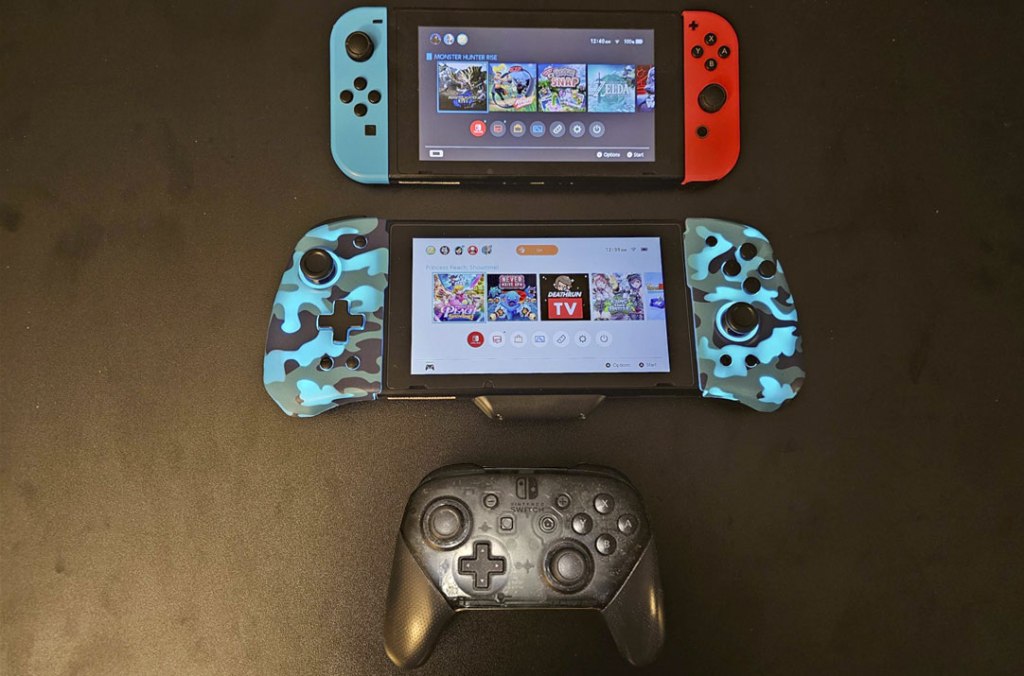
The Luminpad does look quite a bit like the JC200, but there are distinct differences. First, unlike the JC200, the Luminpad does not work independently of the Ninendo Switch – this is strictly for use in portable mode with a Nintendo Switch slid into the unit. Also, while the form factor looks similar, the Luminpad is bulkier and as a result isn’t quite as comfortable in the hands, although it is more comfortable to hold than a standard Nintendo Switch with its Joy-Cons attached, owing to its more ergonomic, angular design.
The Luminpad does have a USB-C passthrough port at the underside for charging, though this part is bulkier than what was on the JC200, perhaps to help it stand up in tabletop mode (which it does just fine). And as you might expect, the Nintendo Switch is too bulky with the Luminpad attached to fit inside a standard Ninendo Switch dock – you’ll need to take the Luminpad off to slide the Switch into a dock.
The standard face buttons and D-Pad on the Luminpad work fine, and I didn’t have any major complaints here. The same goes for the shoulder buttons, with the ZL and ZR buttons being fully digital, which is perfectly fine for Nintendo Switch, which doesn’t recognize analog inputs anyway.
When we turn our attention to the analog sticks, we have to address the fact that these sticks are not hall effect sticks, which means that they may start to suffer from stick drift over time. These sticks are neither convex or concave, but flat with a lip around the edges – not my personal preference, but nothing especially terrible either.
The plus and minus buttons are in their standard locations, with the screenshot button on the lower-left now joined by a turbo button to its immediate left (which operates in the standard manner that turbo buttons tend to do), and with the home button on the lower-right now joined by a unit lighting adjustment button to its immediate right. I do wish that these four buttons toward the bottom of the controller were more clearly-labeled, but otherwise they work well enough.
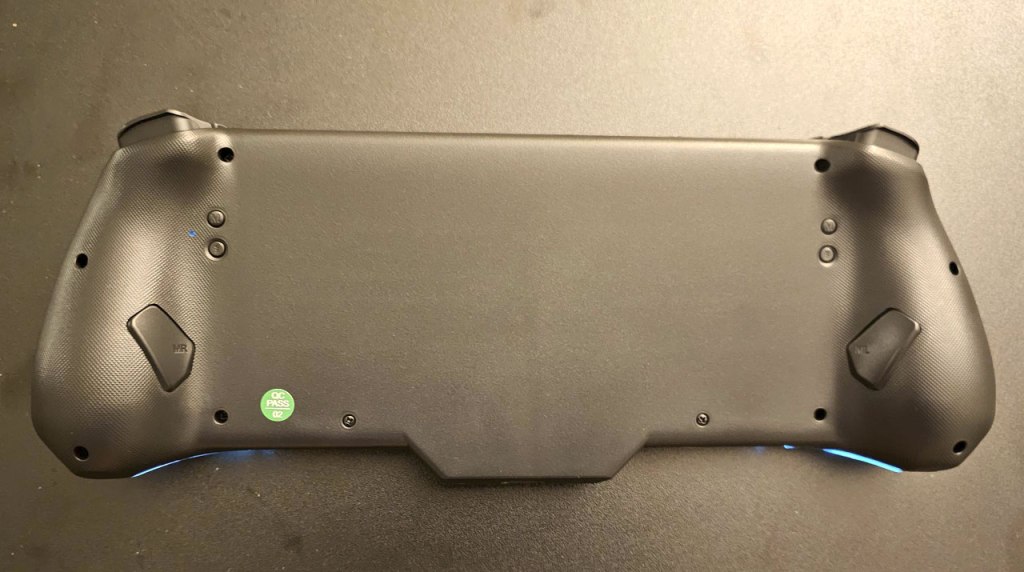
Flipping the device over to look at its underside, we see two pairs of smaller circular buttons above, with two larger macro buttons near the bottom of the textured grips. The bottom pair of circular buttons are for adjusting the rumble to be higher or lower, which I appreciate, unlike most gamepads with adjustable rumble that use a single button in conjunction with another input. These buttons are recessed so you’re unlikely to use them on accident, but they’re easy enough to press if you’re deliberate about it.
The remaining two circular buttons are used in setting up the macro buttons, and this controller uses them in an odd manner. Each of these two macro setup buttons is assigned to their corresponding macro button, and in order to set them up, you’re required to press the button or sequence you want to use while holding down this tiny circular button. This is doable, but it’s needlessly awkward, as it forces you to coordinate the use of buttons on both sides of the controller to make use of this feature. However, once you do this, you can input a sequence of commands like a Street Fighter “hadouken” to be used at a button press.
One more important note before I conclude this. As I write this, this grip is offered in multiple styles on Funlab’s website. However, the pricing on that website is pretty absurd, and if you’re looking to get this device and not quite so picky about how it looks, you’ll get a much better deal on Amazon. I suggest comparing prices before buying, wherever you decide to buy.
So in the end, how does the Luminpad measure up? Well, in some ways it fares well enough, with decent D-Pad and buttons, and some nice features. On the other hand, I’m frustrated at the lack of hall effect sticks, disappointed at the bloated form factor that, while yes it’s more comfortable than your Nintendo Switch’s Joy-Cons, it’s not nearly as comfortable as I’d like, and finally I’m perplexed by the way it handles its macro buttons, which may be the most awkward macro button setup I’ve encountered. Overall I do still think the Luminpad is a decent controller option, but it has enough flaws that I can’t wholeheartedly recommend it.
tl;dr – The Funlab Luminpad is a Grip-style accessory for playing your Nintendo Switch in handheld mode, and while it’s mostly decent, it has a few significant flaws – its form factor is decent but not great, its analog sticks aren’t hall effect sticks, and the setup for its macro buttons is needlessly awkward. This is a decent enough grip for those who want an accessory like this, but there are enough issues here that I can’t give it a full recommendation.
Grade: B-
You can support eShopperReviews on Patreon! Please click HERE to become a Sponsor!
This month’s sponsors are Jamie and His Cats, Ben, Ilya Zverev, Andy Miller, Homer Simpin, Johannes, Francis Obst, Gabriel Coronado-Medina, Jared Wark, Kristoffer Wulff, and Seth Christenfeld. Thank you for helping to keep the reviews coming!
 eShopperReviews
Leave a comment