
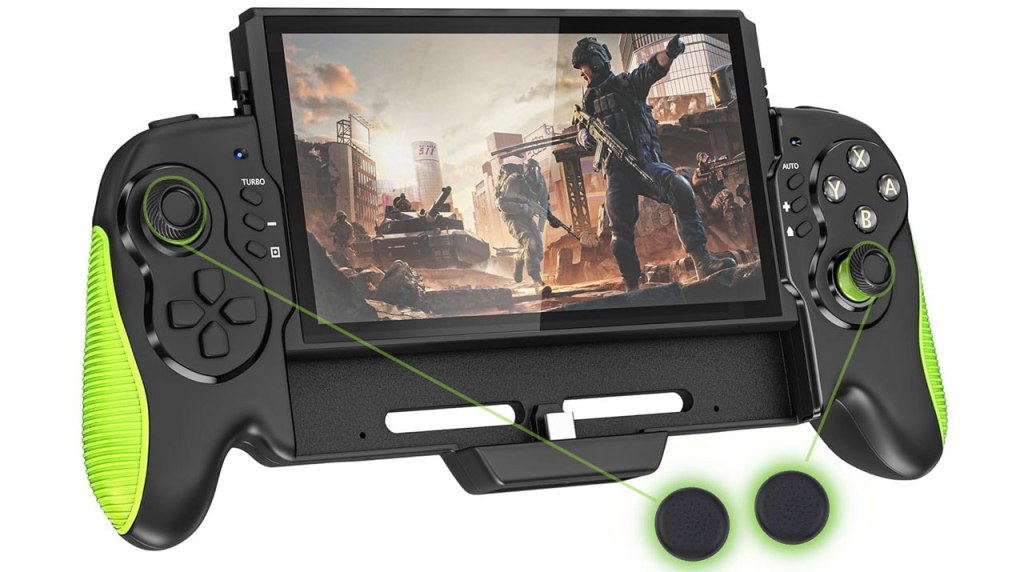
Hawksbill Handheld Controller
Hardware Type: Controller / Grip
.
Review:
(Note: This product was received at no cost for review via the Amazon Vine program.)
Ever since I started regularly doing hardware reviews, I’ve encountered multiple top-tier controllers for Nintendo Switch, but I haven’t yet found a Grip-style controller I can wholeheartedly recommend. The closest has probably been the Gammeefy JC200, though even that device had its issues. And it is in this state that I found myself trying out the Hawksbill Handheld Controller.
Unlike the JC200, Hawksbill’s Grip does not act as a controller when a Nintendo Switch is not housed in the unit, but otherwise it is a very similar device, offering players a more ergonomic way to play their Nintendo Switch in handheld mode. But of course the question is, how well does it do that?
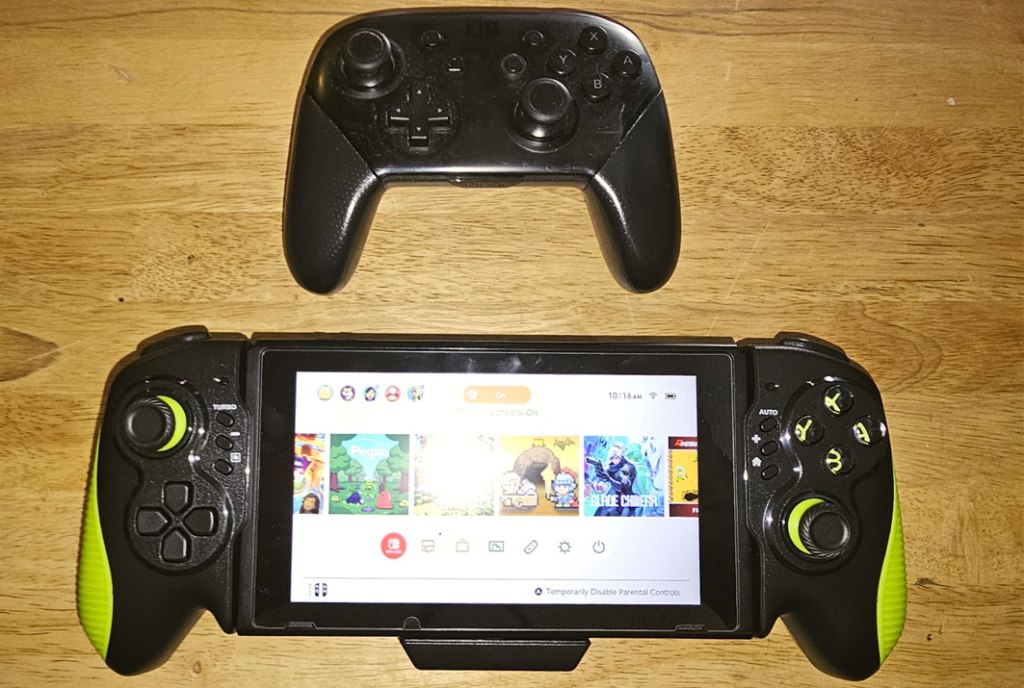
Hawksbill’s Grip works with both the original model Nintendo Switch and the Nintendo Switch OLED model, housing the Nintendo Switch with its Joy-Cons detached. It is not dockable with a standard first-party Nintendo Switch dock, but it does have a passthrough USB-C port, so it could perhaps be used with some third-party docks, and it can at least be charged using a Nintendo Switch power adapter (not included).
For the controls themselves, Hawksbill’s Grip has analog sticks that are slightly concave with a ribbed edge, and the package also includes analog stick caps for those wanting a convex top. These sticks are sadly not hall effect sticks, meaning there is potential for “drift” to set in over time.
The D-Pad and standard face buttons here seem to work well enough, though they stick just a bit, as do the L and R shoulder buttons. The ZL and ZR buttons, meanwhile, are oriented in a line jutting away from the controller, much like the Xbox 360 gamepad’s triggers. However, the triggers on Hawksbill’s grip are completely digital, not analog (which is fine, as the Nintendo Switch itself cannot recognize analog trigger input). My problem with these triggers is that they feel cheap and flimsy, and they put an uncomfortable amount of pressure on your fingers as you press them in.
As for the secondary face buttons, to the left of your screen you have a turbo, minus, and screenshot button, while the right side has auto, plus, and home. The decision to split turbo functionality into two buttons (one for standard turbo and one for automatic turbo) seems unnecessary, but I suppose it’s fine.
Or at least, it would be if the buttons weren’t so small, so close together, and located in a place where the first button you’re likely to hit when reaching for them is the turbo or auto buttons, which can be really frustrating if you’re trying to press the plus or minus buttons.
Beyond that, this controller is disappointingly feature-free – there are no macro buttons or any other features. While not damning, this does put it behind multiple similar controllers on the market.
Overall, I think Hawksbill Handheld Controller is mostly a decent Grip-style controller, but with underwhelming features, frustrating secondary face buttons, and flimsy and uncomfortable trigger buttons. Overall, this works well enough for what it’s trying to do, but it’s far from anything impressive.
tl;dr – Hawksbill Handheld Controller is a Grip-style accessory designed to add comfort when holding the Nintendo Switch. It mostly works well enough, but it’s lacking in features compared to other comparable devices, and has some irritating flaws that make it less than ideal. If you’re looking for a Grip-style controller, this will work, but definitely don’t expect anything fantastic.
Grade: C+
You can support eShopperReviews on Patreon! Please click HERE to become a Sponsor!
This month’s sponsors are Jamie and His Cats, Ben, Ilya Zverev, Andy Miller, Homer Simpin, Johannes, Francis Obst, Gabriel Coronado-Medina, Jared Wark, Kristoffer Wulff, and Seth Christenfeld. Thank you for helping to keep the reviews coming!
 eShopperReviews
Leave a comment