
A lot of Nintendo Switch owners are looking forward to the Nintendo Switch 2, but there’s another group of gamers out there who held out on getting a Nintendo Switch until its successor was released, or who perhaps didn’t feel like getting the original Nintendo Switch due to its less-impressive graphics and technical capabilities. For those players, this will be their first time owning a Nintendo Switch system, and also their first chance to access the massive library of Nintendo Switch games.
I imagine these folks will have a lot of questions about the Nintendo Switch and Nintendo Switch 2. Some questions regarding the Nintendo Switch 2 I won’t be able to answer, as I don’t own one yet. But based on information Nintendo has released and what I already know about the Nintendo Switch, I can answer some questions. So hopefully this will prove helpful for some folks!
- What are the Nintendo Switch and Nintendo Switch 2?
- Why should I get a Nintendo Switch 2 instead of a PlayStation 5 or Xbox Series X|S?
- Why should I get a Nintendo Switch 2 instead of a Steam Deck or ROG Ally?
- How does “docking” work?
- How does attaching and removing the Joy-Cons work?
- What should I have to get started with the Nintendo Switch 2?
- What Nintendo Switch 1 games should I get if I’m getting a Nintendo Switch 2?
- What are some good exclusive Nintendo Switch 1 games I should get if I’m getting a Nintendo Switch 2?
- What Nintendo Switch 1 games should I get if I want games with nice graphics?
- What Nintendo Switch 1 games should I get if I want games to show off the unique features of the platform?
What are the Nintendo Switch and Nintendo Switch 2?
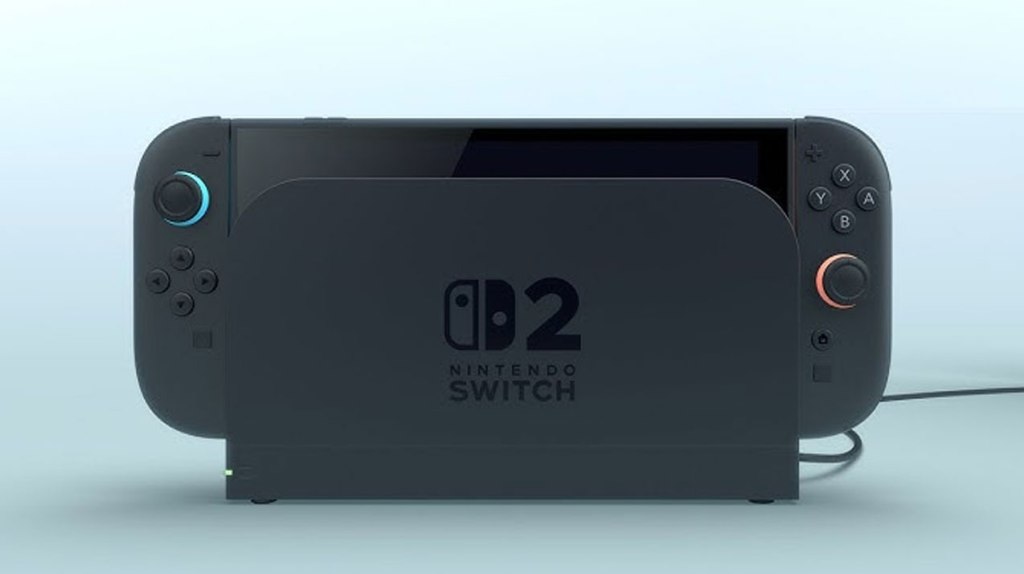
The Nintendo Switch and its successor, the Nintendo Switch 2, are hybrid consoles, meaning they can be played both in handheld mode and “docked” to a TV screen like a traditional videogame console. These devices both have a built-in screen that will let you play games on the go, as well as detachable “Joy-Con” controllers built into either side of the system that are used to play it like a handheld when attached, and used as one or two controllers when detached from the Nintendo Switch – players can have the Nintendo Switch recognize a left/right pair of these Joy-Con controllers as one complete controller (possibly using a Joy-Con grip to fasten them together), or they can use each Joy-Con as its own smaller (and more limited) controller, meaning that every Nintendo Switch and Nintendo Switch 2 technically has two controllers attached to the console, right out of the box.
Why should I get a Nintendo Switch 2 instead of a PlayStation 5 or Xbox Series X|S?
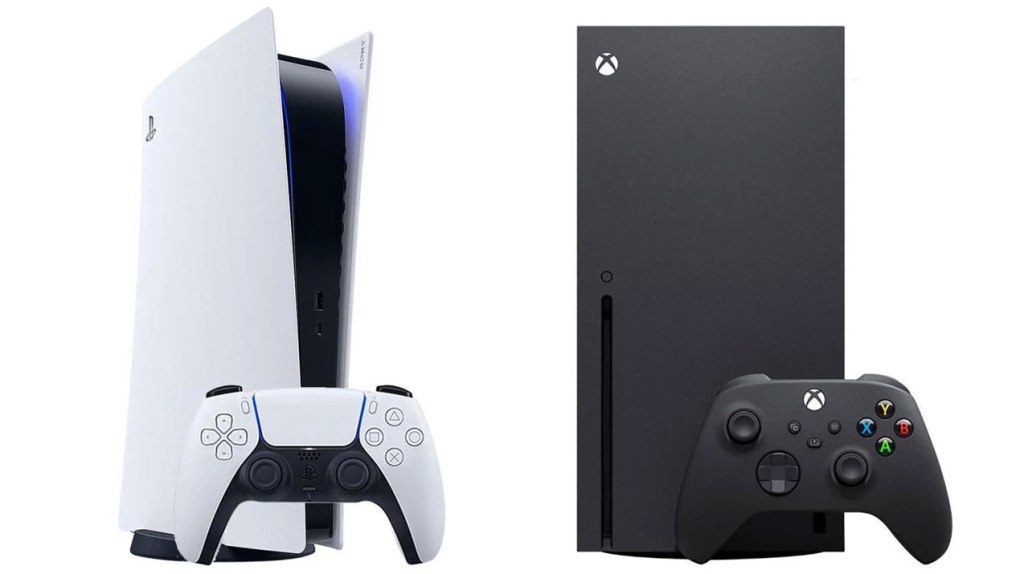
There are two answers to this question. The first is Nintendo Switch and Switch 2-exclusive games, primarily games published by Nintendo themselves. You won’t find Mario, Zelda, Animal Crossing, or Super Smash Bros. on a PlayStation or Xbox console.
The second answer is the ability to play (nearly) every game on the console on the go. PlayStation 5 does technically have a way to do this via its PlayStation Portal device, but this requires an additional purchase, an online connection to your PlayStation 5 console, and comes with its own issues and limitations. With the Nintendo Switch, you’re playing the same game console both at home and on the go.

Why should I get a Nintendo Switch 2 instead of a Steam Deck or ROG Ally?
While these “portable PC” platforms give players access to a massive library of PC games (and if you want to get into areas of questionable legality, emulation), they still don’t give players an official way to play Nintendo’s first-party games.
In addition, while these devices offer players more options and flexibility than Nintendo’s hybrid console, they are not anywhere near as user-friendly and easy to use. With a portable PC platform, you’ll have to navigate issues regarding compatibility and settings, download patches, and so on to an extent you won’t have to deal with on the Nintendo Switch 2, though Nintendo Switch 2 isn’t without its own issues.
To be clear, this isn’t to say that any of these game platforms are “better”, just that what each of them offers to players is different, and Nintendo Switch 2 might offer things that interest you more than what other platforms have to offer.

How does “docking” work?
Once you have connected a Nintendo Switch dock or Nintendo Switch 2 dock to a TV via an included HDMI cable, and to a power outlet via an included USB-C power adapter, all you need to do is slide your Nintendo Switch or Nintendo Switch 2 into its dock, and its signal will automatically transmit to the TV screen. Then, when you want to use the console as a portable device, just slide it out of the dock and it’s instantly ready to play as a portable.
I should note that Nintendo Switch 2 consoles are only compatible with Nintendo Switch 2 docks, and Nintendo Switch 1 consoles are only compatible with Nintendo Switch 1 docks.

How does attaching and removing the Joy-Cons work?
On the back of each Joy-Con, toward the top of the controller, there’s a small button that releases the Joy-Con from the Nintendo Switch or Nintendo Switch 2. On the original Nintendo Switch, this allows them to slide upward and off of rails built into the Nintendo Switch, and on the Nintendo Switch 2, this pushes them out from the console, allowing you to pull them away. The console will automatically recognize when Joy-Con controllers have been attached or detached, and you can let the console know how you’re using detached Joy-Cons by pressing the L and R buttons on a pair of them, or by turning one sideways and pressing the SL and SR buttons that were hidden until they were released from the console.
When you want to reattach Joy-Cons to the console, simply do the reverse of what you did to attach them (though no need to press the button this time). This is also the easiest way to charge Joy-Con controllers – while they are attached to a docked Nintendo Switch, they will charge along with the Switch itself. The same goes for the Nintendo Switch 2.
Nintendo Switch 1 Joy-Cons cannot be attached to the Nintendo Switch 2, and Nintendo Switch 2 Joy-Cons cannot be attached to the Nintendo Switch 1. Nintendo Switch 1 Joy-Cons can be used to play games on Nintendo Switch 2, but must be synced with the console in its settings, and must be charged via other means (such as an additional charging device) since they cannot attach to the system.
What should I have to get started with the Nintendo Switch 2?
The console itself comes with much of what you need to get started – the hybrid console itself, a pair of Joy-Con 2 controllers, a dock with a power adapter and HDMI 2.0 cable, a Joy-Con grip, and a pair of Joy-Con straps which attach to the Joy-Con 2 controllers to ensure you don’t throw them across the room when playing motion-controlled games. All you need other than this (and presumably a decent TV to connect them to) is some games to play, though even without spending any money you’ll still be able to download free-to-play Nintendo Switch 2 games like Fortnite, as well as compatible Nintendo Switch 1 games.
However, for many players, there are multiple other things that will be a good idea to get in addition to the Nintendo Switch 2 itself.
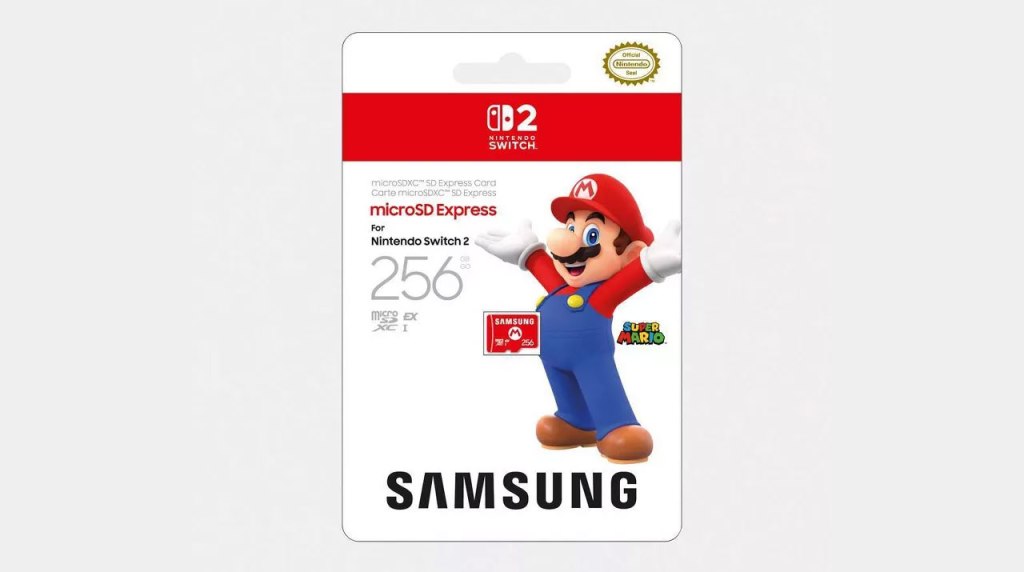
First, there’s a good chance that you will want to purchase a MicroSD Express card to expand the memory of the Nintendo Switch 2. The console does come with 256GB of internal memory, but with the already-announced games getting up to 70GB in size, it’s likely that you’ll fill up that memory pretty quickly, especially when that same memory will also used for game saves, expansion content, screenshots and video, and additional data used by games and the operating system. And just to be clear, the Nintendo Switch 2 will only work with MicroSD Express cards – no other MicroSD cards will work with the console.
Second, if you want to ensure you don’t accidentally damage your Nintendo Switch 2, it is highly recommended to get, at the very least, a screen protector and a case for your Nintendo Switch 2. I’ll be aiming to have reviews of some cases up sometime in June, but as for screen protectors, in my experience they’re all pretty similar – these will be adhesive tempered glass or “gorilla glass” panels you attach to your Nintendo Switch 2’s screen for added protection.
Third, if you prefer using a traditional gamepad, you may want to consider getting an additional controller. Nintendo is selling a Nintendo Switch Pro 2 Gamepad for those wanting full access to new features on the Nintendo Switch 2 like HD Rumble 2 and the new C button features, but Nintendo Switch 1 controllers will also work for most games.
If you want some recommendations for which Nintendo Switch 1 controllers are your best bet, you can check out this page, which has eShopperReviews’ Nintendo Switch 1 hardware reviews. But for a quick recommendation, the ECHTPower Wireless Switch Controller (ES01) is great if you want a solid budget controller, the NYXI Master P1 2.4G Wireless PC Controller is a superb mid-range controller, and the GameSir Tarantula Pro Wireless Controller is great if you’re wanting to pay for something more high-end. Or, if you prefer to stick to official product (and want something that can scan Amiibo figurines), you can always go with the Nintendo Switch Pro Controller.
Nintendo will also be offering GameCube-style controllers for use with the Nintendo Switch 2’s GameCube app, but these will only be available through Nintendo’s website for Nintendo Switch Online subscribers, though you’ll need a Nintendo Switch Online + Expansion Pack subscription to play the GameCube app anyway, so that shouldn’t be a problem for most people looking to get one. Limited supplies, on the other hand, likely will be.
Fourth, optionally, you might want to get a Nintendo Switch 2 camera. This is used for video chat for those subscribed to Nintendo Switch Online, but it will also be used for gameplay in some games, like the upcoming Super Mario Party Jamboree + Jamboree TV Nintendo Switch 2 Edition.
Fifth, if you have more than two people in your household who will play the Nintendo Switch 2, you’ll probably want to get additional Joy-Con 2 controllers. These are generally sold in pairs (a left and right controller), and you may also want to get a charging device to ensure that the controllers not currently connected to your Nintendo Switch 2 have a way to charge.
Sixth, I strongly recommend considering getting a subscription to Nintendo Switch Online. This is necessary for playing any games online other than free-to-play games (which require no subscription), and it is required in order to use the Nintendo Switch 2’s online chat functions. However, it comes with additional benefits too.
The standard Nintendo Switch Online subscription costs $20/year, or if you have multiple Nintendo Switch or Nintendo Switch 2 owners in your household you can combine all of them in a Family Plan that costs $35/year. In addition to online play, getting this subscription will allow you to access cloud save features to more easily access or recover your game saves. It will also enable access to the Nintendo Entertainment System app, Super Nintendo Entertainment System App, and Game Boy App, which allow you to play a selection of classic Nintendo games from these older platforms. Furthermore, Nintendo Switch Online subscribers also get access, at no additional cost, to the games Tetris 99 and F-Zero 99. At $20/year, I think this is an outstanding deal that offers a lot of excellent retro games to play.
In addition to the standard subscription, Nintendo also offers a Nintendo Switch Online + Expansion Pack subscription. This ups the subscription costs to $50/year for the single user plan and $80/year for the family plan, but it includes all of the benefits of the standard subscription plus a bunch more. The Expansion Pack includes access to the Nintendo 64 App, Nintendo 64 Mature 17+ App, Sega Genesis App, and the Game Boy Advance App. Furthermore, a new GameCube app will be available exclusively on Nintendo Switch 2 for subscribers to this plan.
In addition to access to these retro apps, the Expansion Pack subscription enables free upgrades for select games for as long as you are subscribed to this tier of the service. This includes the Booster Pass expansion for Mario Kart 8 Deluxe, the Happy Home Paradise expansion for Animal Crossing: New Horizons, and the Octo Expansion content for Splatoon 2. In addition, on Nintendo Switch 2, this subscription also enables access to the Nintendo Switch 2 Edition upgrades to The Legend of Zelda: Breath of the Wild and The Legend of Zelda: Tears of the Kingdom. Keep in mind, you need to own the original games to make use of their expansion content, and this will not include the paid DLC content for The Legend of Zelda: Breath of the Wild, which must still be purchased separately.
$50/year might seem like a lot of money, but with all of the retro apps, that enables you to access literally hundreds of classic games. What’s more, if you were going to be getting the Nintendo Switch 2 Edition upgrades to those two Zelda games, that would have cost you $20 right there just for those alone. With this being the case, I think this is a pretty good deal overall.
What Nintendo Switch 1 games should I get if I’m getting a Nintendo Switch 2?
This is naturally going to be a subjective question, and if you ask a hundred Nintendo Switch players you’ll likely get a hundred different answers, because there are literally thousands of games on the Nintendo Switch 1, and everyone will have different favorites. However, if you want eShopperReviews’ opinion on what the best Nintendo Switch 2 games are, you want to have a look at this page, where I detail the absolute best of the best on Nintendo Switch 2.
I should note that, at this time, Nintendo has not yet gotten every third-party game to be compatible with Nintendo Switch 2. Be sure to check the PDF lists on this page before buying to make sure the game you’re interested in is playable on Nintendo Switch 2.

What are some good exclusive Nintendo Switch 1 games I should get if I’m getting a Nintendo Switch 2?
If you already own another modern game platform and are looking to catch up on games you’ve missed, check out this page for a list of recommendations.
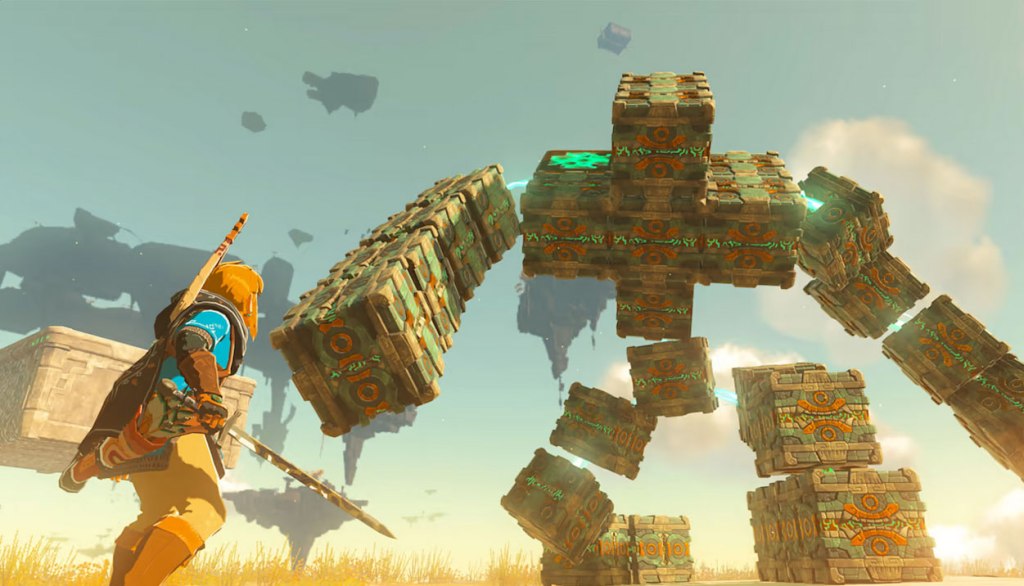
However, I think the games that most players will generally agree are absolute must-have exclusives are The Legend of Zelda: Breath of the Wild, The Legend of Zelda: Tears of the Kingdom, Super Mario Odyssey, Super Smash Bros. Ultimate, Animal Crossing: New Horizons, and Mario Kart 8 Deluxe, although that last one might be less appealing to you if you’re already planning on getting Mario Kart World at launch.
In addition, other great Nintendo Switch 1 exclusives worth considering include Astral Chain, Bayonetta 2, Bayonetta 3, Donkey Kong Country: Tropical Freeze, Kirby and the Forgotten Land, Fire Emblem: Three Houses, Luigi’s Mansion 3, Metroid Prime Remastered, New Pokemon Snap, Pikmin 3 Deluxe, Pikmin 4, Splatoon 2, Splatoon 3, Super Mario 3D World + Bowser’s Fury, Super Mario Maker 2, Super Mario Party Jamboree, Super Mario RPG, and The Legend of Zelda: Echoes of Wisdom.

What Nintendo Switch 1 games should I get if I want games with nice graphics?
First, it bears mention that the maximum resolution of the original Nintendo Switch was 1080P, far less than what you tend to see on PlayStation 5 and Xbox Series X|S. So saying a Nintendo Switch 1 game is “graphically-impressive” is relative. In addition, often even games that look great on Nintendo Switch sometimes had framerate issues or other performance issues.
Having said that, we do know that some Nintendo Switch games will be getting “Nintendo Switch 2 Edition” upgrades on Nintendo Switch 2, for an additional $10-$20. Currently this list of games includes The Legend of Zelda: Breath of the Wild and The Legend of Zelda: Tears of the Kingdom at launch, as I noted earlier, as well as Civilization VII, Rune Factory: Guardians of Azuma, and Fantasy Life i: The Girl Who Steals Time launching alongside Nintendo Switch 2. Another launch title, Hogwarts Legacy can be purchased for only $10 if you own the digital version of the game on Nintendo Switch. Additionally, there are confirmed to be Nintendo Switch 2 Editions releasing later this year for Super Mario Party Jamboree and Kirby and the Forgotten Land. And for games that have not yet been released, there are confirmed to be Nintendo Switch 2 Edition upgrades for Metroid Prime 4: Beyond, Pokemon Legends Z-A, and Story of Seasons: Grand Bazaar.
Also, more nebulous than this, there will be free updates for a select list of Nintendo Switch 1 games, and this includes improved resolutions and framerates for multiple games, though it’s not clear yet just how improved those games’ visuals will be.
However, if we’re looking at Nintendo Switch 1 games that I believe already look graphically impressive, my picks are Luigi’s Mansion 3, Hellblade: Senua’s Sacrifice, Metroid Prime Remastered, Mario Kart 8 Deluxe, Monster Hunter Rise, Super Smash Bros. Ultimate, The Legend of Zelda: Breath of the Wild, The Legend of Zelda: Tears of the Kingdom, Kirby and the Forgotten Land, Splatoon 2, Splatoon 3, Astral Chain, Bayonetta 2, Bayonetta 3, Super Mario Odyssey, Crysis 3 Remastered, Pikmin 4, Dragon Ball FighterZ, Dragon Quest XI S: Echoes of an Elusive Age – Definitive Edition, Trine 4: The Nightmare Prince, Prince of Persia: The Lost Crown, Ori and the Blind Forest: Definitive Edition, Ori and the Will of the Wisps, Xenoblade Chronicles 3, Animal Crossing: New Horizons, Donkey Kong Country: Tropical Freeze, and Metroid Dread.
What Nintendo Switch 1 games should I get if I want games to show off the unique features of the platform?
It bears mention that a few of the games that make use of Nintendo Switch’s unique features won’t have that same functionality on Nintendo Switch 2, because Joy-Con 2 controllers lack the infrared camera that was in the original Joy-Con controllers. As such, for these games, you’ll need to get a pair of original Nintendo Switch 1 Joy-Cons. Specifically, this is games like Ring Fit Adventure, WarioWare: Get It Together!, and WarioWare: Move It!.
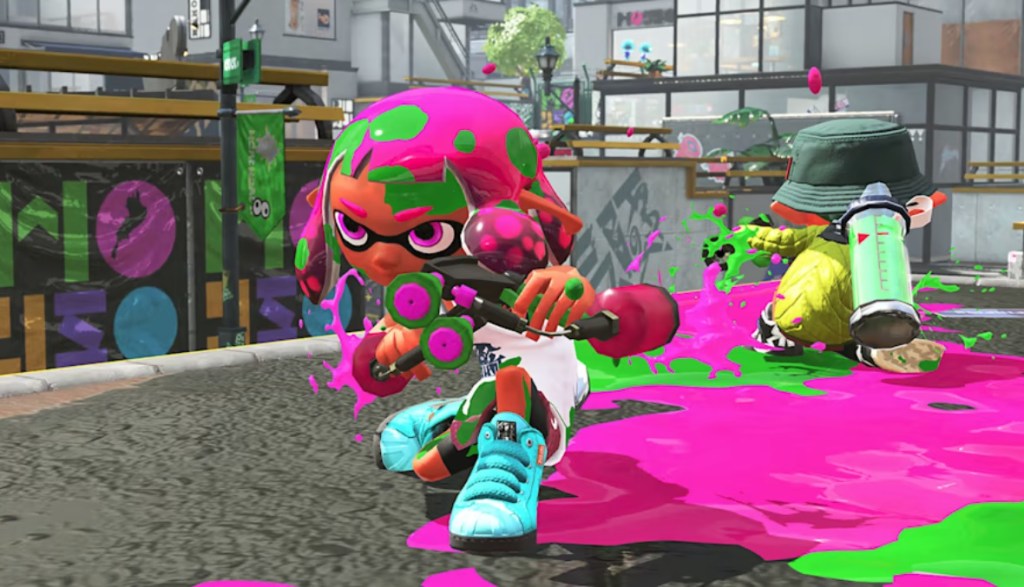
However, if you’re just looking for games should work with Nintendo Switch 2’s Joy-Cons for motion control (at least as far as we know), as well as the touchscreen, you should look into these games for their motion control: Super Mario Party Jamboree, Splatoon 2, Splatoon 3, ARMS, Nintendo Switch Sports, Pikmin 3 Deluxe, Pikmin 4, The Legend of Zelda: Skyward Sword HD, Fly Together!, Vitamin Connection, World of Goo, Fishing Star World Tour, and Trombone Champ, as well as these games with great touchscreen support: Clubhouse Games: 51 Worldwide Classics, Colors Live, Cytus α, Voez, Deemo, Taiko No Tatsujin: Drum ‘N’ Fun, Pianista, and Castlevania Dominus Collection.
.
That’s all I can think of for now! If you can think of any additional questions, please ask them in the comments below and I’ll try to answer them when I can!
I hope you’ve found this to be helpful!
You can support eShopperReviews on Patreon! Please click HERE to become a Sponsor!
 eShopperReviews
Leave a comment