
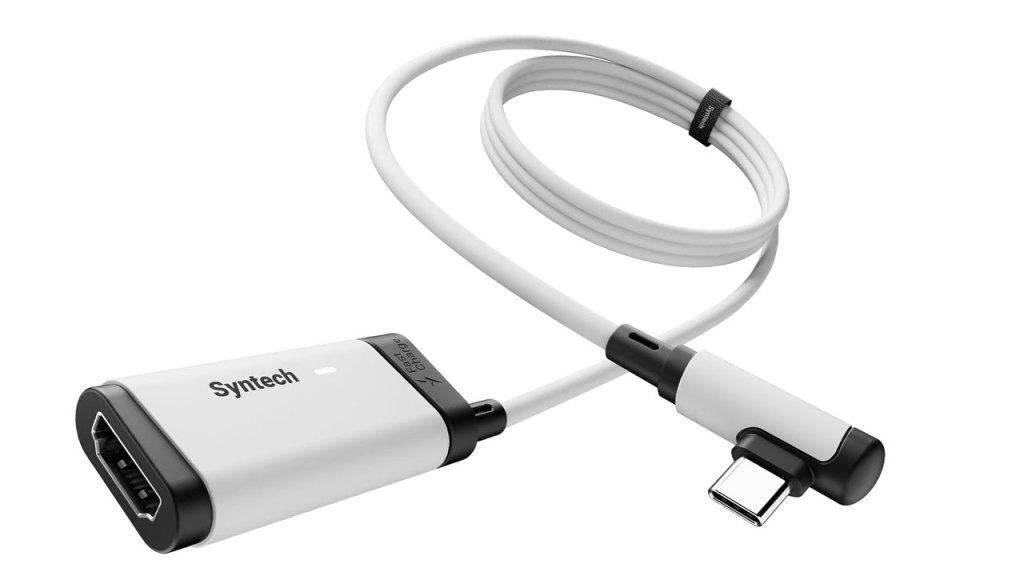
Syntech Video Capture Card
Hardware Type: Video Capture Card
.
Review:
(Note: This product was received at no cost for review via the Amazon Vine program.)
I’m afraid I’m going to do a disservice to the Syntech Video Capture Card, because I can really only take advantage of half of its advertised features. As its name states, this is indeed a video capture card, and I can certainly judge it on its merits there, but more than that, this is also a device that can hook up any HDMI device to your Meta Quest headset, including Nintendo Switch and Nintendo Switch 2. However, as I do not own a Meta Quest headset, I cannot comment on its use in that regard.
However, that still leaves the question of how well the Syntech Video Capture Card works… as a video capture card. So let’s have a look at that.
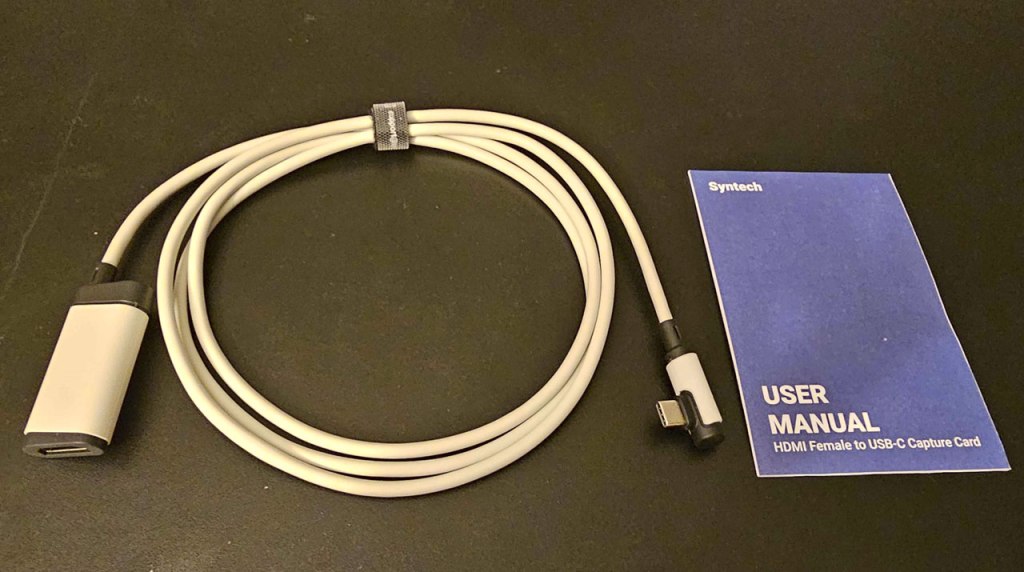
As video capture cards go, Syntech’s “card” is extremely minimal, looking more like an adapter cable than a capture device. I should note that this capture card is not to be used in place of a dock – if you’re looking to make use of this, you will need your Nintendo Switch or Nintendo Switch 2 hooked up via its appropriate dock to output its audio and video via a HDMI cable (not included here). Thankfully, you can use a working third-party dock to do this, meaning that if you’re looking to do some streaming on the go with a laptop, this makes for a handy portable solution.
To use the video capture card, you plug the aforementioned HDMI cable into the HDMI port on one end of the cable, then simply plug the USB-C port on the other end into the device that will be receiving and processing the signal. There’s an additional USB-C port on the opposite side of the plug with the HDMI port in case you need additional power, but this doesn’t appear to be necessary for Nintendo Switch or Nintendo Switch 2, as you’ll already be powering those using their dock. Also, if your PC doesn’t have a USB-C port, you’ll need to get an adapter to plug it into a USB 3.0 port.
Speaking of things not included here, you’ll need to get some recording or streaming software for your PC, such as Streamlabs. If you’re not familiar with this sort of software, be prepared to do a lot of fiddling with it to get it to work properly, ensuring that you set up all of the sources of video and audio you’re wanting to use.
I say all of this to make it clear that this is not an easy, user-friendly thing to set up, and if you’re not experienced with this sort of thing, you may find yourself struggling to figure it all out. I’ve done this before and it still took me a little while to figure out how to properly configure the software the way I wanted, just to give you an idea.
Once you get past that hurdle, this device works well, though I feel like “well” needs to be qualified here, because Syntech Video Capture Card is only capable of outputting a maximum of 2K resolution and 30FPS. That’s half the resolution the Nintendo Switch 2 is capable of, and half of the framerates that even the original Nintendo Switch is capable of. Given that we’re starting to see games on Nintendo Switch 2 reaching 4K and 120FPS, you’re not going to be outputting video at the same quality that these game consoles are producing.
What’s more, if you want a setup that allows your game console to still output an HDMI signal to your TV while you stream to your PC, you’re out of luck, as there is no HDMI passthrough port on this device.
If you just want something that gets the job done and will take up minimal space in your travel bag, the Syntech Video Capture Card absolutely will do that… though again, you’ll need to spend a lot of time messing with the settings of free video capture software that isn’t included here. However, if you’re looking to capture video that shows off the resolution and framerate that these Nintendo devices are capable of displaying, the Syntech Video Capture Card will disappoint.
tl;dr – The Syntech Video Capture Card is a Video Capture Card that’s extremely small and capable of capturing video and audio from an HDMI cable, including one plugged into your Nintendo Switch or Nintendo Switch 2 dock. Unfortunately, this comes with no video capture software, doesn’t have an HDMI passthrough, and only outputs at 2K/30FPS. While there may still be some utility here for those looking to have a way to stream on the go, I think most will find there are too many frustrations and limitations here to make this the way to go for streaming gameplay from their Nintendo device.
Grade: C+
.
You can support eShopperReviews on Patreon! Please click HERE to become a Sponsor!
This month’s sponsors are Jamie and His Cats, Ben, Ilya Zverev, Andy Miller, Johannes, Francis Obst, Gabriel Coronado-Medina, Jared Wark, Kristoffer Wulff, and Seth Christenfeld. Thank you for helping to keep the reviews coming!
 eShopperReviews
Leave a comment