
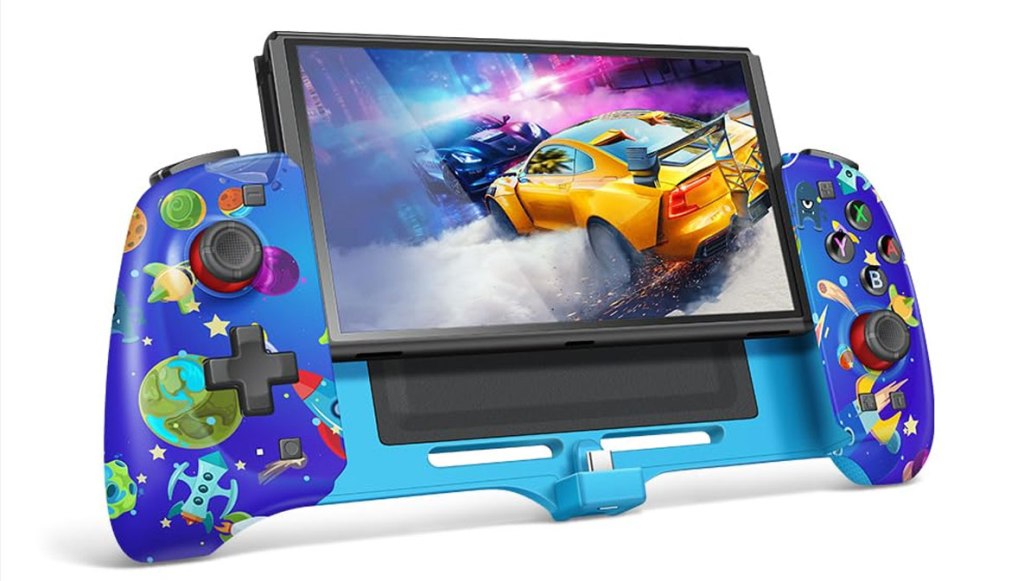
Senwoo Joy-Con Controller
Hardware Type: Grip / Controller
.
Review:
(Note: This product was received at no cost for review via the Amazon Vine program.)
Not long ago, I tried my first Nintendo Switch “Grip” device, the Gammeefy JC200 Switch Controller. While not even remotely as universally-praised and recognized as the Satisfye ZenGrip Pro Gen 3 (which I still have not yet tried), Gammeefy’s controller still impressed me enough to change my previous disregard for this style of controller enhancement, though it ultimately disappointed my due to its poor-quality D-pad and face buttons. Nonetheless, I now felt a new interest in this type of device, and was eager to see how others compared
Before getting into the details regarding the Senwoo Joy-Con Controller (which I have also seen sold under the brand name CXY Chyuhsin), let me first clear up a few misconceptions. Despite the name, the Senwoo Joy-Con Controller doesn’t really have anything to do with Joy-Cons, beyond that it acts as a controller and slides into the slots at the sides of your Nintendo Switch or Nintendo Switch OLED model, much as other “grip”-style controllers do. Also, unlike Gammeefy’s aforementioned controller, Senwoo’s controller is not a wireless controller that acts independently from the Nintendo Switch – it must be directly plugged into your Nintendo Switch to operate.
Now, as for what it does do, the Senwoo Joy-Con Controller, released in 2024, is (as mentioned before) a “grip”-style controller that replaces your Joy-Cons when playing the device in portable mode, and is designed to give players a more comfortable way to play their Nintendo Switch on the go.
The Nintendo Switch (minus its Joy-Cons, of course), fits snugly into the Senwoo controller, though not so tightly that the Nintendo Switch is difficult to get back out of the device. Curiously, there are little black tabs on either side that you’re meant to flip upwards if you’re using an original model Nintendo Switch, but even though this was what I used to test this device, I didn’t have any issues with these sliders left down – my Nintendo Switch still fit in nice and snug, and didn’t jostle around at all as I played.
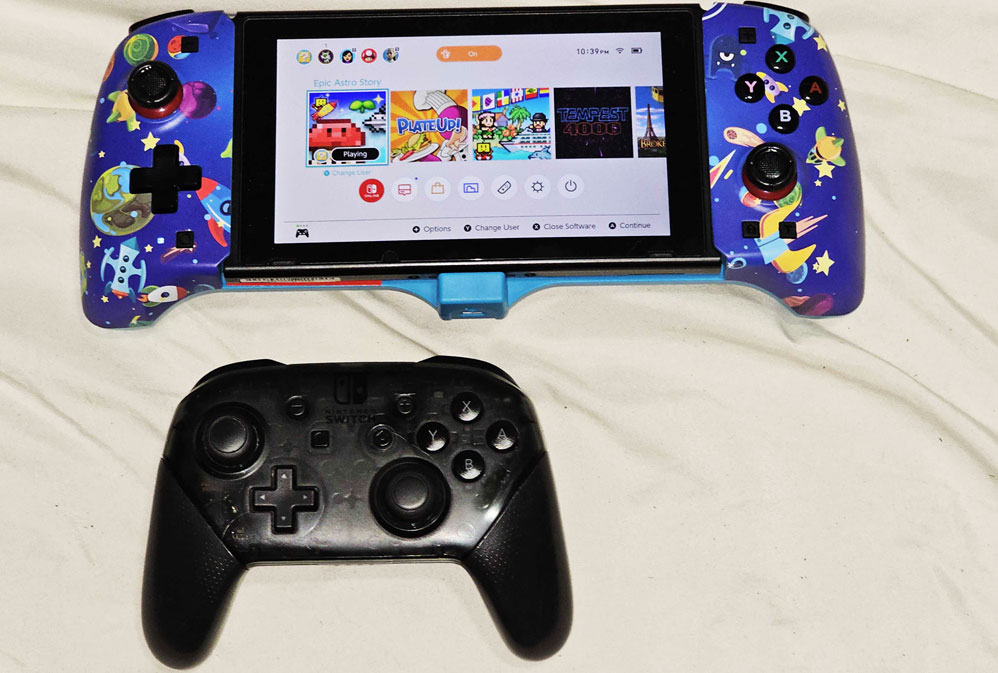
Senwoo’s controller is clearly not bothered by any notion of trying to be small. Placed next to Nintendo’s own Pro Controller, and even not accounting for the space taken up by the Nintendo Switch itself, the JC200 is bulkier and taller. However, even more than this, the actual textured grips themselves are surprisingly chunky, as you can see in the middle of this photo where I compare it with Gammeefy’s controller and a standard Nintendo Switch Pro Controller:
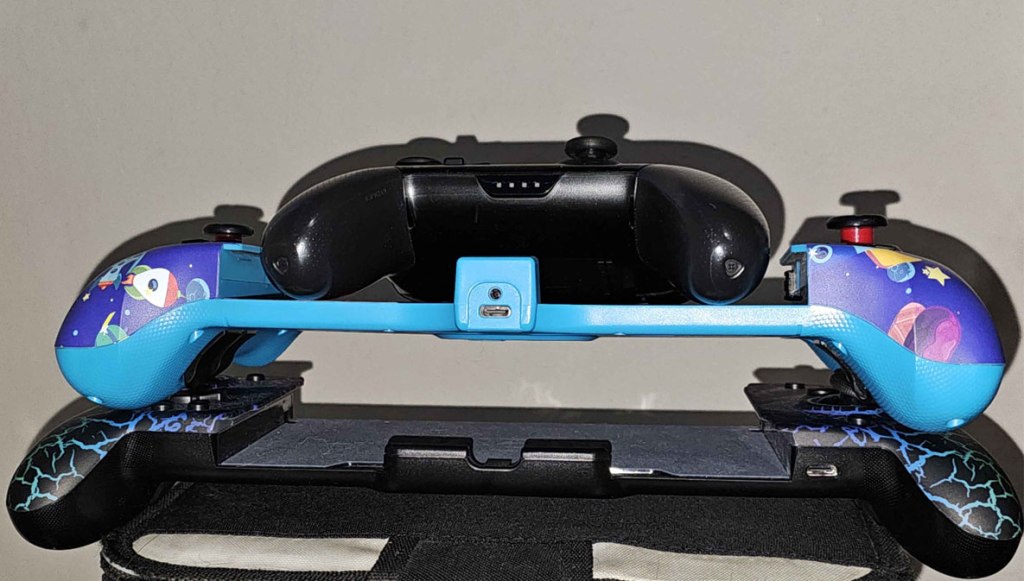
I expect that gamers with larger hands may find this to be preferable, but to everyone else this may seem somewhat bulky and cumbersome. When one of the main selling points of a grip controller is its superior comfort, this is a pretty major flaw.
Beyond its size, the normal controller functions seemed to work well enough here, and the main functions are mostly unchanged in position from Nintendo’s usual layout, retaining the asymmetrical 2-stick design. The face buttons and D-Pad seem to have about the same sort of “squishy” feel as Nintendo’s Pro Controller, the analog sticks seem a slight bit tighter than my Pro controller but work fine (and the difference may well be due to how long I’ve used my Pro Controller). As far as the standard buttons go, my biggest issue is that the ZL/ZR buttons have a really big “dead zone” where they do nothing.
I should note that other controller buttons have been moved around quite a bit. The plus and minus buttons remain mostly in the same spot, but are now square-shaped, but the Screenshot and Home buttons have now moved beneath the D-Pad and right analog stick. I am perfectly content with this change – my biggest frustration is when one of these buttons is moved in a place where it can be pressed accidentally or when trying to use the plus and minus buttons, and Senwoo has done exactly the opposite here.
One face button, a Turbo button, has been added to the right of the new location of the Home Button. It works in much the same way similar Turbo buttons do, combining with other face buttons on the controller to make that button function as a “turbo” button. However, there doesn’t seem to be any way to adjust the frequency of the turbo button, nor is there any way I can find to adjust the strength of the rumble (which works fine, but isn’t HD rumble). The latter is an advertised feature of this device, but I see nothing in the instructions about adjusting the rumble.
This may be due to a major flaw that doesn’t have anything to do with the hardware itself – the instruction manual for this device is extremely poorly-written, and clearly hasn’t been properly proofread. There are two parts of the manual with headers reading “TURBO Function Setting” (the latter one clearly meant to be for the setting of the programmable “M” keys), and at one point you’re told “press and hold TURBO key for 5 minutes to clear all” (pretty sure they meant “5 seconds”). Even beyond these amusing gaffes, there are all sorts of instructions here that are tough to parse.
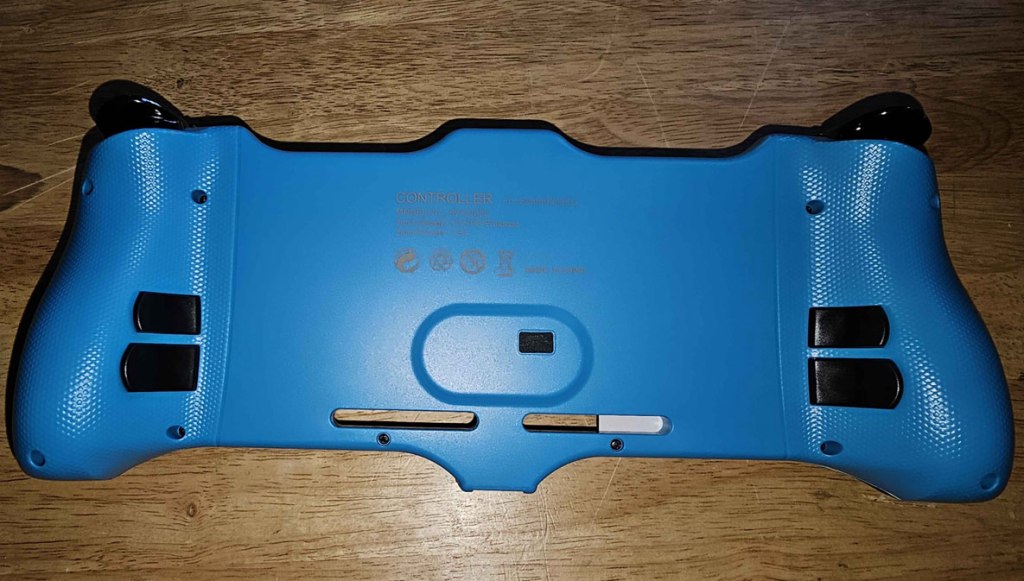
Speaking of these “M” keys, you will find four of these on the rear of the device, although calling them “programmable” may be a bit of a misnomer – you can assign each of these buttons to be a duplicate of any one button on the Nintendo Switch controller. In other words, you won’t be able to set one of these buttons to flawlessly perform a “Hadouken” sequence of commands in a Fighting game, but you can set them to act as a second set of L and R keys, or perhaps an extra L3 and R3 press if you dislike having to push in the thumbsticks.
Even beyond any disappointment at the lack of programmability here, the M keys have another issue, and that is that they are extraordinarily easy to press accidentally, and in fact I found myself doing this without even being aware of it when I was pressing the plus key, the button combination that is exactly what is needed to set these M keys into their setup mode. I found myself having to repeatedly use the setting to deactivate these buttons even when I never intended to set them up in the first place.
Beyond the rumble feature, the Senwoo controller does have the ability to use gyroscopic motion sensing and for players to use Amiibo figurines when using this grip, although this isn’t saying much – the Nintendo Switch hardware has these features built into its main unit. However, there is one other feature that’s nice, though not as nice as it could have been.
While the Senwoo Joy-Con Controller takes up the USB-C port in the bottom of the Nintendo Switch to connect the controller to your Nintendo Switch, it features a pass-through port that allows the Nintendo Switch to be powered by an AC adapter via a second USB-C port on the Senwoo controller itself. To be clear, this port is only for powering the Nintendo Switch, it cannot be used for docking, even with third-party docks like the Genki Covert Dock Mini that connect to the Nintendo Switch via a USB-C cable.
Also, while it’s petty and somewhat superficial, I have to mention that the cartoony space-themed images on the face of the unit are juvenile in a way that I find pretty unattractive… and honestly I think anyone over the age of 8 will likely agree with me on this. And given that I feel like the most appropriate use for this device is for players with extra-large hands, that it’s designed with a look that seems intended to appeal to children definitely makes me feel like Senwoo didn’t have a clear picture of who their target audience was with this thing.
Look, the silly pictures on the Senwoo Joy-Con controller don’t make it terrible, and the lack of extra features isn’t a deal-breaker. That it has a USB-C pass-through at all is nice, even if it can’t dock. That it has programmable buttons on the rear is at least in theory a good addition, even if they’re extremely limited in purpose and keep getting in the way. The problem is that all of these omissions and caveats really start to add up, and at $40 this device seems pretty pricey given how little is on offer, especially when, once again, the main draw here is supposed to be comfort, and honestly I’d rather just use my Nintendo Switch with its standard Joy-Cons.
And reexamining that last statement seems pretty damning. I basically just said that, while the Senwoo Joy-Con Controller isn’t outright terrible, I’d much rather just not use it at all. And while some players with larger hands might at least appreciate the bulk of this thing, I think even for those players this device isn’t worth it at its listed price.
tl;dr – The Senwoo Joy-Con Controller is a grip-style controller that’s bulky and adds a few extra features, but comes with as many problems as it has benefits, and for $40 it just isn’t worth it.
Grade: C-
You can support eShopperReviews on Patreon! Please click HERE to become a Sponsor!
This month’s sponsors are MB, Andy Miller, Johannes, u/RamboFox, Exlene, Eli Goodman, Ilya Zverev, and Stov. Thank you for helping to keep the reviews coming!
 eShopperReviews
Leave a comment