
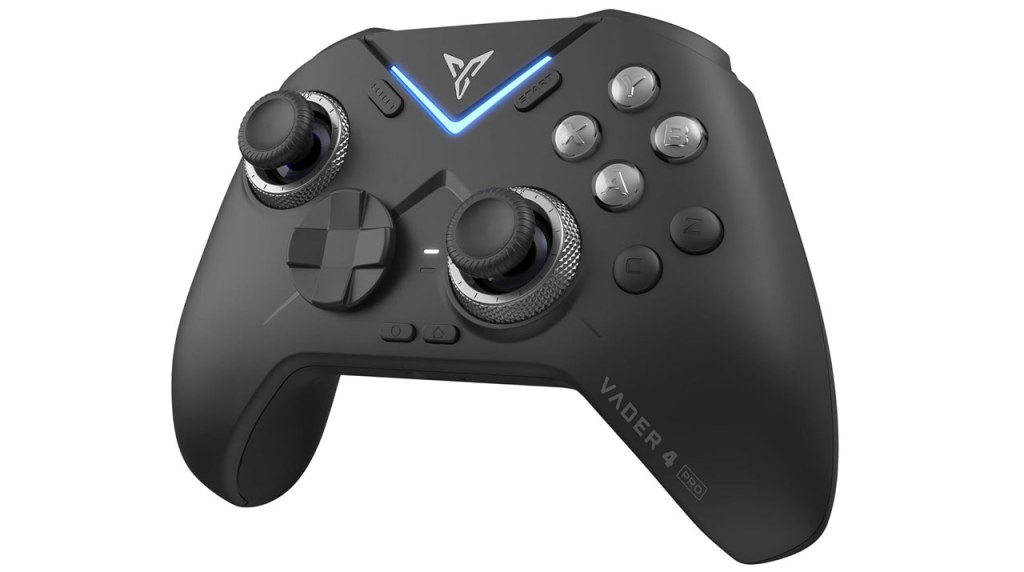
Flydigi Vader 4 Pro PC Controller
Hardware Type: Controller
.
Review:
(Note: This product was received at no cost for review via the Amazon Vine program.)
This late in the Nintendo Switch’s life, I’ve gotten somewhat more picky about the controllers I choose to test and review. I look for specific features I don’t see elsewhere, or potential value not found elsewhere. The Flydigi Vader 4 looks to be the former, offering one particular feature I haven’t seen used elsewhere all that often – analog sticks with tension adjustment.
It’s a promising feature, and otherwise this controller seems to have a good array of other promising features, so the question then becomes how well this controller pulls off those features.
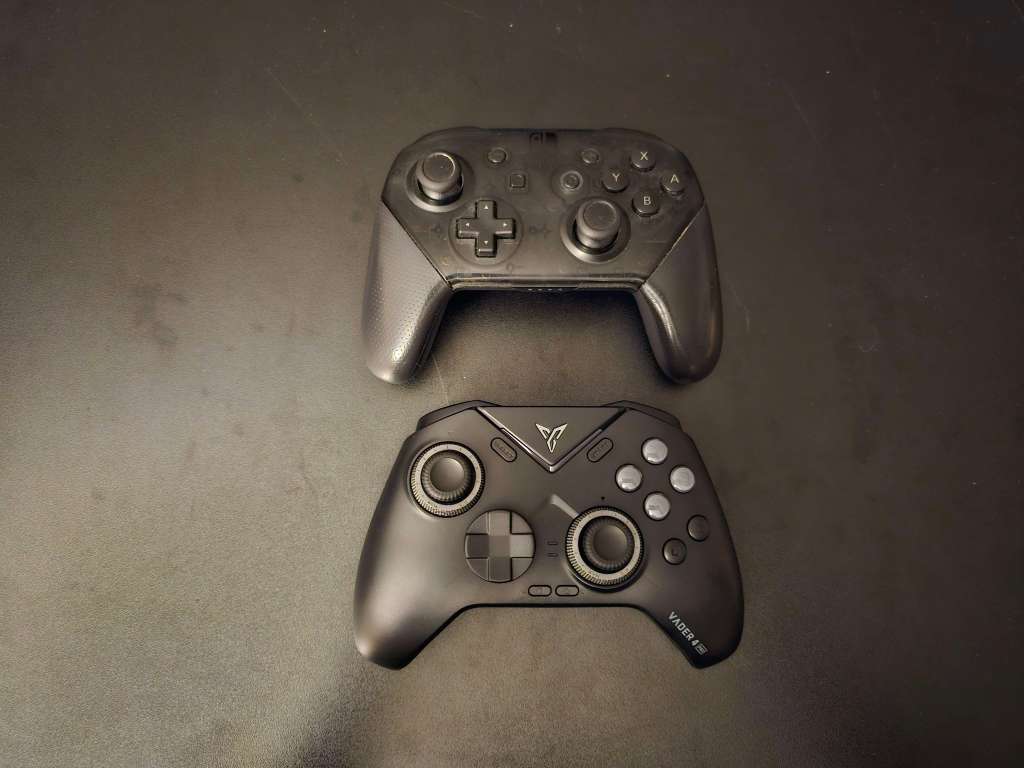
Like many of the Pro-style controllers released for Nintendo Switch, the Flydigi Vader 4 controller replicates the general size, shape, and layout of Nintendo’s own Nintendo Switch Pro Controller, with asymmetrical analog sticks with a concave top, along with standard face buttons and D-Pad in the usual places. The backside of the grips are nicely textured, as are sections of the L, R, ZL, and ZR buttons on top of the controller.
Both the D-Pad and face buttons are clicky in a way that makes play a bit noisy and that I don’t feel is especially comfortable, and the D-Pad is one of those disc-shaped pads that I tend to find is just not very good, and this one fares no better, making precise directional movements difficult.
I’m not entirely sure what type of analog sticks this controller has – it claims they are “force-adjustable lever joysticks”, which makes it sound like these are not hall effect sticks, but that might just be how Flydigi refers to the tension-adjustment technology. The sticks themselves feel fine, though I do worry that they might suffer drift over time, despite the manufacturer’s claims to the contrary. At the very least I can definitely say that the tension adjustment works quite well, letting you fine-tune your analog sticks to be as loose or tight as you like by rotating the rims around the edges of the sticks.
On the top of the controller, we have a pair of clicky L and R bumper buttons, as well as a pair of adjustable ZL and ZR triggers, which players can change from analog to digital with the flick of a switch. This is far from a unique feature by this point, but it is nevertheless a welcome one, as it always delivers a “best of both worlds” situation that makes for precise play on Nintendo Switch using the digital triggers (since the Nintendo Switch doesn’t recognize analog inputs), while still letting PC and mobile players make use of analog triggers for games that utilize them (primarily Racing games). I’ll just go ahead and say that everything going on with the bumper and shoulder buttons on this controller is pretty much ideal – I wouldn’t change a thing about these.
Getting back to the controller’s face, the secondary face buttons are all present, though the home and screenshot buttons have now been moved farther down under and between the D-Pad and right analog stick. I found this placement to be awkward and cramped, making me feel like I had to reach around the right analog stick whenever I wanted to use the home button.
Finally, before moving on, there are a pair of programmable buttons that I’ll get to later, underneath the face buttons. These take some getting used to, and I was accidentally hitting them for a while when attempting to use other buttons. By default, these buttons mirror pressing in the left and right thumb sticks.
When it comes to the other standard features of Nintendo Switch controllers, this controller includes the ability to wirelessly wake the Nintendo Switch from sleep mode. The gyroscopic motion control works fine, too. It has adjustable rumble in place of HD rumble, which I tend to find a decent trade-off. And while it has no Amiibo functionality, this is rare in third-party Nintendo Switch controllers so I don’t hold that against it.
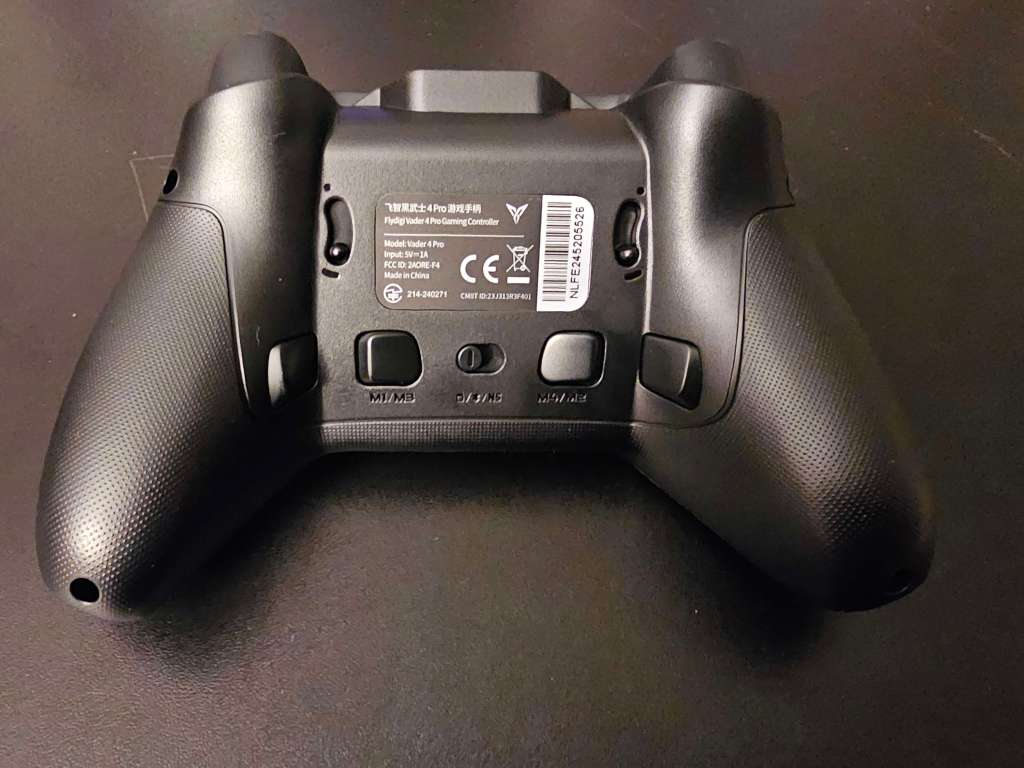
Flipping the controller over to look at its underside, we have the aforementioned switches to change the ZL and ZR triggers from digital to analog, four macro buttons, and a slider to change the controller from Nintendo Switch mode to Android mode or to PC mode.
Having said this, let’s talk about cross-compatibility. In addition to Nintendo Switch, the Flydigi Vader 4 works with PC, Android, and iOS. I wasn’t able to test this with iOS, but with my PC it worked fine, using the included USB dongle. Unfortunately, I had some trouble using this controller with my Android device, and this is because the Flydigi Vader 4 is designed to work in concert with two pieces of software that are honestly a huge mess.
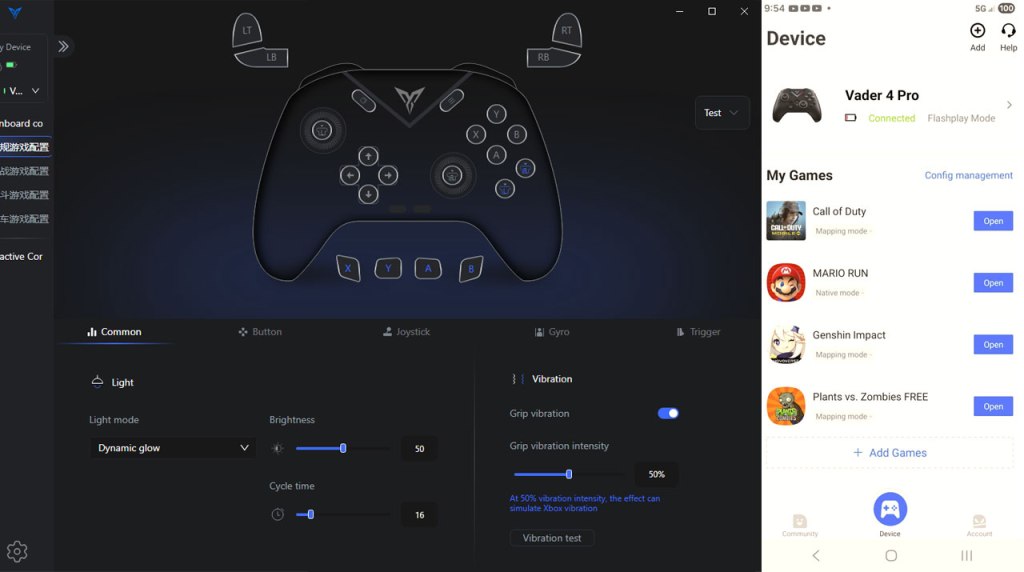
First, since I mentioned trouble getting this controller to work on Android, I should mention the Flydigi Game Center, a piece of Android software designed to work with the controller. While this did sync up with the controller easily enough once the controller was placed in Android mode, it provided absolutely no utility that I could work out – I could see different game profiles, but trying to use one didn’t seem to have any effect other than to litter my screen with an overlay of sorts that seemed intended to work with the controller, but did nothing for me. And if this software had any ability to custom-create profiles, it was inscrutable to me.
The PC software, the Flydigi Space Station, suffered from different problems, but was no less disastrous. Here’s where I mention that all adjustments made to the majority of this controller’s features must be made using this software. This means that assigning button assignments to the macro buttons, enabling turbo features, and so on, all must be done here.
The first problem this faces is that if you’re looking to set these features for Nintendo Switch, you need to take the controller out of Nintendo Switch mode and into PC mode. This means if you need to fine-tune and test features, you’ll be repeatedly disconnecting from one and re-connecting to the other to change the feature and then test it. To its credit, there appear to be some pretty nice options here, including customizing macros down to the millisecond, storing multiple profiles, and so on.
However, right away you see a lack of polish here as some of the button options are still in what I think is Chinese. But worse than this is that connecting your controller to this software automatically and permanently swaps your buttons to the standard PC button assignments (swapping A and B, and swapping X and Y), and there appears to be no way to swap this back – I tried resetting the button assignments, then populating those changes to Nintendo Switch mode (something you’re required to do for the changes to persist after disconnecting to the PC), but nothing worked.
Even worse, once I tried reassigning the buttons back to where they belong manually, I discovered another problem – once you assign the B button to act as A (for example), the way the menus work won’t let you assign any button as B, as if you’ve completely overwritten the B button with A from that point on. I tried swapping things around by using one of the macro buttons as a go-between, but that didn’t work either. my controller was now, apparently, permanently swapped to a button layout I didn’t want, with no factory reset feature I could find.
Look, I just typed five paragraphs on how much of an absolute pain it was to get the software to work with this controller, and suffice it to say, I found it was more trouble than it’s worth, and I do not recommend using it. And because this is the only way to assign the macro buttons or use the turbo feature, this means that if you take my advice, they’re not usable.
Given the Flydigi Vader 4’s standard $80 price as a premium controller, I find the laundry list of flaws here completely unacceptable, and even the things it does that I like – the tension adjustment on the analog sticks and the excellent shoulder and trigger buttons, cannot make up for all these flaws. You have far, far better options in this price range, and I cannot recommend this controller with all of the issues it suffers from.
tl;dr – The Flydigi Vader 4 is a Pro-style Nintendo Switch controller that boasts a few very nice features like tension-adjustable analog sticks, and switchable analog and digital triggers. Unfortunately, these good qualities are far outweighed by the bad, including a poor D-Pad, and features locked behind absolutely disastrous software tools. Given this controller’s premium price, I absolutely do not recommend it.
Grade: D+
You can support eShopperReviews on Patreon! Please click HERE to become a Sponsor!
This month’s sponsors are Jamie and His Cats, Ben, Ilya Zverev, Andy Miller, Johannes, Jaka, Jared Wark, Gabriel Coronad-Medina, Francis Obst, Kristoffer Wulff, and Seth Christenfeld. Thank you for helping to keep the reviews coming!


Leave a comment