
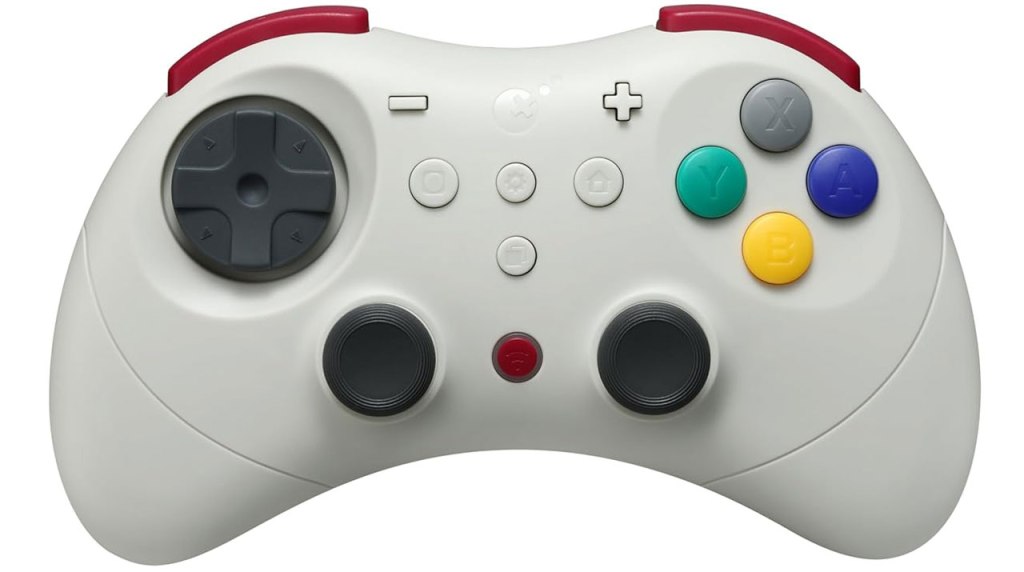
GuliKit Elves 2 Pro Wireless Game Controller
Hardware Type: Controller
.
Review:
(Note: This product was received at no cost for review via the Amazon Vine program.)
After reviewing the Gulikit Elves 2, I didn’t expect the Elves 2 Pro to be much different. Just judging by appearances, it looks to be the same controller with a different color scheme, one extra button, and… at $50, it’s nearly twice the price? Yikes. However, looks can be deceiving, so I decided to check it out all the same.
Right from the start, I see the same issue glaring at me in the Elves 2 Pro that the Elves 2 had – while this controller doesn’t claim to be a Nintendo Switch 2 controller like that one did, it still claims to be able to wake the Nintendo Switch 2 from sleep mode. And it can’t.
To be clear, I connected the controller to my PC and downloaded up-to-date drivers to the controller, and I followed the instructions that came with the controller precisely when syncing the controller with Nintendo Switch 2. The result was always the same – the controller was recognized by the Nintendo Switch 2, but only as a pro-style controller for the original Nintendo Switch.
To sum everything up, I went through a lot of hassle just to once again find GuliKit had apparently made a false claim about the controller waking the Nintendo Switch 2. Would the rest of this review go the same as my review of the Elves 2 controller?
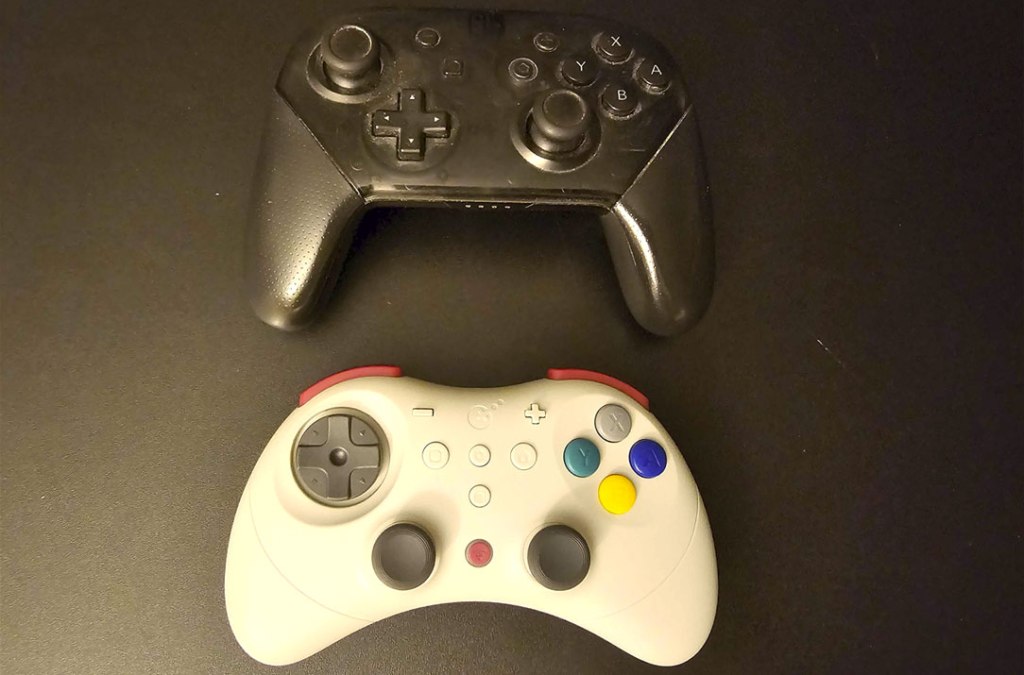
Unlike many of the Pro-style controllers released for Nintendo Switch, the Elves 2 Pro controller doesn’t just replicate the rough size, shape, and layout of Nintendo’s own Nintendo Switch Pro Controller, instead opting for something smaller and closer in shape to Sega’s Saturn controller. This may be more comfortable for players with smaller hands, and I’m sorry to say that doesn’t describe me, because the smaller size made my hands feel particularly cramped when holding this controller.
The controller has a pair of symmetrical hall effect analog sticks with a concave top, with a D-pad and face buttons above to either side, and with plus, minus, home, and screenshot buttons all in the usual places, though the plus/minus buttons and home/screenshot buttons seem higher (perhaps due to the lack of grips), causing a lot of mistaken button presses due to muscle memory. Meanwhile, the analog sticks work well, and I have no complaints about them.
The face buttons all feel like a good mix of squishy and clicky, as opposed to the standard Elves 2 which felt more squishy and imprecise to me. And here I find myself questioning my own impressions and had to go back to look at the Elves 2 again to compare to the Pro, asking myself if they really do feel different. But, yeah, I think the buttons on this controller are better, even if they look the same.
I’ll say the same thing for the disc-shaped D-Pad, which is something I usually despise, but somehow doesn’t seem quite so bad here as it does on the Elves 2, and I’m not sure if they’re actually different or my brain is playing tricks on me. In any case, while I still don’t love this style of D-Pad, I think it works fine here.
Meanwhile, the L and R shoulder buttons and the ZL and ZR trigger buttons are all extremely clicky, which is just fine for a Nintendo Switch controller, though the lack of analog triggers makes this less-suitable for use on other platforms. However, the problem here is that the L and R shoulder buttons are very small, making the entire top part of the controller feel cramped much like the rest of the controller.
In addition to the standard face buttons, dead-center on the controller is a settings button that allows you to adjust the rumble and other features on the controller, like enabling or disabling the analog stick dead zone mode. This button also doubles as a turbo button, working in conjunction with other buttons on the controller in the way this feature usually functions.
Beneath the settings button is a macro button, allowing you to save command sequences like a Street Fighter-style “hadouken”. This works well, but… why the heck would you have a macro button at the center of the controller? It’s such an inconvenient location for a button like this, as opposed to the underside of the controller where these macro buttons usually are, which is largely bare on this controller.
Farther down, between the analog sticks, is a blue sync button, which works fine, but once again that’s an odd place to put such a button.
When it comes to the other standard features of Nintendo Switch controllers, this controller includes the ability to wirelessly wake the Nintendo Switch from sleep mode (but, again, not the Nintendo Switch 2). The gyroscopic motion control works fine, too. It has three different rumble modes, one of which GuliKit claims is HD Rumble, which I can’t quite confirm or refute but I’m dubious on. And while it has no Amiibo functionality, this is rare in third-party Nintendo Switch controllers so I don’t hold that against it.
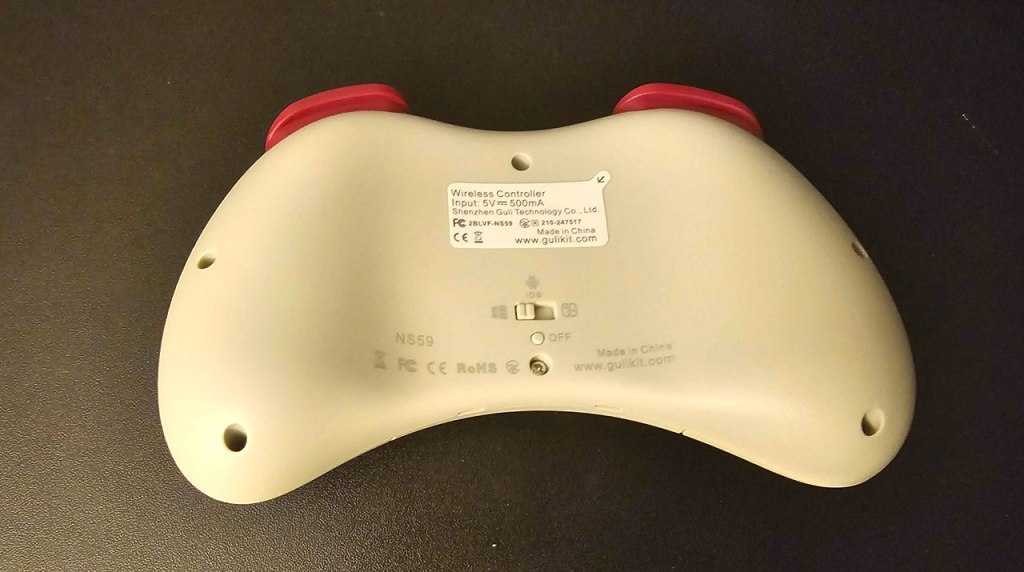
Flipping the controller over to look at its underside, there’s not much to see here. There’s a tiny off button for those who don’t want to hold the home button for ten seconds to power down the controller, and a slider to change the controller from Nintendo Switch mode to Android mode or to PC mode.
Having said this, let’s talk about cross-compatibility. In addition to Nintendo Switch, the Elves 2 Pro works with PC, Android, and iOS. I wasn’t able to test this with iOS, and with my Android device it worked fine. Surprisingly, it worked fine with my PC too, something that almost always seems to require a dongle for a good connection, but here I had no problem at all playing on my PC with a standard Bluetooth connection.
There is one other interesting feature on the Elves 2 Pro, and that is the ability to enable Motion Aim Assist mode. This mode basically binds gyroscopic motion-controlled input to the right analog stick, allowing you to use motion-controlled aiming even in games that don’t have this function built-in. This is a really amazing feature, and surprisingly it works quite well. The problem is that there are only two ways to use it – while holding down the L button, or while holding down the ZL button. I really wish that there were additional options here, like an always-on feature, or a toggle using a dedicated button, because in games that actually have features tied to the L and ZL buttons, this muddles things and can cause problems.
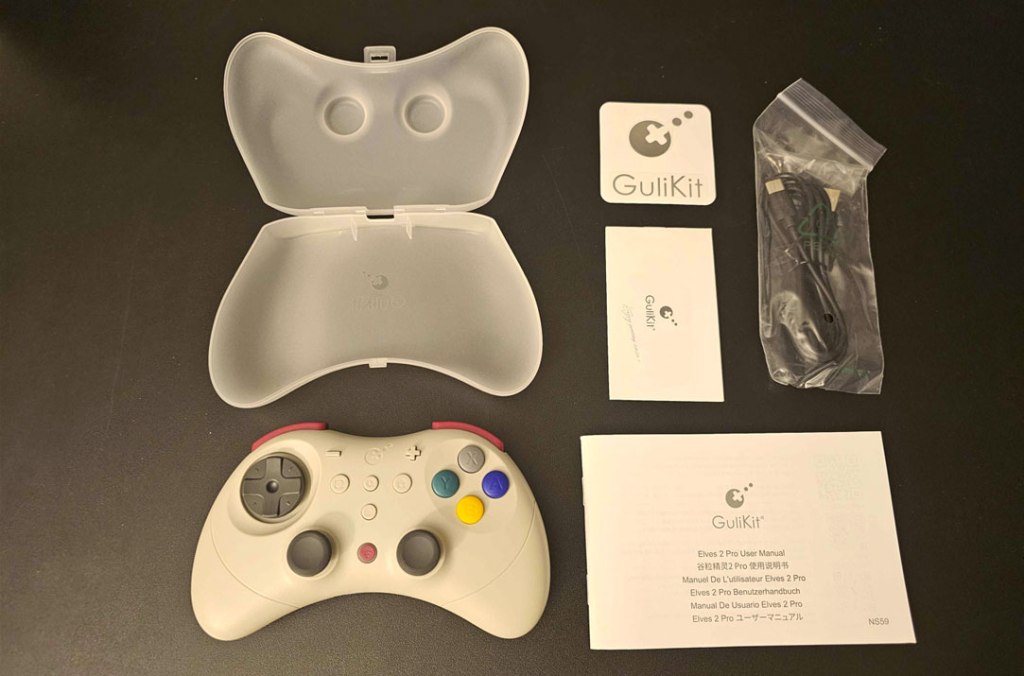
Finally, I should mention that this controller comes with a plastic clamshell protective case, which… I mean, sure, that’s neat and all, but it doesn’t seem all that necessary and doesn’t really change my overall impression of this controller.
As for what that overall impression is, this is a much harder call to make than it was for the Elves 2. For that controller, I could say there was enough stuff it did wrong that it was simply a bad controller. But the Elves 2 Pro fares much better. The D-Pad and face buttons are decent, the multi-platform connectivity is very good, and there are even some unexpected nice features here like the Motion Aim Assist mode.
On the other hand, for a controller selling at a $50 price point, there are some features I expect to be here that simply aren’t. The fact that there’s only one macro button, and its placement is in a pretty inconvenient spot. There’s the awkward plus/minus and home/screenshot buttons. And while someone with slimmer hands might find this controller comfortable, I still find it extremely cramped, especially on the shoulder buttons. Oh, and then there’s also the false claims about being able to wake the Nintendo Switch 2 from sleep mode.
As a result of all of this, I think the GuliKit Elves 2 Pro is a bit of a mixed bag, with some good and some bad, but on balance I feel like there are better options in this price range, and even at a lower price point. I do think players with smaller hands might find this controller to be a pretty good option for them, but most players are better off looking at other options.
tl;dr – The GuliKit Elves 2 Pro Wireless Controller is a pro-style controller that fixes most of the problems of the Elves 2 controller, and even has some nice features, but at a $50 price point seems high for what’s on offer here, especially compared to other controllers on the market. Unless you really want a smaller controller for smaller hands, I suggest you consider another controller instead.
Grade: C+
You can support eShopperReviews on Patreon! Please click HERE to become a Sponsor!
This month’s sponsors are Jamie and His Cats, Ben, Ilya Zverev, Andy Miller, Johannes, Jaka, Jared Wark, Gabriel Coronad-Medina, Francis Obst, Kristoffer Wulff, and Seth Christenfeld. Thank you for helping to keep the reviews coming!


Leave a comment