
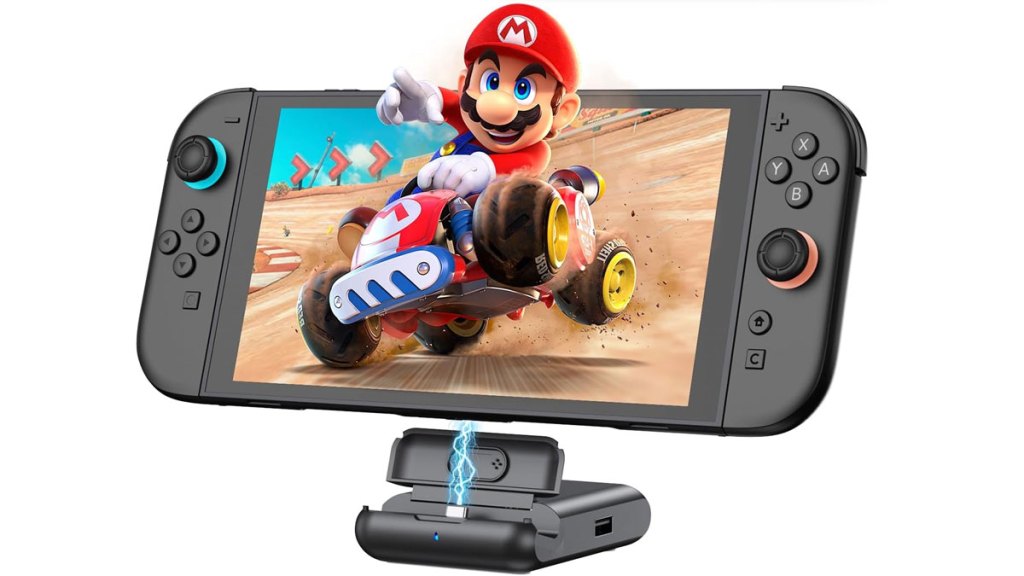
PLMGQX Switch 2 Docking Station
Hardware Type: Dock
.
Review:
(Note: This product was received at no cost for review via the Amazon Vine program.)
Now that 2025 is behind us, as well as Nintendo’s update for the Nintendo Switch 2 that bricked many third-party docks, reviews of Nintendo Switch docks can focus on the features and qualities of these newer docks, rather than whether or not they function at all.
PLMGQX’s dock gives us a collapsible device ready for travel, a convenient built-in TV switch button, and multiple ports. How does it compare to other docks I’ve tested?
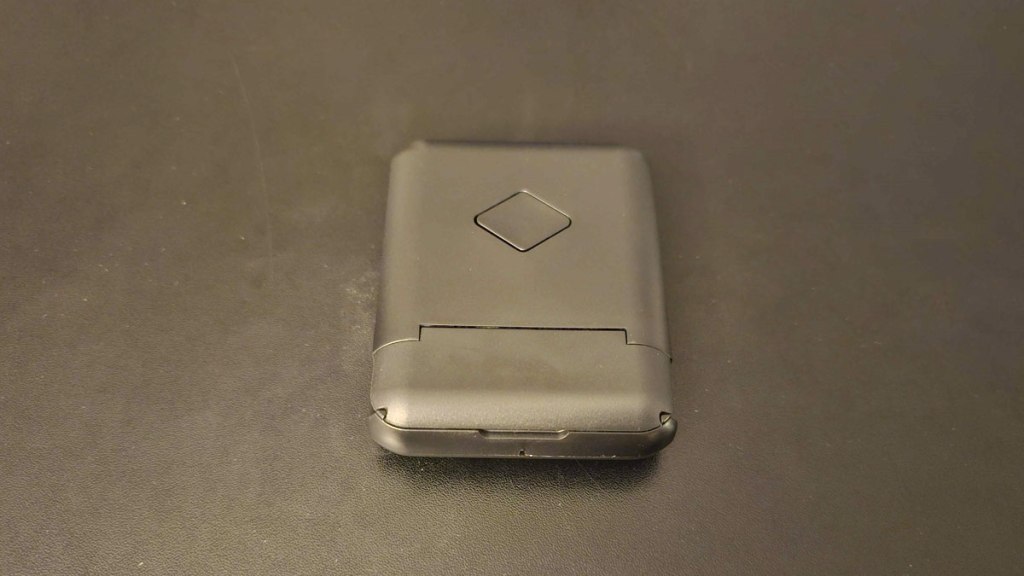
The first thing you should know about the PLMGQX Switch 2 Docking Station is that it comes bare-bones. There’s no AC adapter, no HDMI cable, or any other sorts of cables. It’s just the dock itself and a small instruction manual. This means that you’ll need to provide your own AC adapter and cables to use it. And you should be aware that the Nintendo Switch and Nintendo Switch 2 both have different power consumption needs, meaning that you need an AC adapter specific to the device you’ll be using – this is important, because using the wrong AC adapter could irreparably damage your game console.
The good news is, regardless of whether you’re looking to hook up a Nintendo Switch or Nintendo Switch 2, you already have all of this – it came in the box with the console. However, if you’re looking at this as a secondary dock, you’ll have to pay extra. Just for Nintendo’s official Nintendo Switch 2 AC Adapter alone, that means adding an extra $35 to the price tag, and an AC adapter for the original Nintendo Switch costs $30. However, even adding this price tag to the PLMGQX dock puts this dock well under the price of Nintendo’s Switch 2 dock, making this a massive savings over Nintendo’s dock.
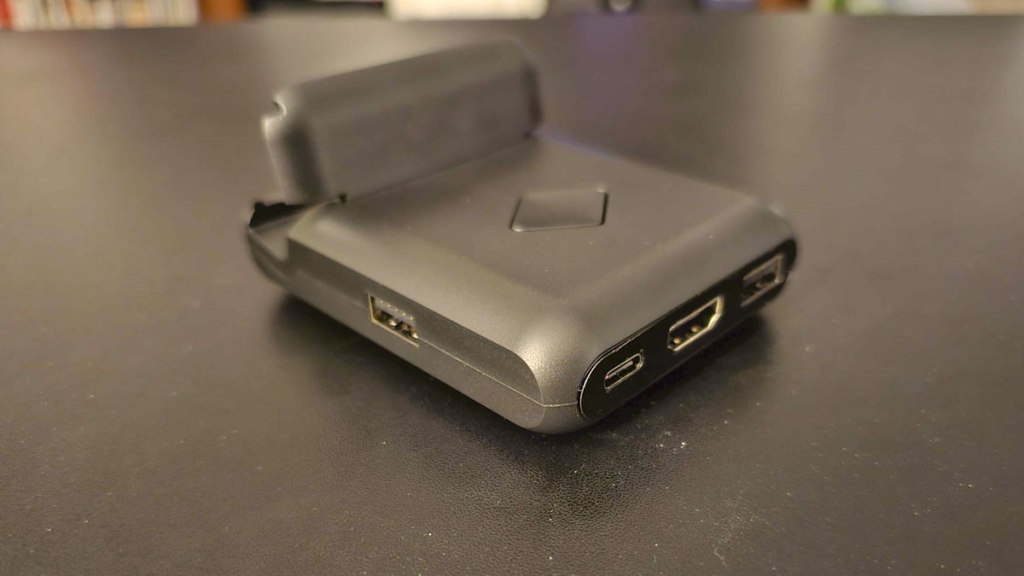
Spinning the dock around to look at the other side, you see that in addition to the requisite HDMI and USC-C power ports, there are three additional USB ports (one on each side). Unfortunately, none of these ports is a USB 3.0 port, nor are there any network ports.
In terms of image quality, the PLMGQX dock supports up to 4K/60FPS, and the image quality looked good to me, no complaints there. I’ll note that this device also includes a large diamond-shaped button on top to swap instantly between docked TV mode and charging tabletop mode.
In terms of stability, there’s an upside and a downside here. On the positive side of things, the PLMGQX dock doesn’t seem to wobble or be easily tipped over when the Nintendo Switch or Nintendo Switch 2 is docked inside it. On the negative side of things, it takes a bit of effort to remove the Nintendo Switch or Nintendo Switch 2 from its dock – you won’t just pull it out one-handed like you can do with Nintendo’s own dock.
In addition to the Nintendo Switch platforms, PLMGQX’s dock is also compatible with all USB C devices with video output function. However, this is limited by whether or not you’ll be able to fit the device physically into the dock, and not all devices will do this. For example, PLMGQX’s dock worked fine for my Android phone, but I needed to remove my phone from its protective case to get it to fit.
So, having said all of that, how does PLMGQX Switch 2 Docking Station compare to other Nintendo Switch 2 docks? Well, I’ll start by saying that its low price, slim size, and compatibility with the original Nintendo Switch and potentially other devices make it clearly preferable to Nintendo’s own Nintendo Switch 2 dock. However, it’s still bigger than the DGBosen Switch 2 Dock, and lacks both that dock’s USB 3.0 port and its network port, and the PLMGQX dock is only slightly less expensive than DGBosen’s dock. Because of this, unless you really want a Nintendo Switch 2 dock that the Nintendo Switch 2 can stand up in and use as a charging stand, I would recommend going for DGBosen’s dock instead. However, PLMGQX’s dock is still a good alternative.
tl;dr – The PLMGQX Switch 2 Docking Station is a Dock for Nintendo Switch and Nintendo Switch 2 that’s very small, versatile, and inexpensive. And while it lacks a necessary HDMI cable and AC adapter (depending on the device you’re using), and doesn’t have a LAN port or a USB 3.0 port, this is otherwise a solid dock that works very well. I do think you have better options, but this is still a good choice.
Grade: B+
.
You can support eShopperReviews on Patreon! Please click HERE to become a Sponsor!
This month’s sponsors are Jamie and His Cats, Ben, Ilya Zverev, Andy Miller, Johannes, Jaka, Jared Wark, Gabriel Coronad-Medina, Francis Obst, Kristoffer Wulff, Seth Christenfeld, and Vince Verrinoldi. Thank you for helping to keep the reviews coming!


Leave a comment