
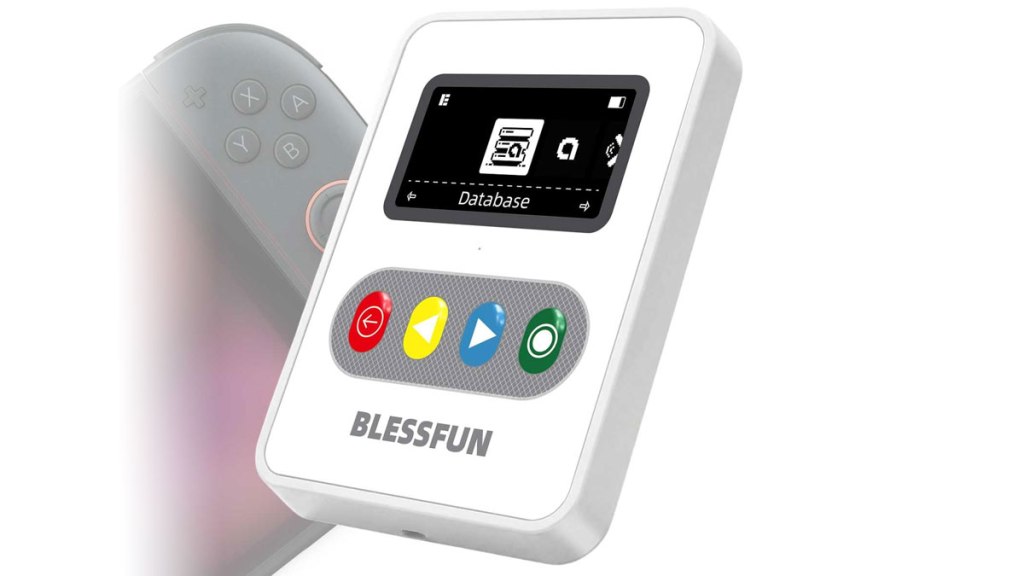
Blessfun NFC Emulator
Hardware Type: Misc.
.
Review:
(Note: This product was received at no cost for review via the Amazon Vine program.)
The Blessfun NFC Emulator (sometimes sold under the brand name ZH, even though “Blessfun” is printed on the device and its accompanying instruction manual) is an NFC emulator specifically designed for use with Nintendo devices that read Amiibo accessories, including the Wii U and New Nintendo 3DS (or an older Nintendo 3DS model using an Amiibo scanner accessory), as well as of course the Nintendo Switch and Nintendo Switch 2.
To put it in more simple terms, this is a device intended to be used in place of an Amiibo figurine to access features in videogames on Nintendo platforms that those figurines unlock. The idea here is, if you want to access that content without buying all of the expensive plastic, don’t mind not owning the actual figurines, and don’t mind the creators of those figurines not getting any of the money you’re spending on this device, you could save yourself a fortune without missing out on that content.
Is that… legal? I have no idea! Will you somehow get in trouble for using this? Highly unlikely! Anyway, let’s have a look!
At $40, Blessfun’s device is one of the more expensive NFC emulators you can currently find. Do you get value for that money? Let’s see…
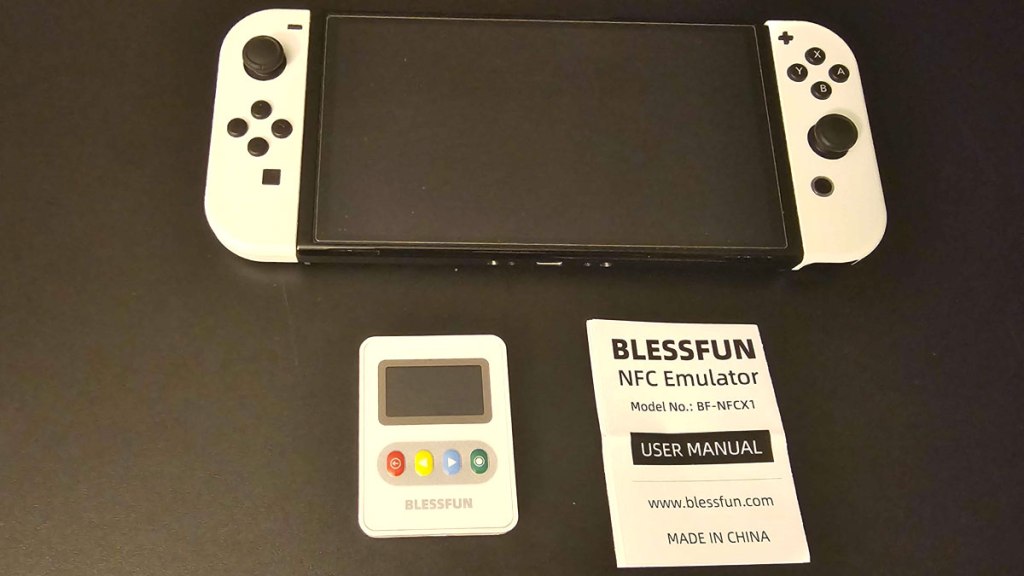
The device is relatively small, maybe a bit bigger than a half a Nintendo Switch Joy-Con controller. It charges via a USB-C port on its side, and has four buttons on its face, as well as a black-and-white OLED screen. It doesn’t take long to charge, but I noticed it also loses its charge surprisingly quickly – during use, I expended maybe a quarter of the device’s full battery just looking through the device’s menus, and after a full charge the battery of the device had completely depleted within a week without being used in any way at all. In other words, don’t plan on using this device on long trips without charging it first.
The main menu lists a few different options: Database, Emulator, BLE File Transfer, and Settings. Database stores the various Amiibos the device can use, and comes with many pre-loaded, including some newer ones and even some fairly obscure ones – I spotted Amiibos for Metroid Prime 4 and Kirby’s Air Riders (though more on that one in a moment), as well as Amiibos for Chibi-Robo, Animal Crossing character cards, Diablo III, Monster Hunter Rise, and Street Fighter VI. Players can find these listed in directories organized by game, search, or even upload their own via USB or Bluetooth, though to do so you’ll need to track down the files for these online, and that might potentially expose you to a bit more legal danger if you’re worried about that sort of thing (or so I would guess – I am no lawyer).
I should note that while most of these were usable, the Kirby Air Riders Amiibos were not, no doubt due to the odd two-part rider/vehicle pairings those are used in. Also, I oddly couldn’t get Super Smash Bros. Ultimate to create a Amiibo profile – it kept insisting that when it asked me to scan a second time that it wasn’t the Amiibo I was using before. I wouldn’t count on this device holding on to a profile in the few games that use that feature of Amiibo figurines.
Using this device took a bit of trial and error, since the instructions (both included with the device and provided online) aren’t fully clear on how to use the device. Basically, once you select a specific Amiibo to use (by default, you’ll see a QR code), the device is already ready to be scanned, and can be held up to the controller or device that is capable of scanning Amiibos.
It doesn’t help that the four-button controls are clunky and not always clear in their use. Generally speaking, the left-most button goes back to the prior page, the right-most button selects the current option, and the two center buttons scroll through the current options. It works, but it can be a real pain when you have to use these buttons to navigate a keyboard interface.
I will also note that while there appear to be options here to save favorites, I couldn’t get any of them to work properly, so if I wanted to re-use an Amiibo, I’d have to do the same every time.
Overall, I do still think this will save you from having to buy countless Amiibo figurines to unlock things, but it’s clunky and difficult to use, doesn’t hold a charge well, and has multiple caveats, issues, and limitations you don’t face from real actual Amiibo figurines. In other words, the Blessfun NFC Emulator is an adequate workaround, but not a great one.
tl;dr – The Blessfun NFC Emulator is an emulator device that players can use in place of Amiibo figurines with their various Nintendo game systems. This device gets the core functionality okay, but comes with multiple issues and caveats. It’s still a solid solution if you want to unlock content in your games without buying a fortune’s worth of plastic figurines, but it’s far from perfect.
Grade: C+
.
You can support eShopperReviews on Patreon! Please click HERE to become a Sponsor!
This month’s sponsors are Jamie and His Cats, Ben, Ilya Zverev, Andy Miller, Johannes, Jaka, Jared Wark, Gabriel Coronad-Medina, Francis Obst, Kristoffer Wulff, Seth Christenfeld, and Vince Verrinoldi. Thank you for helping to keep the reviews coming!


Leave a Reply