
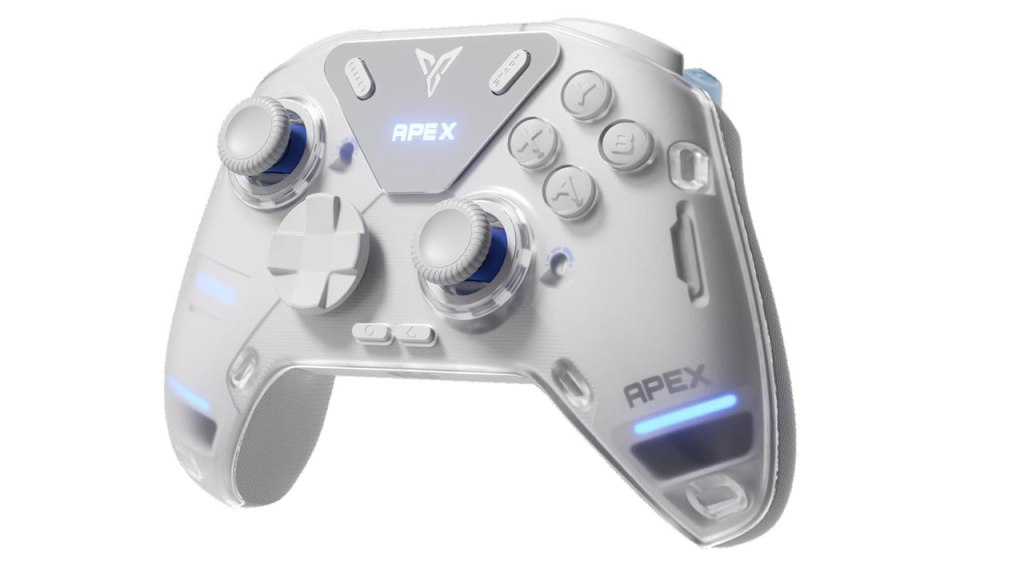
Flydigi Apex 4 PC Controller
Hardware Type: Controller
.
Review:
(Note: This product was received at no cost for review via the Amazon Vine program.)
After reviewing the Flydigi Vader 4 PC Controller, I move up to check out its big brother, the Flydigi Apex 4 PC Controller, and I do so with apprehension. On the one hand, the Vader 4 had some fairly unique and promising features. On the other hand, it had some spectacularly poor implementation, with some disastrous problems.
So to think what the same manufacturer does in a controller that sells for a whopping $160, a price that makes it the most expensive Pro-style controller I have ever reviewed, I feel like what I’m looking at had better be a masterpiece that fixes all of the problems of the Vader 4 and adds a ton of features on top of it to justify that price. And while I try not to let preconceptions affect my reviews, I have to admit that I’m not confident that it can manage to reach that lofty goal.
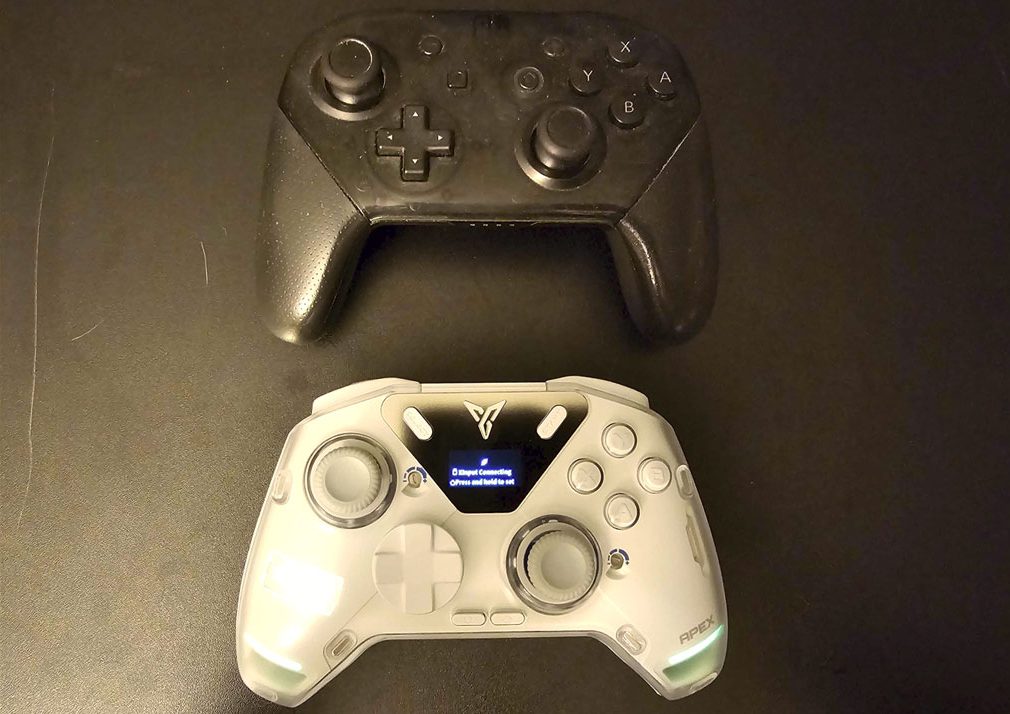
Like many of the Pro-style controllers released for Nintendo Switch, the Flydigi Apex 4 controller replicates the general size, shape, and layout of Nintendo’s own Nintendo Switch Pro Controller, with asymmetrical analog sticks with a concave top, along with standard face buttons and D-Pad in the usual places. The backside of the grips are rubberized and textured, and sections of the L, R, ZL, and ZR buttons on top of the controller are textured as well. Overall I felt this controller was fairly comfortable to hold, but nothing out of the ordinary.
Both the D-Pad and face buttons are clicky in a way that makes play a bit noisy, and the D-Pad is one of those disc-shaped pads that I tend to find is just not very good, however to my surprise this was actually much better than the Vader 4’s similar D-Pad and buttons thanks to buttons that feel more precise and the way the D-Pad “clicks” into the 8 cardinal direction positions. This may well be the first disc-shaped D-Pad that I didn’t outright hate.
Unlike the Vader 4, which was unclear on what type of tech the analog sticks used, here we have confirmation that this is indeed Hall Effect sticks, which is a bit of a relief and a disappointment at the same time – at this price, I would have expected this controller to go one step above and give us TMR sticks, but that’s not the case here. To their credit, the sticks feel fine, and this controller even offers the ability to adjust the stick tension, only… well…
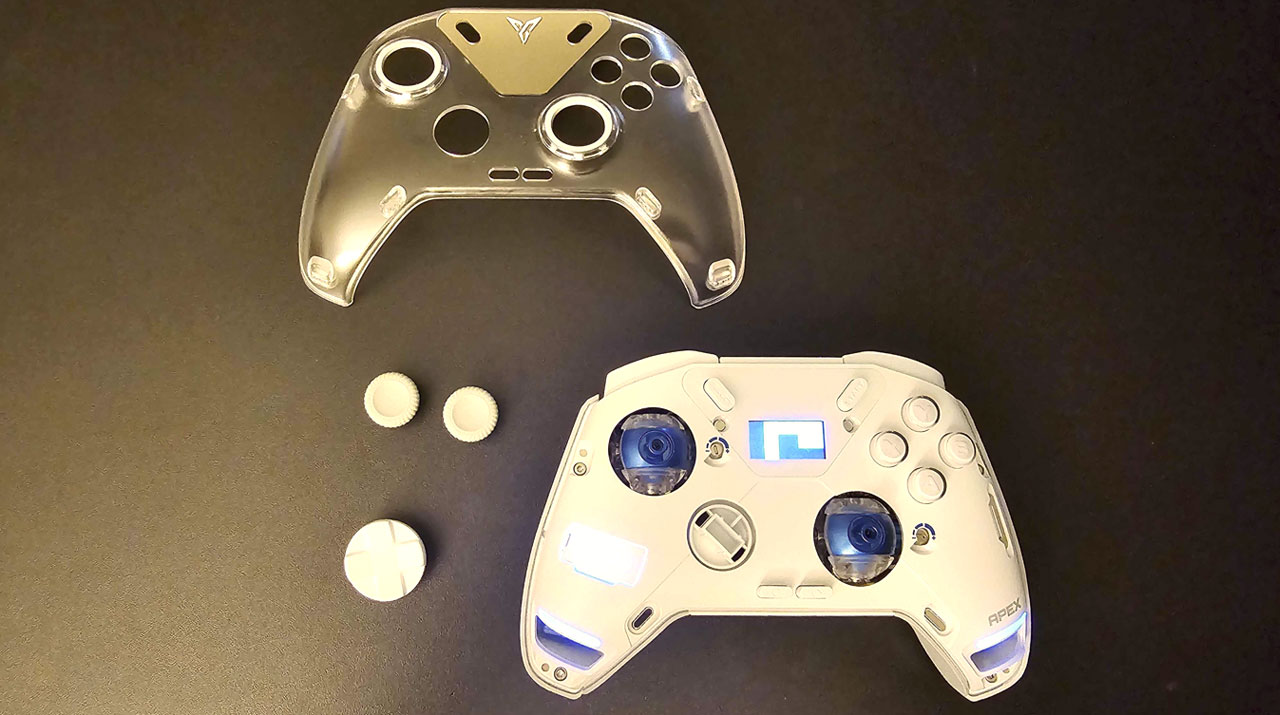
While the Vader 4 offered a similar feature where you could adjust the tension on the analog sticks by dialing the rims around the edges of the analog sticks, the Apex 4 requires players to do a bit more to accomplish this task. You must remove the tops of the D-Pad and analog sticks, remove the magnetic faceplate from the controller, withdraw a screwdriver tool from a slot on the right side of the controller, and then use that screwdriver tool to adjust screws to the right of the analog sticks, before reassembling everything.
On a purely visceral level, this is all kinda’ cool, like you’re adjusting some sort of spy gadget. But once the novelty wears off, you realize that this is all extremely inconvenient, forcing players to go through a multi-step process to disassemble the controller to make this adjustment. I found that many of this controller’s features had a similar problem: they’re cool in theory, but in practice they’re needlessly tedious.
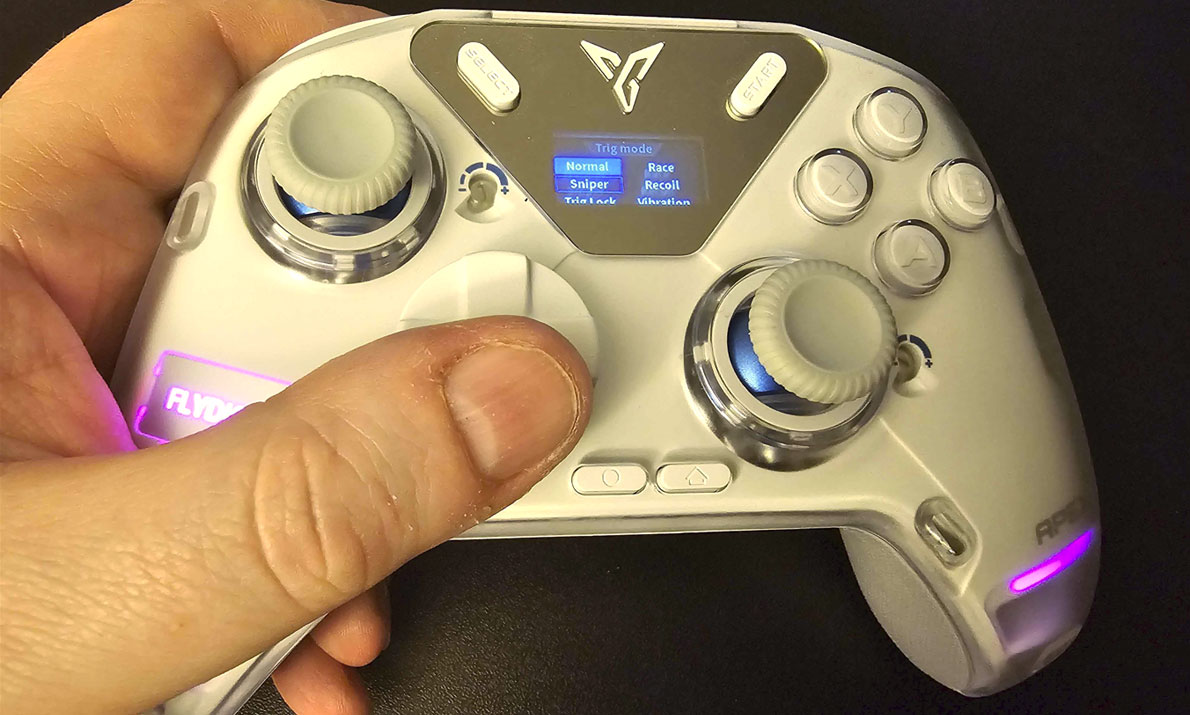
Anyway, to finish my earlier though, the analog sticks feel fine and I have no complaints about them. Moving on to the rest of the standard features, on the top of the controller, we have a pair of clicky L and R bumper buttons, as well as a pair of adjustable ZL and ZR triggers. Unlike the Vader 4, the Apex 4 doesn’t feature analog-to-digital switches on the back of the controller, so these triggers are only analog. This means they’ll be less precise on Nintendo Switch, but will offer more control when used with other platforms capable of recognizing analog trigger.
Or, at least that’s how it appears at first. one of the Apex 4’s coolest features is software-enabled haptic trigger buttons, what Flydigi refers to as force feedback triggers. However, while “force feedback” has historically referred to rumble features in controllers, that’s not what’s going on here. Rather, going into this controller’s settings menus (more on this later) lets you change one or both triggers to different modes that make them behave differently.
You can make them suddenly become harder to press in after a brief bit at the top, making them effectively act like digital triggers (with three different height settings!), you can make them gradually harder to push in or feel like a ratcheting input to imitate gas pedals or mechanical mechanisms, basically letting you switch up the feel of the triggers so your gameplay is more immersive.
This is all immensely cool, and in this way the Apex 4 is similar to Sony’s DualSense controllers for the PlayStation 5, something I haven’t seen in any other Nintendo Switch controller. Only, well… see, the thing that made the DualSense so impressive was that games could be made interactive with this feature, so the controller would change how it feels based on what’s happening in the game. But of course the Nintendo Switch doesn’t have any such feature natively, meaning that if you want to use this feature you’ll need to change the settings every time you want to change the way it feels. At this point, it’s less an immersive experience and more tedium to change up your experience, and at that point you’ll likely just decide to find the setting you like the most and just leave it like that permanently.
And at that point, as cool as this feature is, I’d rather just have the simple analog to digital switches of the Vader 4.
Getting back to the controller’s face, the secondary face buttons are all present, though the home and screenshot buttons have now been moved farther down under and between the D-Pad and right analog stick. I found this placement to be awkward and cramped, making me feel like I had to reach around the right analog stick whenever I wanted to use the home button.
When it comes to the other standard features of Nintendo Switch controllers, this controller includes the ability to wirelessly wake the Nintendo Switch from sleep mode. The gyroscopic motion control works fine, too. It has adjustable rumble in place of HD rumble, which I tend to find a decent trade-off. And while it has no Amiibo functionality, this is rare in third-party Nintendo Switch controllers so I don’t hold that against it.
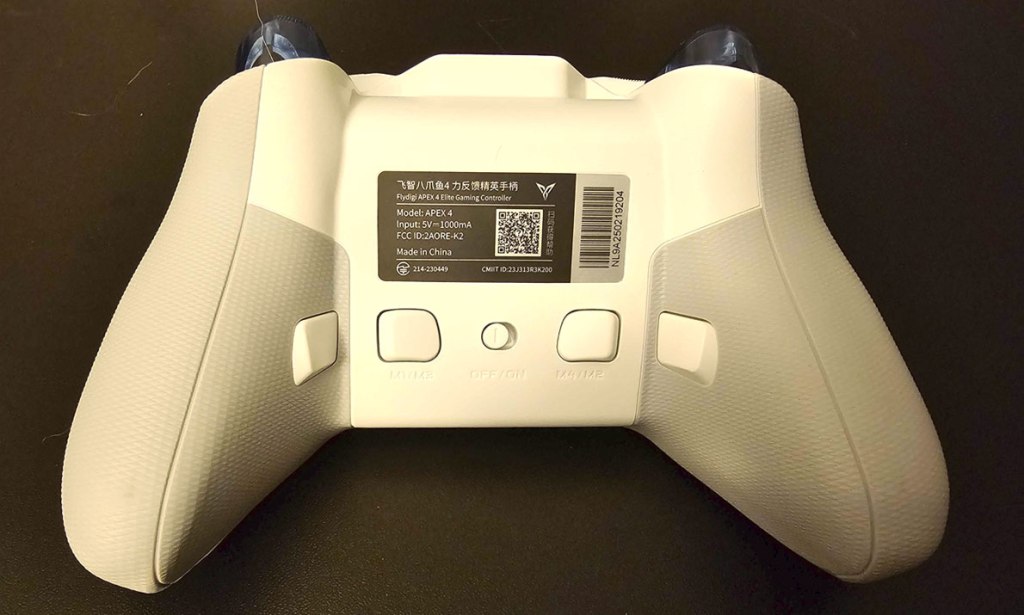
Flipping the controller over to look at its underside, we have four macro buttons, and an on/off switch. I’ll talk about the macro buttons in a moment, but first let’s talk about cross-compatibility.
In addition to Nintendo Switch, the Flydigi Apex 4 works with PC, Android, and iOS. I wasn’t able to test this with iOS, but with my PC it worked fine, using the included USB dongle. And unlike the Flydigi Vader 4, the Apex 4 also worked fine with my Android device, no problems here.
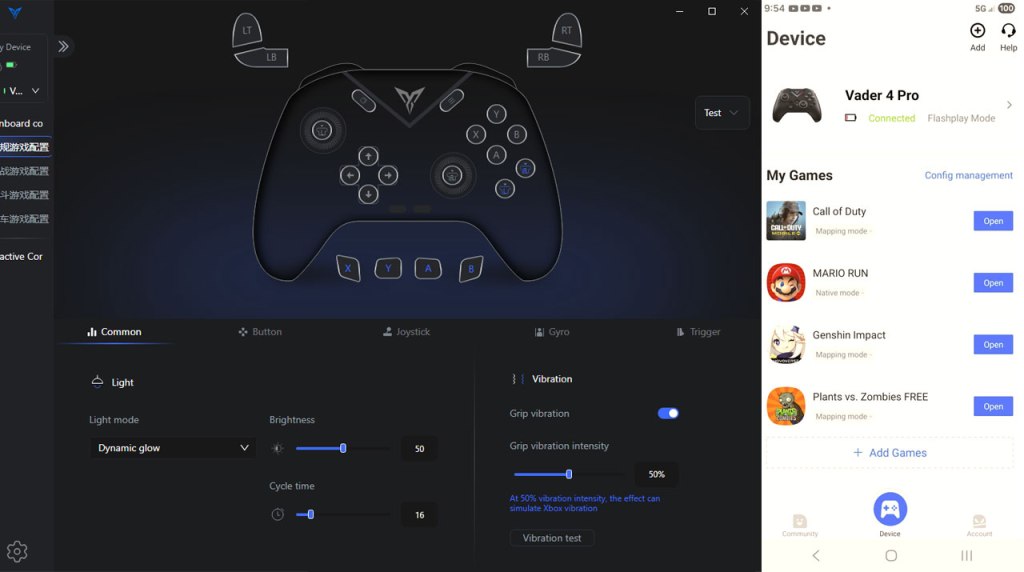
This controller is designed to work with two different pieces of software – the Flydigi Game Center on Android, and Flydigi Game Center on PC. As I mentioned in my Vader 4 review, I found the Android software to be utter garbage, and I was happy to circumvent it entirely with the Apex 4. To fill you in, I found that this software provided absolutely no utility that I could work out – I could see different game profiles, but trying to use one didn’t seem to have any effect other than to litter my screen with an overlay of sorts that seemed intended to work with the controller, but did nothing for me. And if this software had any ability to custom-create profiles, it was inscrutable to me.
The PC software, the Flydigi Space Station, suffers from different problems, but is no less disastrous. Most adjustments made to the majority of this controller’s features must be made using this software. Swapping button assignments, enabling macro features, and so on, all must be done here.
The first problem this faces is that if you’re looking to set these features for Nintendo Switch, you need to take the controller out of Nintendo Switch mode and into PC mode. This means if you need to fine-tune and test features, you’ll be repeatedly disconnecting from one and re-connecting to the other to change the feature and then test it. To its credit, there appear to be some pretty nice options here, including customizing macros down to the millisecond, storing multiple profiles, and so on.
However, right away you see a lack of polish here as some of the button options are still in what I think is Chinese. But worse than this is that connecting your controller to this software automatically and permanently swaps your buttons to the standard PC button assignments (swapping A and B, and swapping X and Y), and there initially appears to be no way to swap this back – I tried resetting the button assignments, then populating those changes to Nintendo Switch mode (something you’re required to do for the changes to persist after disconnecting to the PC), but nothing worked… at least until I used the controller’s built-in settings to do a factory reset on itself.
Even worse, once I tried reassigning the buttons back to where they belong manually, I discovered another problem – once you assign the B button to act as A (for example), the way the menus work won’t let you assign any button as B, as if you’ve completely overwritten the B button with A from that point on. I tried swapping things around by using one of the macro buttons as a go-between, but that didn’t work either. my controller was now, apparently, permanently swapped to a button layout I didn’t want, with no factory reset feature I could find.
The fact that you can fix this software’s screwups by fully resetting your controller puts this ahead of the Vader 4, but needing to do it at all for a problem that should not exist is pretty damning in a controller this expensive.
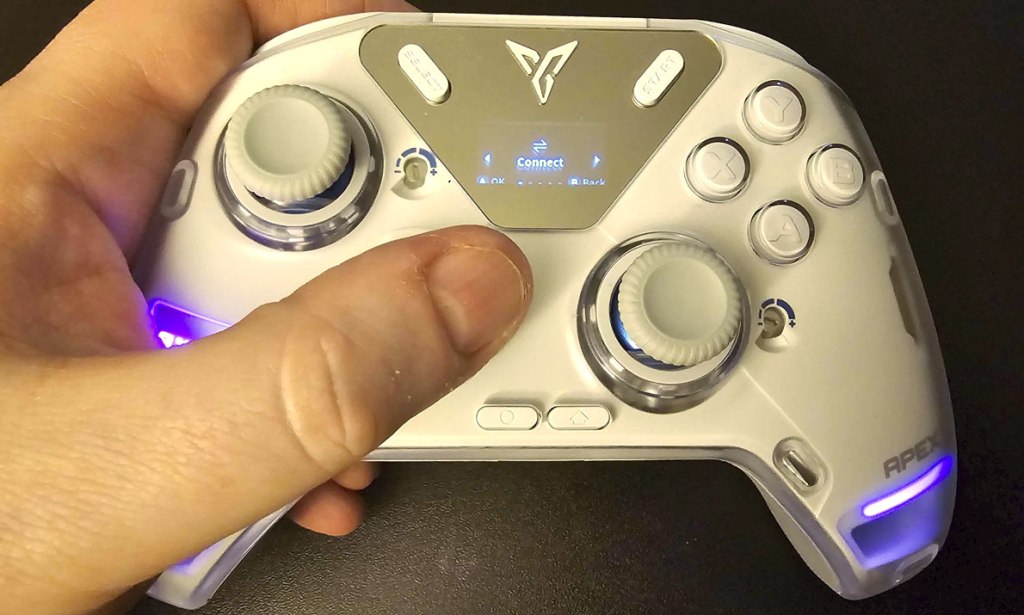
Finally, I’ve mentioned it enough so let’s talk about the settings menu. The Flydigi Apex 4 has a built-in screen that you can activate by holding down the home button. This enables you to activate multiple features. You can sync the controller up to a selected platform type, you can alter the button assignments of the 4 macro buttons on the rear of the controller and assign them a turbo function (but can’t actually program macros for the controller – that is solely done with the PC application), and you can adjust the haptic feedback of the trigger buttons, you can save up to four controller profiles.
A lot of cool stuff, right? Well, what does this controller do every time it offers you something cool? Well, it makes it impractical. And here that starts right at the beginning, because as I said – opening this menu is done using the home button, the same home button that is still active as a home button on the Nintendo Switch, meaning you’ll be dropping in or out of your game or bringing up the power-down menu just to access this controller’s menu. Why didn’t they just add another button to the controller to access this menu!?
Also, just to make things extra awkward and confusing, the menus use B to confirm and A to exit, unlike the overwhelming majority of Nintendo Switch games. Oh, also, assigning buttons to the macro buttons on the back seems to have them reversed (A means B, B means A, and so on). And the use of this built-in menu system is not explained anywhere in the included instruction manual, meaning that what everything does is something that you’ll have to figure out on your own.
So, after all that, what do I think of the Flydigi Apex 4? Well, it’s not the complete disaster that the Flydigi Vader 4 was, at least. The D-Pad and face buttons work better, the terrible PC app doesn’t permanently ruin the controller, there are actually hall effect sticks, and there are some genuinely incredibly cool features here, like the haptic feedback triggers.
But here’s where I get back to what I said in the opening. For a controller selling at this price, my expectations are high, and the Flydigi Apex 4 simple does not meet them. Many of the flaws of the Vader 4 are still present, namely that aforementioned awful software. Plus, some of the better features of that controller are missing here, like the easily-adjustable analog-to-digital triggers and tension adjustment on the analog sticks… with these features replaced with seemingly cooler alternatives that are more trouble than they’re worth to use.
And as I’ve noted throughout this review, despite all the cool features of the Flydigi Apex 4, just about everything this controller offers that’s truly great is done in a way that’s so tedious, inconvenient, or counter-intuitive that it often defeats the purpose of bothering with those features. if this were a mid-range controller, I might say that its unique features make it interesting enough that you might find it worth a look as long as you’re ready for the headaches that come with it. But at this controller’s massive price, I cannot possibly recommend you buy something this flawed.
tl;dr – The Flydigi Apex 4 is a Pro-style Nintendo Switch controller with some truly impressive features like DualSense-style haptic feedback triggers. Unfortunately, everything impressive or great this controller does comes with a catch that makes it too annoying, inconvenient, or counter-intuitive to actually use, and at the massive price this controller is selling for, there is no way this controller should be as flawed as it is. Skip it.
Grade: C-
.
This game has been nominated for one or more of eShopperReviews 2025 Game Awards:
Runner-Up: Most Overpriced
.
You can support eShopperReviews on Patreon! Please click HERE to become a Sponsor!
This month’s sponsors are Jamie and His Cats, Ben, Ilya Zverev, Andy Miller, Johannes, Jaka, Jared Wark, Gabriel Coronad-Medina, Francis Obst, Kristoffer Wulff, and Seth Christenfeld. Thank you for helping to keep the reviews coming!


Leave a comment